Service Manuals, User Guides, Schematic Diagrams or docs for : Samsung LCD TV SP43L2H SP43L2HX шасси L63A(P)-
<< Back | HomeMost service manuals and schematics are PDF files, so You will need Adobre Acrobat Reader to view : Acrobat Download Some of the files are DjVu format. Readers and resources available here : DjVu Resources
For the compressed files, most common are zip and rar. Please, extract files with Your favorite compression software ( WinZip, WinRAR ... ) before viewing. If a document has multiple parts, You should download all, before extracting.
Good luck. Repair on Your own risk. Make sure You know what You are doing.
Image preview - the first page of the document
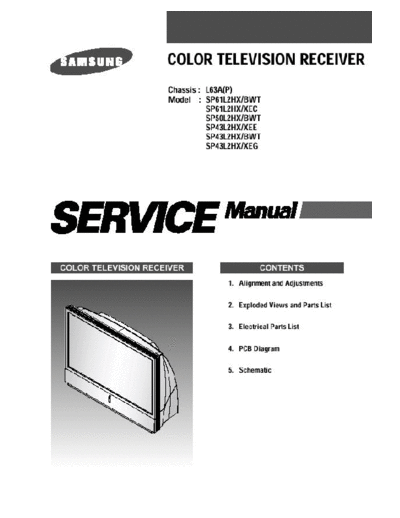
>> Download шасси L63A(P)- documenatation <<
Text preview - extract from the document
Alignment and Adjustments


1-12 ASSEMBLY
1-12-1 ASSY COVER P-FAN

ASSY COVER P-FAN Separation :
Remove the 3 screws securing the COVER-DUCT, TOP.


ASSY COVER P-FAN Separation :
Pull out the screws while holding and pressing on the HOOK of the HOLDER-FILTER.


1-8                                                                                Samsung Electronics
                                                                          Alignment and Adjustments


ASSY COVER P-FAN Separation :
Pull out the HANDLE-FILTER in the direction shown in the figure.


ASSY COVER P-FAN Separation :
Lift up the COVER-DUCT TOP with your hand in order to pull out the FAN.


Samsung Electronics                                                                            1-9
Alignment and Adjustments


ASSY COVER P-FAN Separation :
Pull out the FAN and let go of the COVER-DUCT TOP .


1-10                                                  Samsung Electronics
                                                                                   Alignment and Adjustments


1-12-2 LAMP_BALLAST

LAMP CONNECTOR Separation :
6003-000335 SCREW-TAPTITE :RH,+2S,M3,L8,ZPC(YEL)SWRCH18A 4EA
Remove the 4 screws in order to pull out the LAMP_BALLAST CONNECTOR


LAMP CONNECTOR Separation :
Pull out the connector connected to the LAMP-BALLAST and the LAMP (Left Figure), and lift it up to
separate the two parts.(Right Figure)


Samsung Electronics                                                                                    1-11
LAMP CONNECTOR Separation :
Remove the 4 screws securing the LAMP-BALLAST.
Remove the ON/OFF CABLE inserted in the LAMP-BALLAST.


LAMP CONNECTOR Separation :
Remove the LAMP-BALLAST, and replace it.
                                                                      Alignment and Adjustments


1-12-3 ASSY PCB S-LCD DRIVER

COVER-LENS Separation :
Remove the marked screws.


COVER-LENS Separation :
BP63-00039A COVER-LENS : HIPS VO BLACK
Pull out the COVER-LENS in upward direction as shown in the figure.


Samsung Electronics                                                                       1-13
Alignment and Adjustments


ASSY MISC P-SHIELD-CASE,TOP Separation :
6003-000335 SCREW-TAPTITE :RH,+2S,M3,L8,ZPC(YEL)SWRCH18A
Remove the 4 marked screws.


ASSY MISC P-SHIELD-CASE,TOP Separation :
ABP96-00186A SSY MISC P-SHIELD-CASE,TOP
Hold both sides of the ASSY MISC P-SHIELD-CASE TOP and pull it out in the direction of the arrow to
separate it.


1-14                                                                                  Samsung Electronics
                                                                                      Alignment and Adjustments


LCD-PANEL Separation :
Separate the 3 marked parts of PANEL R,G,B.
Refer to the figure for details.


                                              LCD PANEL Separation :
                                              Separate each PANEL HOLDER
                                              Refer to the figure for details.


                                                         LCD PANEL Separation :
                                                         Push both sides of each PANEL HOLDER in
                                                         direction of the arrow in the figure to separate it.


Samsung Electronics                                                                                       1-15
Alignment and Adjustments


LCD PANEL Separation :
A figure showing three separated panels


ASSY PCB S-LCD DRIVER Separation :
6003-000365 SCREW TAPTITE : BH S M3 L8 ZPC(YEL) SWRCH18A 4EA
Remove the 4 marked screws.


1-16                                                           Samsung Electronics
                                                                                 Alignment and Adjustments


ASSY PCB S-LCD DRIVER Separation :
Hold both sides of the ASSY MISC P-SHIELD-CASE BOT and pull it out upward in the direction of arrow
to separate it.


ASSY PCB S-LCD DRIVER Separation :
6003-000335 SCREW-TAPTITE :RH,+2S,M3,L8,ZPC(YEL)SWRCH18A 4EA
Remove the 4 marked screws.


Samsung Electronics                                                                                  1-17
Alignment and Adjustments


ASSY PCB S-LCD DRIVER Separation :
BP94-00474A ASSY PCB S-LCD DRIVER 1EA
Pull out the ASSY PCB S-LCD DRIVER.


1-12-4 FAN(FAN-BALLAST)

FAN-BALLAST Separation :
Remove the 2 screws securing the HOLDER-BALLAST.


1-18                                               Samsung Electronics
                                                    Alignment and Adjustments


FAN-BALLAST Separation :
Pull out the ASSY BALLAST as shown in the figure.


FAN-BALLAST Separation :
Remove the 2 HOLDER screws securing the FAN.


Samsung Electronics                                                     1-19
Alignment and Adjustments


FAN-BALLAST Separation :                  FAN-BALLAST Separation :
Remove the 2 screws securing the FAN.     Pull out the FAN as shown in the figure and
                                          replace it with a new one.


1-12-5 FAN(FAN-LAMP)


FAN-LAMP Separation :                   FAN-LAMP Separation :
Remove the 2 screws                     Turn the HANDLE-LAMP by 90
◦ Jabse Service Manual Search 2026 ◦ Jabse Pravopis ◦ onTap.bg ◦ Other service manual resources online : Fixya ◦ eServiceinfo