Service Manuals, User Guides, Schematic Diagrams or docs for : Samsung Laptop NP-R710 Схема и сервис мануал на Samsung NP-R710 NP-R710-FS04RU_SM_EN_20080820080531000_1_Cover
<< Back | HomeMost service manuals and schematics are PDF files, so You will need Adobre Acrobat Reader to view : Acrobat Download Some of the files are DjVu format. Readers and resources available here : DjVu Resources
For the compressed files, most common are zip and rar. Please, extract files with Your favorite compression software ( WinZip, WinRAR ... ) before viewing. If a document has multiple parts, You should download all, before extracting.
Good luck. Repair on Your own risk. Make sure You know what You are doing.
Image preview - the first page of the document
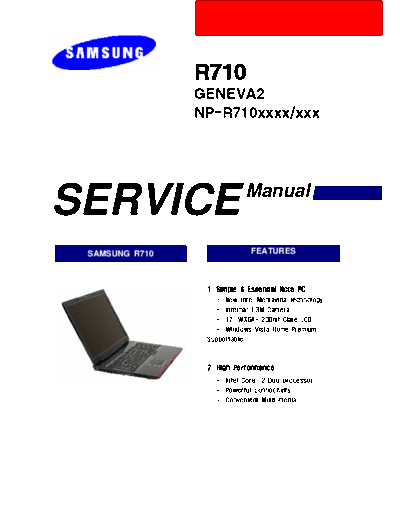
>> Download NP-R710-FS04RU_SM_EN_20080820080531000_1_Cover documenatation <<
Text preview - extract from the document
SERVICE                        Manual


 SAMSUNG R710                  FEATURES


                1. Simple & Essential Note PC
                  -. New Intel Mentavina technology.
                  -. Internal 1.3M Camera
                  -. 17'' WXGA+ 200nit Glare LCD
                  -. Windows Vista Home/Premium
                Supportable.


                2. High Performance
                  -. Intel CoreTM2 Duo processor
                  -. Powerful connectivity.
                  -. Convenient Multi-media.
- This Document can not be used without Samsung's authorization -


-   CONTENTS -

1. Precautions
    1) General After-Sales Service Precautions.............................................................................................1-1
    2) Safety Precautions.................................................................................................................................1-2
    3) Ground....................................................................................................................................................1-3
    4) Static Electricity Precautions.................................................................................................................1-3


2. Introduction and Specification
    1) Introduction.............................................................................................................................................2-1
    2) Specification...........................................................................................................................................2-2
    3) Key Feature...........................................................................................................................................2-8
    4) Option Part list......................................................................................................................................2-9
    5) Product Feature....................................................................................................................................2-11
    6) New Function........................................................................................................................................2-17
    7) Software List.........................................................................................................................................2-22
    8) System Setup (BIOS Setup)...............................................................................................................2-23
    9) Description of Main board...................................................................................................................2-30


3. Disassembly and Reassembling
    1) Disassembly and Reassembly of R710...............................................................................................3-1


4. Troubleshooting
    1) General..................................................................................................................................................4-1
    2) Debugging Flow Chart..........................................................................................................................4-2
    3) System Diagnosis..................................................................................................................................4-5
    4) Use of diagnostic program...................................................................................................................4-9
    5) Hardware Troubleshooting...................................................................................................................4-14
    6) CPU Fan Control...................................................................................................................4-14
    7) Device Settings Related Software Diagnosis.....................................................................................4-24
    8) Battery Use Time.................................................................................................................................4-30
    9) Etc.........................................................................................................................................................4-35
    10) Memory addition method.....................................................................................................................4-37


5. Exploded view
    1) Exploded view of R710........................................................................................................................5-1


6. BOM
    1) Main System.........................................................................................................................................6-1
- This Document can not be used without Samsung's authorization -


-   CONTENTS -

7. System Wire Diagram
    1) Top..........................................................................................................................................................7-1
    2) Bottom.....................................................................................................................................................7-2
    3) LCD.........................................................................................................................................................7-3


8. Schematic
    1) Schematic...............................................................................................................................................8-1.
◦ Jabse Service Manual Search 2026 ◦ Jabse Pravopis ◦ onTap.bg ◦ Other service manual resources online : Fixya ◦ eServiceinfo