Service Manuals, User Guides, Schematic Diagrams or docs for : Samsung Monitor Monitor CHA4217L CHA4217L_SB-ET-SI_4603179649
<< Back | HomeMost service manuals and schematics are PDF files, so You will need Adobre Acrobat Reader to view : Acrobat Download Some of the files are DjVu format. Readers and resources available here : DjVu Resources
For the compressed files, most common are zip and rar. Please, extract files with Your favorite compression software ( WinZip, WinRAR ... ) before viewing. If a document has multiple parts, You should download all, before extracting.
Good luck. Repair on Your own risk. Make sure You know what You are doing.
Image preview - the first page of the document
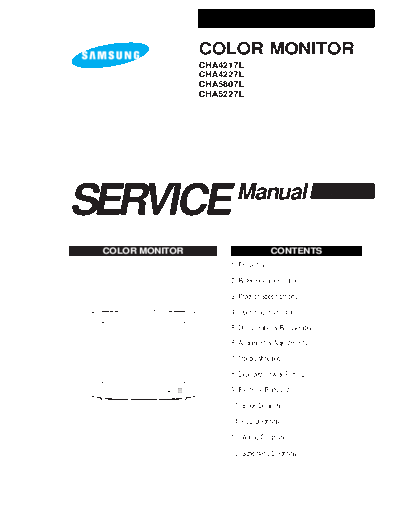
>> Download CHA4217L_SB-ET-SI_4603179649 documenatation <<
Text preview - extract from the document
                 COLOR MONITOR
                 CHA4217L
                 CHA4227L
                 CHA5807L
                 CHA5227L


SERVICE                 Manual

 COLOR MONITOR                         CONTENTS
                      1. Precautions

                      2. Reference Information

                      3. Product Specifications

                      4. Operating Instructions

                      5. Disassembly & Reassembly

                      6. Alignment & Adjustments

                      7. Troubleshooting

                      8. Exploded View & Parts List

                      9. Electrical Parts List

                      10. Block Diagram

                      11. PCB Diagrams

                      12. Wiring Diagram

                      13. Schematic Diagrams
6 Alignment and Adjustments
This section of the service manual explains how to make permanent adjustments to the monitor. Directions
are given for adjustments using the monitor Interface Board Ver. 2.0 and software (SoftJig).

6-1 Adjustment Conditions
Caution: Changes made without the SoftJig are saved only to the user mode settings. As such, the
         settings are not permanently stored and may be inadvertently deleted by the user.

6-1-1   Before Making Adjustments                      6-1-1 (f) +B 13 V LINE CHECK
                                                       No beam
6-1-1 (a) ORIENTATION                                  Contrast:            Maximum
When servicing, always face the monitor to the         Brightness:          Maximum
east.                                                  Check the DC 13 V
◦ Jabse Service Manual Search 2026 ◦ Jabse Pravopis ◦ onTap.bg ◦ Other service manual resources online : Fixya ◦ eServiceinfo