Service Manuals, User Guides, Schematic Diagrams or docs for : Samsung Monitor Monitor an17ks
<< Back | HomeMost service manuals and schematics are PDF files, so You will need Adobre Acrobat Reader to view : Acrobat Download Some of the files are DjVu format. Readers and resources available here : DjVu Resources
For the compressed files, most common are zip and rar. Please, extract files with Your favorite compression software ( WinZip, WinRAR ... ) before viewing. If a document has multiple parts, You should download all, before extracting.
Good luck. Repair on Your own risk. Make sure You know what You are doing.
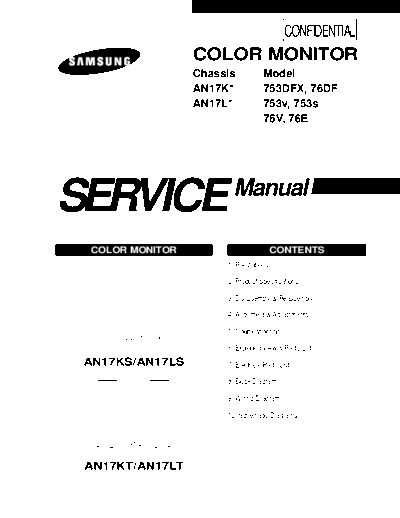
Image preview - the first page of the document
>> Download an17ks documenatation <<
Text preview - extract from the document
CONFIDENTIAL
COLOR MONITOR
Chassis Model
AN17K* 753DFX, 76DF
AN17L* 753v, 753s
76V, 76E
SERVICE Manual
COLOR MONITOR CONTENTS
1. Precautions
2. Product Specifications
3. Disassembly & Reassembly
4. Alignment & Adjustments
5. Troubleshooting
6. Exploded View & Parts List
AN17KS/AN17LS 7. Electrical Parts List
8. Block Diagram
9. Wiring Diagram
10. Schematic Diagrams
AN17KT/AN17LT
CONFIDENTIAL
1 Precautions
1-1 Safety Precautions
WARNINGS 2. Inspect all protective devices such as nonmetallic
1. For continued safety, do not attempt to modify the control knobs, insulating materials, cabinet backs,
circuit board. adjustment and compartment covers or shields,
2. Disconnect the AC power before servicing. isolation resistor-capacitor networks, mechanical
insulators, etc.
3. When the chassis is operating, semiconductor
heatsinks are potential shock hazards. 3. Leakage Current Hot Check (Figure 1-1):
WARNING: Do not use an isolation transformer during
1-1-1 Servicing the High Voltage and CRT : this test.
WARNING: A high voltage VR replaced in the Use a leakage current tester or a metering system
wrong direction may cause excessive that complies with American National Standards
X-ray emissions. Institute (ANSI C101.1, Leakage Current for
Appliances), and Underwriters Laboratories (UL
1. When servicing the high voltage system, remove Publication UL1410, 59.7).
the static charge by connecting a 10 kohm resistor
in series with an insulated wire (such as a test 4. With the unit completely reassembled, plug the AC
probe) between the chassis and the anode lead. line cord directly into a 120V AC outlet. With the
unit's AC switch first in the ON position and then
2. When troubleshooting a monitor with excess HV, OFF, measure the current between a known earth
avoid being unnecessarily close to the monitor. Do ground (metal water pipe, conduit, etc.) and all
not operate the monitor for longer than is necessary exposed metal parts, including: metal cabinets,
to locate the cause of excessive voltage. screwheads and control shafts. The current
3. High voltage should always be kept at the rated measured should not exceed 0.5 milliamp. Reverse
value (not higher). Only when high voltage is the power-plug prongs in the AC outlet and repeat
excessive are X-rays capable of penetrating the shell the test.
of the CRT, including the lead in glass material.
Operation at high voltages may also cause failure of (READING SHOULD
NOT BE ABOVE 0.5mA)
the CRT or high voltage circuitry.
4. When the HV regulator is operating properly, there LEAKAGE
DEVICE
is no possibility of an X-ray problem. Make sure the UNDER
CURRENT
TESTER
TEST
HV does not exceed its specified value and that it is TEST ALL
regulating correctly. EXPOSED METAL
SURFACES
5. The CRT is especially designed to prohibit
X-ray emissions. To ensure continued X-ray 2-WIRE CORD
protection, replace the CRT only with one that is
the same or equivalent type as the original. ALSO TEST WITH
PLUG REVERSED
6. Handle the CRT only when wearing shatterproof (USING AC ADAPTER
PLUG AS REQUIRED) EARTH
goggles and after completely discharging the high GROUND
voltage anode.
Figure 1-1. Leakage Current Test Circuit
7. Do not lift the CRT by the neck.
1-1-2 Fire and Shock Hazard 1-1-3 Product Safety Notices
Some electrical and mechanical parts have special
Before returning the monitor to the user, perform the
safety-related characteristics which are often not
following safety checks:
evident from visual inspection. The protection they give
1. Inspect each lead dress to make certain that the may not be obtained by replacing them with
leads are not pinched or that hardware is not components rated for higher voltage, wattage, etc. Parts
lodged between the chassis and other metal parts in that have special safety characteristics are identified by
the monitor. ! on schematics and parts lists. A substitute
replacement that does not have the same safety
characteristics as the recommended replacement part
might create shock, fire and/or other hazards.
Product safety is under review continuously and new
instructions are issued whenever appropriate.
Components identified by on schematics and parts
lists must be sealed by a soldering iron after
replacement and adjustment.
AN17K*/AN17L* 1-1
1 Precautions
CONFIDENTIAL
1-2 Servicing Precautions
WARNING 1:First read the "Safety Precautions" section of this manual. If unforeseen circumstances
create conflict between the servicing precautions and safety precautions, always
follow the safety precautions.
WARNING 2:A high voltage Micom control replaced in the wrong direction may cause excessive X-
ray emissions.
WARNING 3:An electrolytic capacitor installed with the wrong polarity might explode.
1. Servicing precautions are printed on the cabinet, 5. Check the insulation between the blades of the AC
and should be followed closely. plug and accessible conductive parts (examples:
2. Always unplug the unit's AC power cord from the metal panels, input terminals and earphone jacks).
AC power source before attempting to: (a) remove 6. Insulation Checking Procedure: Disconnect the
or reinstall any component or assembly, (b) power cord from the AC source and turn the power
disconnect PCB plugs or connectors, (c) connect all switch ON. Connect an insulation resistance meter
test components in parallel with an electrolytic (500 V) to the blades of the AC plug.
capacitor. The insulation resistance between each blade of the
3. Some components are raised above the printed AC plug and accessible conductive parts (see
circuit board for safety. An insulation tube or tape above) should be greater than 1 megohm.
is sometimes used. The internal wiring is 7. Never defeat any of the +B voltage interlocks. Do
sometimes clamped to prevent contact with not apply AC power to the unit (or any of its
thermally hot components. Reinstall all such assemblies) unless all solid-state heat sinks are
elements to their original position. correctly installed.
4. After servicing, always check that the screws, 8. Always connect a test instrument's ground lead to
components and wiring have been correctly the instrument chassis ground before connecting
reinstalled. Make sure that the area around the the positive lead; always remove the instrument's
serviced part has not been damaged. ground lead last.
1-3 Electrostatically Sensitive Devices (ESD) Precautions
Some semiconductor (solid state) devices can be easily damaged by static electricity. Such components are commonly
called Electrostatically Sensitive Devices (ESD). Examples of typical ESD are integrated circuits and some field-effect
transistors. The following techniques will reduce the incidence of component damage caused by static electricity.
1. Immediately before handling any semiconductor 6. Do not remove a replacement ESD from its
components or assemblies, drain the electrostatic protective package until you are ready to install it.
charge from your body by touching a known earth Most replacement ESDs are packaged with leads
ground. Alternatively, wear a discharging wrist- that are electrically shorted together by conductive
strap device. To avoid a shock hazard, be sure to foam, aluminum foil or other conductive materials.
remove the wrist strap before applying power to 7. Immediately before removing the protective
the monitor. material from the leads of a replacement ESD,
2. After removing an ESD-equipped assembly, place it touch the protective material to the chassis or
on a conductive surface such as aluminum foil to circuit assembly into which the device will be
prevent accumulation of an electrostatic charge. installed.
3. Do not use freon-propelled chemicals. These can Caution: Be sure no power is applied to the
generate electrical charges sufficient to damage chassis or circuit and observe all
ESDs. other safety precautions.
4. Use only a grounded-tip soldering iron to solder or
8. Minimize body motions when handling
desolder ESDs.
unpackaged replacement ESDs. Motions such as
5. Use only an anti-static solder removal device. Some brushing clothes together, or lifting your foot from
solder removal devices not classified as "anti-static" a carpeted floor can generate enough static
can generate electrical charges sufficient to damage electricity to damage an ESD.
ESDs.
9. Indicates ESDs on the Schematic Diagram in
this manual.
1-2 AN17K*/AN17L*
CONFIDENTIAL
2 Product Specifications
2-1 Specifications
Item Description
Picture Tube 17-Inch (43 cm): 16-inch (40.6 cm) viewable,
Flat-face, 90◦ Jabse Service Manual Search 2026 ◦ Jabse Pravopis ◦ onTap.bg ◦ Other service manual resources online : Fixya ◦ eServiceinfo