Service Manuals, User Guides, Schematic Diagrams or docs for : Samsung Micro Wave CM-1819, CM-1829, CM-1419, CM-1429 SAMSUNG+CM-1819_1829_1419_1429
<< Back | HomeMost service manuals and schematics are PDF files, so You will need Adobre Acrobat Reader to view : Acrobat Download Some of the files are DjVu format. Readers and resources available here : DjVu Resources
For the compressed files, most common are zip and rar. Please, extract files with Your favorite compression software ( WinZip, WinRAR ... ) before viewing. If a document has multiple parts, You should download all, before extracting.
Good luck. Repair on Your own risk. Make sure You know what You are doing.
Image preview - the first page of the document
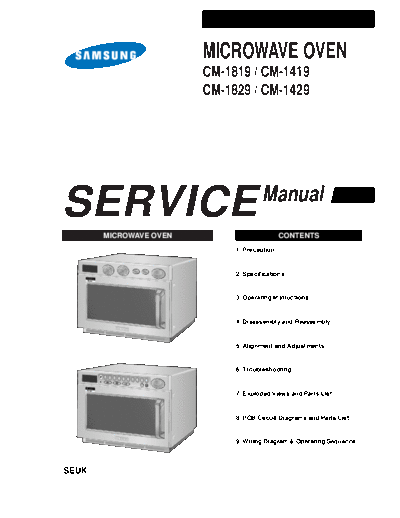
>> Download SAMSUNG+CM-1819_1829_1419_1429 documenatation <<
Text preview - extract from the document
MICROWAVE OVEN
CM-1819 / CM-1419
CM-1829 / CM-1429
SERVICE MICROWAVE OVEN
Manual
CONTENTS
1. Precaution
2. Specifications
3. Operating Instructions
4. Disassembly and Reassembly
5. Alignment and Adjustments
6. Troubleshooting
P 1 2 3 4 5 6 7 8 9 0
+ 20sec
7. Exploded Views and Parts List
8. PCB Circuit Diagrams and Parts List
9. Wiring Diagram & Operating Sequence
SEUK
1. Precaution
Follow these special safety precautions. Although the microwave oven is completely safe during ordinary
use, repair work can be extremely hazardous due to possible exposure to microwave radiation, as well as
potentially lethal high voltages and currents.
1-1 Safety precautions ( )
1. All repairs should be done in accordance
with the procedures described in this 13. Design Alteration Warning:
manual. Use exact replacement parts only, i.e.,
only those that are specified in the
2. Microwave emission check should be drawings and parts lists of this manual.
performed prior to servicing if the oven is This is especially important for the
operative. Interlock switches. Never alter or add to
the mechanical or electrical design of the
3. If the oven operates with the door open : microwave oven. Any design changes or
Instruct the user not to operate the oven and additions will void the manufacturer's
contact the manufacturer and the centre for warranty.
devices and radiological health immediately.
14. Always unplug the unit's AC power cord
4. Notify the Central Service Centre if the from the AC power source before
microwave leakage exceeds 5 mW/cm2. attempting to remove or reinstall any
component or assembly.
5. Check all grounds.
15. Never defeat any of the B+ voltage
6. Do not power the microwave oven from a "2- interlocks. Do not apply AC power to the
prong" AC cord. Be sure that all of the built- unit (or any of its assemblies) unless all
in protective devices are replaced. Restore solid-state heat sinks are correctly installed.
any missing protective shields.
16. Some semiconductor ("solid state") devices
7. When reinstalling the chassis and its are easily damaged by static electricity.
assemblies, be sure to restore all protective Such components are called
devices, including: nonmetallic control knobs Electrostatically Sensitive Devices (ESDs).
and compartment covers. Examples include integrated circuits and
field-effect transistors.
8. Make sure that there are no cabinet
openings through which people--particularly Immediately before handling any
children--might insert objects and contact semiconductor components or assemblies,
dangerous voltages. Examples: Lamp hole, drain the electrostatic charge from your
ventilation slots. body by touching a known earth ground.
9. Inform the manufacturer of any oven found 17. Always connect a test instrument's ground
to have emmission in excess of 5mW/cm2. lead to the instrument chassis ground before
Make repairs to bring the unit into connecting the positive lead; always
compliance at no cost to owner and try to remove the instrument's ground lead last.
determine cause.
Instruct owner not to use oven until it has 18. When checking the continuity of the switches
been brought into compliance. or transformer, always make sure that the
power is OFF, and one of the lead wires is
10. Service technicians should remove their disconnected.
watches while repairing an microwave oven.
19. Components that are critical for safety are
11. To avoid any possible radiation hazard, indicated in the circuit diagram or parts
replace parts in accordance with the wiring list by shading, or .
diagram. Also, use only the exact
replacements for the following parts: 20. Use replacement components that have the
Primary and door sensing switches, interlock same ratings, especially for flame resistance
monitor switch. and dielectric strength specifications. A
replacement part that does not have the
12. If the fuse is blown by the Interlock Monitor same safety characteristics as the original
Switch: Replace all of the following at the might create shock, fire or other hazards.
same time: Primary and door sensing
switches, as well as the Interlock Monitor
Switch. The correct adjustment of these
switches is described elsewhere in this
manual. Make sure that the fuse has the
correct rating for the particular model being
repaired.
Samsung Electronics 1
Precaution
1-2 Special High Voltage Precautions
1. High Voltage Warning
Do not attempt to measureany of the high Discharge the 2 High Voltage Capacitors
voltages--this includes the filament voltage of before servicing !
the magnetron. High voltage is present during
any cook cycle.
Before touching any components or wiring,
always unplug the oven and discharge the
high voltage capacitor (See Figure here)
2. The high-voltage capacitor remains charged
about 30 seconds after disconnection. Short
the negative terminal of the high-voltage
capacitor to the oven chassis. (Use a Screwdriver
screwdriver.)
3. High voltage is maintained within specified
limits by close-tolerance, safety-related H.V.Capacitors
components and adjustments. If the high
voltage exceeds the specified limits, check
each of the special components.
Negative Terminal
PRECAUTION Note :Touch chassis side first then short to
the high voltage capacitor terminal by
There exists HIGH VOLTAGE ELECTRICITY using a screwdriver.
with high current capabilities in the circuits of
the HIGH VOLTAGE TRANSFORMER
secondary and filament terminals. It is
extremely dangerous to work on or near these
circuits with the oven energized.
DO NOT measure the voltage in the high
voltage circuit including filament voltage of
magnetron.
PRECAUTION
Never touch any circuit wiring with your hand
nor with an insulated tool during operation.
PRECAUTION
Servicemen should remove their watches
whenever working close to or replacing the
magnetron.
2 Samsung Electronics
2. Specifications
2-1 Table of Specifications (CM-1819 / CM-1419)
MODEL CM-1819 CM-1419
ITEM
TIMER Max. 25 min Max. 25 min
POWER SOURCE 230V/50HZ, AC 230V/50HZ, AC
POWER CONSUMPTION MICROWAVE : 3,150W MICROWAVE : 2,600W
240V: 1,800W 240V: 1,400W
OUTPUT POWER (IEC-705) (IEC-705)
230V: 1,730W 230V: 1,340W
OPERATING FREQUENCY 2,450MHz 2,450MHz
MAGNETRON OM75P(20)ESS OM75P(20)ESS
COOLING METHOD VENTILATION MOTOR VENTILATION MOTOR
OUTSIDE DIMENSIONS 464(W) x 368(H) x 557(D) 464(W) x 368(H) x 557(D)
NET WEIGHT 32 Kg 32 Kg
SHIPPING WEIGHT 34.5 Kg 34.5 Kg
2-2 Table of Specifications (CM-1829 / CM-1429)
MODEL CM-1829 CM-1429
ITEM
TIMER Max. 25 min Max. 25 min
POWER SOURCE 230V/50HZ, AC 230V/50HZ, AC
POWER CONSUMPTION MICROWAVE : 3,150W MICROWAVE : 2,600W
240V: 1,800W 240V: 1,400W
OUTPUT POWER (IEC-705) (IEC-705)
230V: 1,730W 230V: 1,340W
OPERATING FREQUENCY 2,450MHz 2,450MHz
MAGNETRON OM75P(20)ESS OM75P(20)ESS
COOLING METHOD VENTILATION MOTOR VENTILATION MOTOR
OUTSIDE DIMENSIONS 464(W) x 368(H) x 557(D) 464(W) x 368(H) x 557(D)
NET WEIGHT 32 Kg 32 Kg
SHIPPING WEIGHT 34.5 Kg 34.5 Kg
Samsung Electronics 3
3. Operating Instructions
3-1 Features (CM-1819 / CM-1419)
VARIABLE COOKING POWER CONTROL DIAL
OVEN LAMP TIMER DIAL
+20sec PAD
DISPLAY
STOP/CANCEL PAD
OVEN LAMP COVER
START BUTTON
DOOR HANDLE CEILING COVER
SAFETY INTERLOCK
HOLES
DOOR
DOOR LATCHES PLATE TRAY AIR FILTER
3-2 Features (CM-1829 / CM-1429)
OVEN LAMP CONTROL PANEL
DISPLAY +20sec PAD
OVEN LAMP COVER
STOP/CANCEL PAD
P 1 2 3 4 5 6 7 8 9 0
+ 20sec
START BUTTON
DOOR HANDLE
CEILING COVER
SAFETY INTERLOCK
HOLES
DOOR
DOOR LATCHES PLATE TRAY AIR FILTER
4 Samsung Electronics
Operating Instructions
3-3 Control Panel (CM-1829 / CM-1429)
1 2 4
P 1 2 3 4 5 6 7 8 9 0
+ 20sec
3 5 6 7 8 9 10
1. DISPLAY
2. PROGRAM PAD
3. PROGRAM LOCK PAD
4. NUMBER PADS(TIME, MEMORY PROGRAMMING)
5. POWER LEVEL SELECTOR PAD
6. DEFROST SELECTOR PAD
7. DOUBLE QUANTITY PAD
8. +20sec PAD (ONE TOUCH COOK PAD)
9. STOP/CANCEL PAD
10. START BUTTON
3-4 External Views (CM-1819 / CM-1419)
3-4-1 External Views (CM-1819 / CM-1419)
464 43 557 26 1000
530
368
444 486 514
10
3-4-2 External Views (CM-1829 / CM-1429)
464 43 557 26 1000
530
368
444 486 514
10
Samsung Electronics 5
Operating Instructions
3-5 Operation Guide (CM-1819 / CM-1419)
Cooking/Reheating
1. Make sure the oven is plugged into a properly earthed electrical outlet and `ON' appears in the display
window.
2. Open the door.
The oven lamp will be turned on.
3. Put the food into a suitable container, place it in the center of the oven and then close the door securely.
Result: The oven lamp will go off.
4. Select the desired power level by rotating the COOKING POWER CONTROL DIAL.
Result: The selected power level will be displayed in the display window.
5. Set the desired heating time by rotating the TIMER DIAL.
Result: "ON" blinks and the selected time is displayed in the display window.
6. Press pad:
Result:The oven lamp and cooling fan will be turned on.
Heating will start.
The time on digital display will count down.
7. When all time is elapsed, the end of cycle Beep Tone will sound 4 times and all heating will stop. The
oven lamp will go off. For 1 min, the display shows and the cooling fan will keep working in order to cool
down the interior parts. During the time, the fan will not stop even when you open the door. 1 min later it
will stop and ON appears again. Food may be removed from oven whilst the fan is still running.
8. Open the door and take the food out.
9. Close the door. The oven lamp will go off.
NOTE: Whilst heating, one press on pad stops the oven. You can restart it by pressing the pad or a
second press on pad will cancel the selected program. When it is NOT in a heating cycle, one tap
on pad cancels the selected program. You can set the power level first and then the cooking time
next, or vice versa. You can press +20sec button one or more times in order to add the cooking
time by 20 seconds.
6 Samsung Electronics
Operating Instructions
3-5 Operation Guide (CM-1819 / CM-1419 continued)
To stop the cooking
You can stop cooking at any time so that you can:
◦ Jabse Service Manual Search 2026 ◦ Jabse Pravopis ◦ onTap.bg ◦ Other service manual resources online : Fixya ◦ eServiceinfo