Service Manuals, User Guides, Schematic Diagrams or docs for : Samsung Plasma PS42B430P2W chassis F65A ps42b430p2w Troubleshooting
<< Back | HomeMost service manuals and schematics are PDF files, so You will need Adobre Acrobat Reader to view : Acrobat Download Some of the files are DjVu format. Readers and resources available here : DjVu Resources
For the compressed files, most common are zip and rar. Please, extract files with Your favorite compression software ( WinZip, WinRAR ... ) before viewing. If a document has multiple parts, You should download all, before extracting.
Good luck. Repair on Your own risk. Make sure You know what You are doing.
Image preview - the first page of the document
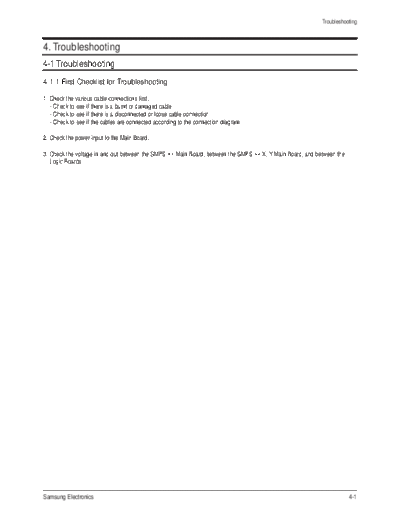
>> Download Troubleshooting documenatation <<
Text preview - extract from the document
Troubleshooting
4. Troubleshooting
4-1 Troubleshooting
4-1-1 First Checklist for Troubleshooting
1. Check the various cable connections first.
- Check to see if there is a burnt or damaged cable.
- Check to see if there is a disconnected or loose cable connection.
- Check to see if the cables are connected according to the connection diagram.
2. Check the power input to the Main Board.
3. Check the voltage in and out between the SMPS Main Board, between the SMPS X, Y Main Board, and between the
Logic Boards.
Samsung Electronics 4-1
Troubleshooting
4-1-2 Checkpoints by Error Mode
No Power
- The LEDs on the front panel do not work when connecting the power cord.
Symptom - The SMPS relay does not work when connecting the power cord.
- The units appears to be dead.
The SMPS relay or the LEDs on the front panel does not work when connecting the power cord if the cables
are improperly connected or the Main Board or SMPS is not functioning. In this case, check the following:
- Check the internal cable connection status inside the unit.
Major Checklist
- Check the fuses of each part.
- Check the output voltage of SMPS.
- Replace the Main Board.
Troubleshooting
Procedures
Is the AC IN socket connector and No Insert the AC in connector and the
the SMPS CN800S connected? SMPS CN800S connector
Yes
Is the Fuse (F801S) of the SMPS Yes
Power Input Part blown?
Replace Fuse (F801S)
No
SMPS CN801 No
Pin 3 : STB 5V
Pin 2 PS-ON : Check to see if it is 0V
Replace the SMPS
Yes
Replace the Main Board
4-2 Samsung Electronics
Troubleshooting
When the unit is repeatedly turned on and off
Symptom - The SMPS relay is repeatedly turned on and off.
In general, the SMPS relay repeatedly turns on and off by the protection function due to a defect on a board
connected to the SMPS.
- Disconnect all cables from the SMPS, operate the SMPS alone and check if the SMPS works properly and if
Major Checklist each voltage output is correct.
- If the symptom continues even when SMPS is operated alone, replace the SMPS.
- If the symptom is not observed when operating the SMPS alone, find any defective assemblies by connecting
the cables one by one.
Troubleshooting
Procedures
Does the symptom continue when No Replace the Y Main Board
connecting the power after removing
CN810 from the SMPS?
Yes
Does the symptom continue when
connecting the power after removing
No
Replace the X Main Board
CN809 from the SMPS?
Yes
Does the symptom continue when No
connecting the power after removing
CN807 from the SMPS?
Replace the Logic Board
Yes
Replace the SMPS
When separating and connecting the cables such as CN810, CN809, CN808, CN807 of the Main SMPS, CN4701
Caution of the X Main Board, and CN5707 of the Y Main Board, a spark may be generated by the electric charge of the
high capacity capacitor. Therefore, wait some time after disconnecting the power cord from the unit.
Samsung Electronics 4-3
Troubleshooting
No Picture (When audio is normal)
Symptom - Audio is normal but no picture is displayed on the screen.
- This may happen when the Main Board is functioning but the X, Y Main Board, Logic Board, or Y Buffer
Boards are not.
Major Checklist
- The output voltage of the Main SMPS.
- This may happen when the LVDS cable connecting the Main Board and the Logic Board is disconnected.
Troubleshooting
Procedures
Check the LED operation of Logic Board No
Is it normally operating? Replace the Logic Board
Yes
Check the output of LVDS No
Is it normally operating? Replace the Main Board
Yes
Check the each output of the SMPS No
Replace the SMPS
Is it normally operating?
Yes
Check the each output of the SMPS after
disconnecting the power No
cable from SMPS. Replace the Y Scan Board
And replace X-main, Y-main Board,
Y-scan Board.
When separating and connecting the cables such as CN810, CN809, CN807 of the Main SMPS, CN4701 of the
Caution X Main Board, and CN5707 of the Y Main Board, a spark may be generated by the electric charge of the high
capacity capacitor. Therefore, wait some time after disconnecting the power cord from the unit.
4-4 Samsung Electronics
Troubleshooting
No Sound
Symptom - Video is normal but there is no sound.
- When the speaker connectors are disconnected or damaged.
Major Checklist - When the sound processing part of the Main Board is not functioning.
- Speaker defect.
Troubleshooting
Procedures
Is the cable connection between the No
Main Board and the speaker
properly connected?
Connect the cable properly or
replace the cable, if necessary.
Yes
Is the output voltage of SMPS normal?
(CN801 #13)
No
Replace the SMPS
Yes
Is the speaker output terminal No
of the Main Board normal? Replace the Main Board
Yes
Replace the Speaker
Samsung Electronics 4-5
Troubleshooting
No Video
Symptom - A normal/cable network analog broadcast screen is blank or abnormal but OSD is OK.
- Check the antenna connection settings (Air: NTSC / ATSC, Cable: NTSC)
Major Checklist - Check the CVBS cable connection.
- Check the power input of the Main board.
Troubleshooting
Procedures
Is the antenna connection setting No
properly configured? Configure properly
Yes
No
Check CN1001 pin2 for +5V Replace the SMPS
Yes
Replace the Main Board
4-6 Samsung Electronics
Troubleshooting
Drive Board Troubleshooting
1) Troubleshooting Summary
Condition Name Description Related Board
No Voltage Output Operating Voltage don't exist PSU
No Display Operating Voltage exist, but an Image doesn't exist on screen Y-MAIN, X-MAIN, Logic Main, Cable
Abnormal Display Abnormal Image (not open or short) is no screen Y-MAIN, X-MAIN, Logic Main
Sustain Open Some horizontal lines don't exist on screen Scan Buffer, FPC of X/Y
Sustain Short Some horizontal lines appear to be linked on screen Scan Buffer, FPC of X/Y
Address Open Some vertical lines don't exist on screen Logic Main, Logic Buffer, TCP
Address Short Some vertical lines appear to be linked on screen Logic Main, Logic Buffer, TCP
Samsung Electronics 4-7
Troubleshooting
2) Troubleshooting Procedure in Abnormal Conditions
No Display
No Display is related with Y-MAIN, X-MAIN, Logic Main and so on.
This page shows you how to check the boards, and the following pages show you how to find the defective board.
4-8 Samsung Electronics
Troubleshooting
Abnormal Display(Abnormal Image is on Screen.(except abnormality in Sustain or Address))
Abnormal Display is related with Y-MAIN, X-MAIN, Logic Main and so on.
This page shows you how to check the boards, and the following pages show you how to find the defective board.
Samsung Electronics 4-9
Troubleshooting
Address Open, Short
Address Open and Short is related with Logic Main, Logic Buffer, FFC, TCP film and so on.
This page shows you how to check the boards, and the following pages show you how to find the defective board.
4-10 Samsung Electronics
Troubleshooting
4-1-3 Troubleshooting
Symptom Related Image Causes and Countermeasures
A blank vertical cell (block) Address buffer defect
appears on the screen. - Replace the corresponding upper/lower
buffers (E, F)
COF defect (burnt)
- Replace the module
A green screen appears when The Scale is not reseting
the TV is turned on. - Replace the Main board
The OSD box appears but there Incorrect program version
is no text. - Check the version of each program
- Replace the Main board
A blank upper (or lower) block Upper/Lower Y Buffer defect
appears on the screen. - Replace the corresponding upper/lower
buffers (E, F)
Samsung Electronics 4-11
Troubleshooting
Symptom Related Image Causes and Countermeasures
Either the main or sub picture Replace the Main board
does not appear.
A vertical green line appears on The SMPS voltage is incorrect
the screen. - Adjust the SMPS voltage according to
the voltage printed on the module label
Dim screen (blurred in red) X-Main board defect
- Replace the X-Main board
A blank screen appears - Replace the Y-Main board
4-12 Samsung Electronics
Troubleshooting
4-1-4 Troubleshooting Procedures by assembly
No Assembly Major Symptoms
1 SMPS-PDP TV No power, Blank screen, the Relay repeats On and Off.
2 ASSY PDP MODULE P-X-MAIN Blank screen
3 ASSY PDP MODULE P-Y-MAIN Blank screen
4 ASSY PDP MODULE P-LOGIC MAIN Blank screen, Screen noise
5 ASSY PDP MODULE P-Y-MAIN SCAN BUFFER Row Bar screen is blank (42" Only)
6 ASSY PDP MODULE P-ADDRESS E BUFFER Corresponding Buffer Board block screen is blank.
7 ASSY PDP MODULE P-ADDRESS F BUFFER Corresponding Buffer Board block screen is blank.
8 ASSY PCB MISC-MAIN No Power, Abnormal screen for each input source, PIP screen trouble, Sound trouble
9 ASSY BOARD P-FUNCTION The side function key does not work properly
Samsung Electronics 4-13
Troubleshooting
4-2 Adjustment
4-2-1 Service Instruction
Before performing service
1. Check if the measurement and test equipment is working properly.
2. Secure sufficient work space for disassembling the product.
3. Prepare a soft pad for disassembling the product.
Service adjustment item after replacement of Board
PDP Option of Factory Mode set the Factory Data Type item as the suitable value of relevant model.
Adjust Calibration of Factory Mode for each mode.
Adjust White Balance of Factory Mode.
Write down the value of HDMI White Balance of Factory Mode before replacing Board.
PDP Option of Factory Mode set the Factory Data Type item as the suitable value of relevant model.
Set the value of HDMI White Balance with the value written down before.
4-14 Samsung Electronics
Troubleshooting
4-2-2 How to Access Service Mode
1. General Remote
1) Stand by
- Europe: INFO MENU MUTE POWER ON
2. Factory Remote
1) You can enter as pushing Display + Factory in state of power-on.
2) Push Factory Key again, and you can enter Aging mode. Push Factory Key again, and you can go back Factory mode.
(Factory Aging)
3) Push Display + 3 Speed Key, and you can enter aging mode.
3. Settings when entering Factory mode
- Sharp Screen (Dynamic), Color Tone (Cool1), Factory (Dynamic CE Off)
4. The contents to change when entering Service Mode
5. Adjustment Procedures
No Item Mode Remark
1 Picture Mode Dynamic
2 Color Tone Mode Cool 1
3 Picture Size Wide
4 Dynamic Contrast Off
5 Digital NR Off
6 PIP Off
7 Gama Off OSD is ON
- Channel Key: Select an item.
- Volume Key: Adjust the value up or down.
- MENU Key: Save the changes to the EEPROM and return to the higher-level mode.
- Using the Numeric (0~9) keys, you can select a channel.
- Using the SOURCE key, you can switch AV modes.
6. Initial SERVICE MODE DISPLAY State
Option
ADC/WB
Control
Advanced
Expert
T-CRLPEUC-XXXX
T-CRLPEUHC-XXXX
T-CRLPEUS-XXXX
DTP-LP-XXXX-XX
DTP-LP-App-XXXX-XX
Option : 2010 0100
ADC : HDMI X COMP X PC X AV X
EDID : FAIL
HDCP : SUCCESS
PDP : P45E_42Sp
Bulld Date : XX-XX-XXXX
The version of the firmware displayed at the bottom of the screen may differ and the firmware is subject to change for the
improvement of product functions.
If you have adjusted the settings in Service Mode, you have to reset the product.
Samsung Electronics 4-15
Troubleshooting
4-2-3 Factory Data
1. Option
Item Data Range
Factory Reast
Type 42FSpM3 50FSpL4/42HSnB3/50HSnB4/42HSpB3D/50HSpB4D/42FSpM3
Model PB450 PB530/PB430/PB450
TUNER Auto Sem_SL/Alps_SL/Auto
Region EU ND/ASIA/CHN/EU/
DDR SAMSUNG Etron/SAMSUNG
Light Effect ON Off/ON
Inch
Ch SUWON SESK/SHE/TTSEC/SDMA/SERK/SEIN/ASVIA/SIEL/TSE/SUWON
Medialink Type
Local Set Others Russia/Others
"P45E_50Sp/P45N_42Sp/P45N_50Sp/P45A_42Sp/P45A_50Sp/P43E_42Sn/P
PDP GROUP P45E_42SP
43E_50Sn/P43N_42Sn/P43N_50Sn/P43A_42Sn/P43A_50Sn/P45E_Sp"
2. CONTROL
EDID
Item Default data Range
EDID ON/OFF Off on
EDID WRITE ALL Failure wait/Success
EDID WRITE PC Failure wait/Success
EDID WRITE DVI Failure wait/Success
EDID WRITE HDMI1 Failure wait/Success
EDID WRITE HDMI2 Failure wait/Success
EDID WRITE HDMI3 Failure wait/Success
EDID WRITE HDMI4 Failure wait/Success
EDID VERSION HDMI 1.2 HDMI 1.3
4-16 Samsung Electronics
Troubleshooting
Sud Page
Item Default data Range
Mute Time(VIDEO) 4 5/6/7/8/9/10/0/1/2/3
ready Failure Success
TTX LIST Flof List
TTX On Off
TTX Group Lang OSD "W Europe/E Europe/Russia/Greek/Turkey/Arab/Farsi/Arabhdrw"
1 On Off
Hotplugcontrol On Off
Spread Specturm On Off
(Step1 149 0/255
(Step2 0 0/3
(Range1) 215 0/255
(Range2) 0 0/63
(DDR Spread) 2% Spread Off/1% Spread
Auto Power On Off
DDR
Arab Off
NT Conversion Off
Mirror Off On
HDMI EQ1 Middle High/Strong/Low
HDMI EQ2 Middle High/Strong/Low
HDMI EQ3 Middle High/Strong/Low
HDMI EQ4
EER Count 24205
WM Calib OK
Panel Enter Key
Panel Display Time Ohr
CHECKSUM 0x0000 WAIT/0x4F7A
View Log
Font Date Viewer
Dimm Type INT INT_NEG/EXT_POS/EXT_NEG/EXT
Gamma Off 0.85/0.88/0.90/0.93/0.95/0.98
Carrier Mute Off On
Anynet+ On Off
HPD Polarity
High Devi Off On
Volume Curve EU EA/
Hotplug Delay 9 0/63
HP Ident High Low
PC Ident On Off
Language Chiha French/English
Info Live
Watchdog Off On
LVDS Format JEDIA VESA
OSD Resolution 1024*768
Bus Stop
OTA Code
Panel Auto Setting
OTA Duration Test
Alternate Del
Samsung Electronics 4-17
Troubleshooting
PDP Option
Item Default data Range
PIXEL SHIFT TEST Off On
LOOGIC CIONNECT Off On
PATTERN SELECT
PANEL VERSION VF1P
PANEL INCH 50HD
PANEL TYPE aOH
PANEL TEMPERATURE 47
LOGIC SW VERSION 2008-12-02
LOGICSW CHECKSUM 9AB5H
SAPC_Timer On Off
APC_Speed Slow Fast
LOGIC USBD/L Off Success
Hotel Option
Item Default data Range
Hotle Mode Off On
Power On Channel 1 0/99
Power On Source ATV Scart/AV/Comp/PC/HDMI1/HDMI2/HDMI3/DTV
Power On Volume 10 0/100
Min Volume 0 0/100
Max Volume 100 0/100
Panel Butten Lock Off On/PowerSound
Pic Menu Lock Off On
Video Mute Ch 1 0/99
Video Mute Ch On/Off Off On
Music Mode (AV) Off On
Music Mode (PC) Off On
Music Mode (Comp) Off On
Music Mode Backlight Off On
Menu Display On Off
Power On Option Last Option Standby/Power On
Auto PC Off On
Energy Saving Off Low/Mid/High/Auto
Cloning : TV to USB
Cloning : USB to TV
4-18 Samsung Electronics
Troubleshooting
Shop Option
Item Default data Range
Shop Mode Off On
USB DEMO ON(SEC)
USB DEMO OFF(SEC)
Sound
Item Default data Range
FM Prescsacle 28 0/40
AM Prescale 9 0/40
Nicam Prescale 32 0/40
A2 M2S Threshold 32 0/40
A2 S2M Threshold 0x0A 0x00/0x7F
A2 PilotPhaseOn 0x00 0x00/0x7F
A2 PilotPhaseOff 0X00 0x00/0x7F
A2 IdentOn 0X00 0x00/0x7F
A2 IdentOff 0X00 0x00/0x7F
A2 Carr1AmpOnThr 0X00 0XFF
A2 Carr1AmpOffThr 0X14 0xFF
A2 Carr1SnOnThr 0x00 0xFF
A2 Carr1SnOffThr 0x00 0XFF
A2 Carr2AmpOnThr 0X00 0XFF
A2 Carr2AmpOffThr 0x00 0XFF
A2 Carr2AmpOffThr 0x00 0XFF
A2 Carr2SnrOnThr 0x00 0XFF
A2 Carr2SnrOffThr 0x00 0XFF
Nicam Sig Error On 0x16 0x7F
Nicam Sig Error Off 0x14 0x7F
Compression mode On Off
Dolby Test Mode On Off
DTV Level -12dB 0dB
Master Vol 30 0/47
PWM Modulation 208 0/255
DRC1 Threshold 0x37 0xFF
DRC2 Threshold 0x50 0xFF
SPEAKER EQ On Off
SC1 Vol 16 0/40
SC2 Vol 16 0/40
Audio delay 60ms 0ms/150ms
Samsung Electronics 4-19
Troubleshooting
Config Option
Item Default data Range
AV Number 1 0/2
SVIDEO Number 0 1
COMP Number 1 0/2
HDMI Number 3 0/4
SCART Number 1 0/2
DVI Number 0 1
HP Number 0 1
USB PORT
LNA SUPPORT Off On
MFT OFFSET
3. ADC Wb
ADC
Item Default data Range
AV Calibration Wait/Failure
COMP Calibration
PC Calibration
HDMI Calibration
ADC Target
Item Default data Range
1st_AV_Low 18 0/255
1st_AV_High 220 0/255
1st_AV_Delta 1 0/255
1st_Comp_Low 16 0/255
1st_Comp_High 235 0/255
1st_Comp_Delta 1 0/255
1st_PC_Low 2 0/255
1st_PC_High 235 0/255
1st_PC_Delite 1 0/255
2nd_Low 1 0/255
2nd_High 235 0/255
2nd_Delta 1 0/255
4-20 Samsung Electronics
Troubleshooting
ADC RESULT
Item Default data Range
1st_AV_Gain 125 0/255
1st_AV_Offset 139 0/255
1st_Comp_Gain 73
1st_Comp_Gian_Cb 73
1st_Comp_Gian_Cr 73
1st_Comp_Offset 127
1st_Comp_Offset_Cb 127
1st_Comp_Offset_Cr 127
1st_PC_R_Gain 96
1st_PC_G_Gain 95
1st_PC_B_Gain 95
1st_PC_R_Offset 144
1st_PC_G_Offset 139
1st_PC_B_Offset 139
2nd_R_Offset 108 0/255
2nd_G_Offset 108 0/255
2nd_B_Offset 108 0/255
2nd_R_Gain 168 0/255
2nd_G_Gain 168 0/255
2nd_B_Gain 168 0/255
WB
Item Default data Range
Sub Brigntness 128 0/255
R_Offset 128 0/255
G_Offset 128 0/255
B_Offset 128 0/255
Sud Contrast 128 0/255
R_Gain 128 0/255
G_Gain 128 0/255
B_Gain 128 0/255
Samsung Electronics 4-21
Troubleshooting
4. Advanced
FBE
Item Default data Range
Pattern Select
B-Slipe Gain
B-Tilt Min
B-Tiilt Max
Lfunc-Basis
Hfunc-Basic
Mean_Offset1
Mean_Offset2
Mean Slope
ACR Offset
ACR Th1
ACR Th2
Skin Enable
Skin Uv
Mskin Uv
Sub Color
WB Movie
Item Default data Range
WB Movie Off On
Color Mode Movie Standard/Dynamic
Color Tone Cool Normal/Warm1/Warm2
Msub Brigh 128 0/255
MsubContr 128 0/255
W1_Rgain 138 0/255
W1_Bgain 109 0/255
W1_ROFFS 128 0/255
W1_BOFFS 128 0/255
W2_RGAIN 144 0/255
W2_BGAIN 84 0/255
W2_ROFFS 128 0/255
W2_BOFFS 128 0/255
N_RGAIN 128 0/255
N_BGAIN 128 0/255
N_ROFFS 128 0/255
N_BOFFS 128 0/255
Movie Contr 100 0/100
Movie Brigh 45 0/100
Movie Color 55 0/100
Movie Sharp 75 0/100
Movie Tint 50 0/100
Move BkLight 10 0/10
M.Gamma Off 0.85/0.88/0.90/0.93/0.95/0.98/M1/M2/M3/M4
M_Sub Gamma 0 3/-3
4-22 Samsung Electronics
Troubleshooting
EPA Standard
Item Default data Range
Std Contr 95 0/100
Std Bright 45 0/100
Std Sharp 50 0/100
Std Color 50 0/100
Std Tint 50 0/100
Std Backlight 4 0/10
ADJUST
Item Default data Range
Dynamic Dimming Off on
LNA Plus
(RF dB1 Level) 3 0/255
(RF dB2 Level) 6 0/255
(RF dB3 Level) 12 0/255
(RF dB4 Level) 31 0/255
Power Key Protect Off On
Uart Select Auto Wall Debug/MDC/On1/On2
Debug Mode DeBug Off Debug Smart/DeBug RunTi
Back End Mute
PDP FRC
Visual Test Disable Enable
Standby Mode Time 45 Min 2 Min
Delete alt.ver 2 Flash
OTA confirm Time 90Min 2 Min
OTA limit Time 3 hour 3 Min
Dynamic CE Off on
FWC Off on
1080p 48Hz On Off
PWM Max 100 1/100
Samsung Electronics 4-23
Troubleshooting
YC_Delay
Item Default data Range
PAL BG 1 0/3
PAL DK 1 0/3
PAL I 1 0/3
SECAM BG 4 0/7
SECAM DK 4 0/7
SECAM L 4 0/7
NTSC 358 1 0/3
NTSC 443 1 0/3
AV PAL 1 0/3
AV SECAM 4 0/7
AV NT358 1 0/3
AV NT 443 1 0/3
AV PAL 60 1 0/3
SHARPNESS
Item Default data Range
H1 Gain 0x16 0x00/0x3f
H2 Gain 0x18 0x00/0x3f
H3 Gain 0x18 0x00/0x3f
H4 Gain 0x12 0x00/0x3f
V1 Gain 0x0D 0x00/0x3f
V2 Gain 0x0D 0x00/0x3f
H overshoot 0x20 0x00/0FF
V overshoot 0x20 0x00/0FF
H undershoot 0x20 0x00/0FF
V undershoot 0x20 0x00/0FF
Coring TH2 0x03 0x01/0x0F
Coring TH1 0x01 0x01/0x0F
PE
Item Default data Range
Skin_x 0x00 0x00/0x0A
Skin_y 0x00 0x00/0x0A
B_slope 0x90 0xA0/0x9F
DLC_ML 0x70 0xA0/0x9F
DLC_MH 0x70 0xA0/0x9F
DLC_H 0xEB 0x00/0xFF
Skin_SAT 0x00 0x00/0x0F
Skin_HUE 0x40 0x00/0x7F
M_Skin_HUE 0x40 0x00/0x7F
M_Skin_X 0x00 0x00/0x0A
M_Skin_Y 0x00 0x00/0x0A
Mid_color_level 0xB4 0x00/0xFF
4-24 Samsung Electronics
Troubleshooting
PQ Others
Item Default data Range
7.5 IRE NTSC Off On
7.5 IRE 16 0/60
Color Space
Item Default data Range
Red Sat 0x10 0x00/0x1E
Red Hue 0x40 0x00/0x7F
Green Sat 0x1A 0x00/0x1E
GreenHue 0x70 0x00/0x7F
Blue Sat 0x19 0x00/xX1E
BlueHue 0x50 0x00/0x7F
Cyan Sat 0x19 0x00/0x1E
Cyan Hue 0x50 0x00/0x7F
Magenta Sat 0x10 0x00/0x1E
Magenta Hue 0x40 0x00/0x7F
Yellow Sat 0x15 0x00/0x1E
Yellow Hue 0x10 0x00/0x7F
FWC Blue 0x15 0x00/0x1E
FWC Red 0x0F 0x00/0x1E
EEPROM RESET
Item Default data Range
EEPROM RESET Off
NVR ALL Clear Off On
Expert
Item Default data Range
N/D ADJ OFF On/FIX
SOURCE Current All
Samsung Electronics 4-25
Troubleshooting
4-2-4 Service Adjustment - You must perform Calibration in the Lattice Pattern before adjusting the White Balance.
Color Calibration
Adjust spec.
1. Source : HDMI
2. Setting Mode : 1280*720@60Hz
3. Pattern : Pattern #24 (Chess Pattern)
( Chess Pattern )
4. Use Equipment : CA210 & Master MSPG925 Generator
Use other equipment only after comparing the result with that of the Master equipment.
Input mode Calibration Pattern
CVBS IN (Model_#1) Perform in NTSC B&W Pattern #24 Lattice
Component IN (Model_#6) Perform in 720p B&W Pattern #24 Lattice
Perform in VESA XGA (1024x768)
PC Analog IN (Model_#21) Lattice
B&W Pattern #24
HDMI IN Perform in 720p B&W Pattern #24 Lattice
4-26 Samsung Electronics
Troubleshooting
Method of Color Calibration (AV)
1) Apply the NTSC Lattice (N0. 3) pattern signal to the AV IN 1 port
2) Press the Source key to switch to "AV1" mode
3) Enter Service mode
4) Select the "Calibration" menu
5) Select the "AV Calibration" menu.
6) In "AV Calibration Off" status, press the "" key to perform Calibration.
7) When Calibration is complete, it returns to the high-level menu.
8) You can see the change of the "AV Calibration" status from Failure to Success.
Method of Color Calibration (Component)
1) Apply the 720p Lattice (N0. 6) pattern signal to the Component IN 1 port
2) Press the Source key to switch to "Component1" mode
3) Enter Service mode
4) Select the "Calibration" menu
5) Select the "Comp Calibration" menu.
6) In "Comp Calibration Off" status, press the "" key to perform Calibration.
7) When Calibration is complete, it returns to the high-level menu.
8) You can see the change of the "Comp Calibration" status from Failure to Success.
Method of Color Calibration (PC)
1) Apply the VESA XGA Lattice (N0. 21) pattern signal to the PC IN port
2) Press the Source key to switch to "PC" mode
3) Enter Service mode
4) Select the "Calibration" menu
5) Select the "PC Calibration" menu.
6) In "PC Calibration Off" status, press the "" key to perform Calibration.
7) When Calibration is complete, it returns to the high-level menu.
8) You can see the change of the "PC Calibration" status from Failure to Success.
Method of Color Calibration (HDMI)
1) Apply the 720p Lattice (N0. 6) pattern signal to the HDMI1/DVI IN port
2) Press the Source key to switch to "HDMI1" mode
3) Enter Service mode
4) Select the "Calibration" menu
5) Select the "HDMI Calibration" menu.
6) In "HDMI Calibration Off" status, press the "" key to perform Calibration.
7) When Calibration is complete, it returns to the high-level menu.
8) You can see the change of the "HDMI Calibration" status from Failure to Success.
Samsung Electronics 4-27
Troubleshooting
White Balance
Adjust spec.
1. Source : HDMI
2. Setting Mode : 1280*720@60Hz
3. Pattern : Pattern #92
4. Use Equipment : MIK-7256 (MSPG925L)
( SAMSUNG WHITE BALANCE Adjustment PATTERN with FPD )
5. Work order
Connect HDMI (DVI) output terminal of MIK-7256 (MSPG925L) to the HDMI input in main set
Set the input to HDMI mode
Enter the White Balance menu of service mode
Contact CA-210 sensor to glass filter
( Fixed Position of CA210 Probe )
Adjust the low light
- Adjust Sub-Bright (LBE) to set the 'Y' value
- Adjust R-Offset ('x') and B-Offset ('y') to the color coordinates.
* Do not adjust G-Offset data
Adjust the high light.
- Adjust Sub-Contrast (LBE) to set the 'Y' value
- Adjust R-Gain ('x') and B-Gain ('y') to the color coordinates.
* Do not adjust the G-gain data
4-28 Samsung Electronics
Troubleshooting
(CA-210)
Input mode
x Y(L) T(K), MPCD
FIX
H/L 278 10,500 (
◦ Jabse Service Manual Search 2026 ◦ Jabse Pravopis ◦ onTap.bg ◦ Other service manual resources online : Fixya ◦ eServiceinfo