Service Manuals, User Guides, Schematic Diagrams or docs for : Samsung Refridgerators RF263AEPN Service Manual Troubleshooting
<< Back | HomeMost service manuals and schematics are PDF files, so You will need Adobre Acrobat Reader to view : Acrobat Download Some of the files are DjVu format. Readers and resources available here : DjVu Resources
For the compressed files, most common are zip and rar. Please, extract files with Your favorite compression software ( WinZip, WinRAR ... ) before viewing. If a document has multiple parts, You should download all, before extracting.
Good luck. Repair on Your own risk. Make sure You know what You are doing.
Image preview - the first page of the document
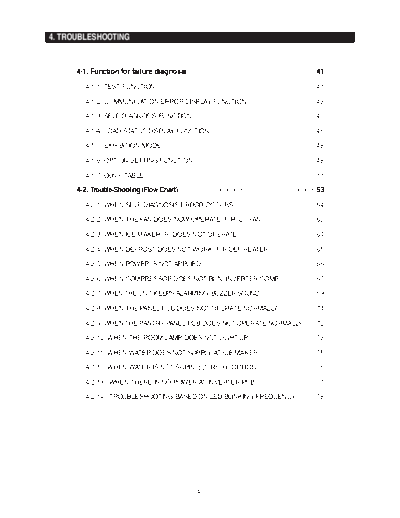
>> Download Troubleshooting documenatation <<
Text preview - extract from the document
4. TROUBLESHOOTING


      4-1. Function for failure diagnosis                             41
         4-1-1) TEST FUNCTION                                         41

         4-1-2) COMMUNICATION ERROR DISPLAY FUNCTION                  43

         4-1-3) SELF DIAGNOSIS FUNCTION                               43

         4-1-4) LOAD STATUS DISPLAY FUNCTION                          46

         4-1-5) EXHIBITION MODE                                       48

         4-1-6) OPTION SETTING FUNCTION                               48

         4-1-7) Option TABLE                                          51

      4-2. Trouble-Shooting (Flow Chart)                              53
         4-2-1) WHEN SELF-DIAGNOSIS ERROR OCCURS                      54

         4-2-2) WHEN THE FAN DOES NOW OPERATE (F, R, C - FAN)         63

         4-2-3) WHEN ICE MAKER (R) DOES NOT OPERATE                   64

         4-2-4) WHEN DEFROST DOES NOT WORK (F, R DEF HEATER)          65

         4-2-5) WHEN POWER IS NOT APPLIED                             66

         4-2-6) WHEN COMPRESSOR DOES NOT RUN (INVERTER COMP)          67

         4-2-7) WHEN THE UNIT KEEPS ALARMING (BUZZER SOUND)           69

         4-2-8) WHEN THE PANEL PCB DOES NOT OPERATE NORMALLY          71

         4-2-9) WHEN THE PANTRY PANEL PCB DOES NOT OPERATE NORMALLY   72

         4-2-10) WHEN THE ROOM LAMP DOES NOT LIGHT UP                 73

         4-2-11) WHEN WATER DOES NOT SUPPLY AT ICE MAKER              75

         4-2-12) WHEN WATER IS NOT SUPPLIED (RF266 OPTION)            76

         4-2-13) WHEN THERE IS NO POWER AT INVERTER PCB               77

         4-2-14) TROUBLESHOOTING BASED ON LED BLINKING FREQUENCY      78


                                            40
TROUBLESHOOTING

4-1) Check-List before Trouble-Shooting

   4-1-1. Test Function (Forced Operation / Forced Defrost Function)
        When pressing the Power Freeze and Fridge buttons for 8 seconds at the same time, it will
          shift to the Test Mode and the entire Display Panel will go off.
        Each time when any one of the buttons on the Display Panel is pressed within 15 seconds
          after shifting to the Test Mode, its operation will be shifted in the order of Forced Operation 1
          (FF 1) Forced Operation 2 (FF 2) Forced Operation 3 (FF 3) Forced F/R Defrost (Fd)
             Cancellation (Display all off).
        When there is no button pressed within 15 seconds after being shifted to the Test Mode, the
          Test Mode will be cancelled and it will shift to the normal display mode.
        To cancel the Test Mode while it is performing the Test Mode, it is recommended to plug out
          and plug in the unit.

        1) Forced Operation


                   Press the Power Freeze and Fridge buttons for 8 seconds at the same,
               The entire Display will be off, and when pressing any one of the buttons, it will
                                 shift to the Test Mode (Forced Operation).

             1-1) When any one of the buttons is pressed once at the Test Mode, "FF 1" will light up on
                  the Display which indicates Forced Operation #1. And, it will send out "Beeping" alarms.
             1-2) Each time when any one of the buttons is pressed at the Forced Operation #1, "FF 2"
                  and "FF 3" will be followed, each indicating the Forced Operation #2 and #3. And, it is to
                  run the compressor in different RPM.


                Forced Operation #1


                Forced Operation #2


                Forced Operation #3

                                                   41
TROUBLESHOOTING


         1-3) When the Forced Operation is selected, the compressor starts without a 7-minute delay
              in any operation mode. At this time, when it is in a Defrost mode, it stops defrosting and
              the Forced Operation begins.
             (If the Forced Operation begins as soon as the Compressor stops, it may cause the
               overload. So, take care when entering into the Forced Operation.)
         1-4) When the Forced Operation is selected, the Compressor and the F-Fan operates for 24
              hours without stopping and the Fridge compartment operates based on the set
              temperature.
         1-5) When the Forced Operation is selected, the Freezer compartment will be set to
              -8 (-22 ), and the Fridge compartment will be set to 32 (1 ) automatically.
         1-6) During the Forced Operation, the Power Cool function does not work.
              When the Power Cool function is selected, its electric icon automatically goes off in 10
              seconds.
         1-7) To cancel the Forced Operation in the middle of the Test function, turn off the power and
              turn it on again, or select the Test Cancellation mode.
         1-8) The alarm sound during the Forced Operation (0.25 sec On and 0.75 sec Off) keeps on
              until the Forced Operation completes and there is no cancellation function.


     2) Forced Defrost (R,F) Function


         2-1) When any one of the buttons is pressed once more at the Forced Operation (FF 3), "Fd"
              lights up on the Display Panel and the Forced Operation is cancelled and the Fridge
              and the Freezer compartments start defrosting.
         2-2) At this time, it does "Beeping
◦ Jabse Service Manual Search 2026 ◦ Jabse Pravopis ◦ onTap.bg ◦ Other service manual resources online : Fixya ◦ eServiceinfo