Service Manuals, User Guides, Schematic Diagrams or docs for : TOSHIBA Copiers 1550 1550_orig PDF HELP01E
<< Back | HomeMost service manuals and schematics are PDF files, so You will need Adobre Acrobat Reader to view : Acrobat Download Some of the files are DjVu format. Readers and resources available here : DjVu Resources
For the compressed files, most common are zip and rar. Please, extract files with Your favorite compression software ( WinZip, WinRAR ... ) before viewing. If a document has multiple parts, You should download all, before extracting.
Good luck. Repair on Your own risk. Make sure You know what You are doing.
Image preview - the first page of the document
>> Download HELP01E documenatation <<
Text preview - extract from the document
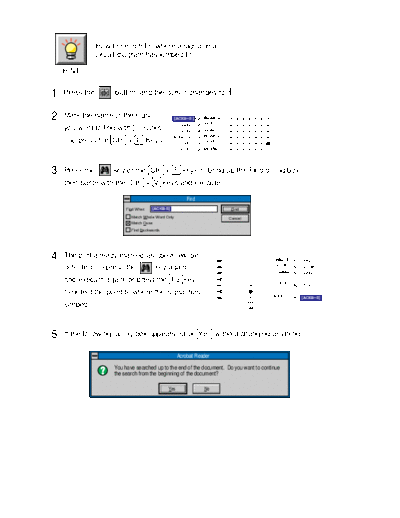
                 How to search for where a signal in a
                 circuit diagram has jumped to.

     HINT


1.   Press the         button, and the cursor changes to                     .


2.   Mark the name of the signal                    [ACKB-S]    ACKB-S
                                                                SRXD
                                                      [SRXD]
     you want to find with [ ] marks,                 [STXD]    STXD
                                                   [ACKB-DF]    ACKB-DF
     and press the Ctrl + C Keys.                    [DFRXD]    DFRXD
                                                     [DFTXD]    DFTXD


3.   Press the        key or the Ctrl + F keys to bring up the Find dialog box,
     then paste with the Ctrl + V keys and execute.

                                                         Find
                           Find What:   [ACKB-S]                           Find

                             Match Whole Word Only                        Cancel
                             Match Case
                             Find Backwards


4.   The part already marked as above will be                                               REQ-S   [REQ-S]
                                                                                            S-CNT
     detected, so press the               key again                                          SRXD
                                                                                                    [S-CNT]
                                                                                                    [SRXD]
     and execute again, or press the F3 key,                                                 STXD   [STXD]
     to detect the point to where the signal has                                          ACKB-S    [ACKB-S]
     jumped.                                                                       GND


5.   If the following dialog box appears, click Yes without changing anything.

                                                     Acrobat Reader

                      You have searched up to the end of the document. Do you want to continue
                      the search from the beginning of the document?

                                               Yes              No
◦ Jabse Service Manual Search 2026 ◦ Jabse Pravopis ◦ onTap.bg ◦ Other service manual resources online : Fixya ◦ eServiceinfo