Service Manuals, User Guides, Schematic Diagrams or docs for : TOSHIBA Copiers E 16 Service manual (eng) copy KD-1010+(LCF)
<< Back | HomeMost service manuals and schematics are PDF files, so You will need Adobre Acrobat Reader to view : Acrobat Download Some of the files are DjVu format. Readers and resources available here : DjVu Resources
For the compressed files, most common are zip and rar. Please, extract files with Your favorite compression software ( WinZip, WinRAR ... ) before viewing. If a document has multiple parts, You should download all, before extracting.
Good luck. Repair on Your own risk. Make sure You know what You are doing.
Image preview - the first page of the document
>> Download KD-1010+(LCF) documenatation <<
Text preview - extract from the document
   GENERAL PRECAUTIONS FOR INSTALLATION/SERVICING/
   MAINTENANCE

1. When installing the Large Capacity Feeder KD-1010 to the Copier, be sure to follow the instructions
   described in the "Unpacking/Set-Up Procedure for the KD-1010" booklet which comes with each unit of
   the KD-1010.
2. The KD-1010 should be installed by an authorized/qualified person.
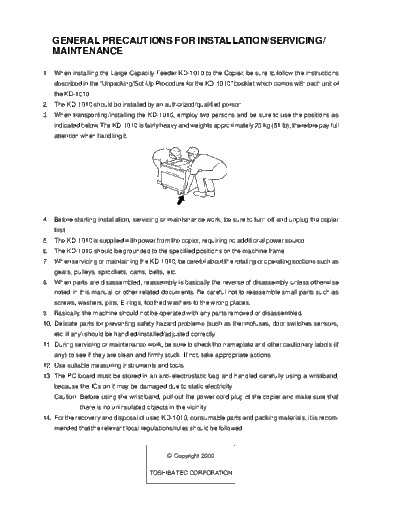
3. When transporting/installing the KD-1010, employ two persons and be sure to use the positions as
   indicated below. The KD-1010 is fairly heavy and weights approximately 23 kg (51 lb), therefore pay full
   attention when handling it.


4. Before starting installation, servicing or maintenance work, be sure to turn off and unplug the copier
   first.
5. The KD-1010 is supplied with power from the copier, requiring no additional power source.
6. The KD-1010 should be grounded to the specified positions on the machine frame.
7. When servicing or maintaining the KD-1010, be careful about the rotating or operating sections such as
   gears, pulleys, sprockets, cams, belts, etc.
8. When parts are disassembled, reassembly is basically the reverse of disassembly unless otherwise
   noted in this manual or other related documents. Be careful not to reassemble small parts such as
   screws, washers, pins, E-rings, toothed washers to the wrong places.
9. Basically, the machine should not be operated with any parts removed or disassembled.
10. Delicate parts for preventing safety hazard problems (such as thermofuses, door switches sensors,
   etc. if any) should be handled/installed/adjusted correctly.
11. During servicing or maintenance work, be sure to check the nameplate and other cautionary labels (if
   any) to see if they are clean and firmly stuck. If not, take appropriate actions.
12. Use suitable measuring instruments and tools.
13. The PC board must be stored in an anti-electrostatic bag and handled carefully using a wristband,
   because the ICs on it may be damaged due to static electricity.
   Caution: Before using the wrist band, pull out the power cord plug of the copier and make sure that
             there is no uninsulated objects in the vicinity.
14. For the recovery and disposal of used KD-1010, consumable parts and packing materials, it is recom-
   mended that the relevant local regulations/rules should be followed.
◦ Jabse Service Manual Search 2026 ◦ Jabse Pravopis ◦ onTap.bg ◦ Other service manual resources online : Fixya ◦ eServiceinfo