Service Manuals, User Guides, Schematic Diagrams or docs for : Tektronix TDS7000 TekScope_Opt_App_1.0.10_071-1883-01_063-3914-10 TekScope_Opt_App_1.0.10_071-1883-01_063-3914-10 Documents ET3_Documentation TDSET3QuickReference

<< Back | Home

Most service manuals and schematics are PDF files, so You will need Adobre Acrobat Reader to view : Acrobat Download Some of the files are DjVu format. Readers and resources available here : DjVu Resources
For the compressed files, most common are zip and rar. Please, extract files with Your favorite compression software ( WinZip, WinRAR ... ) before viewing. If a document has multiple parts, You should download all, before extracting.
Good luck. Repair on Your own risk. Make sure You know what You are doing.


Image preview - the first page of the document
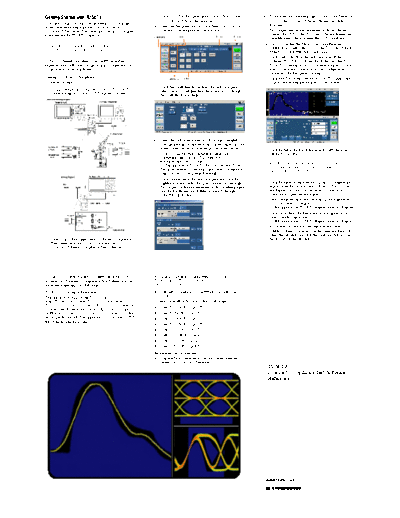
TDSET3QuickReference


>> Download TDSET3QuickReference documenatation <<

Text preview - extract from the document
Getting Started with TDSET3                                   3. Click 1000-T in the Speed pane or select Tests > Select         9. To measure the disturbing signal, connect the Tektronix
                                                                 > 1000BASE-T from the menu bar.                                       AWG to the TC5 area of the test fixture and click
You can use this side of the Quick Reference Card to get                                                                               Measure.
started with testing the Ethernet's physical layer for        4. From the Template/V tab, click Select All. You can
                                                                                      olt
1000Base-T Templates. The other side contains a complete         also select one template at a time to test.                     10.   To compensate for non-linearities in the test fixture,
menu tree for the TDSET3 application.                                                                                                  connect the DUT to the TC2 area of the test fixture and
                                                                                                                                       click Measure. This measures the DUT Amplitude.
                                                                                                                                 11.   Next, to measure the Probe Point Amplitude and
     NOTE. For complete operating instructions,
                                                                                                                                       Attenuation, connect the DUT to the TC5 area of the test
     refer to the application Online Help.                                                                                             fixture, and click Measure. Click Apply.
                                                                                                                                 12.   Click View Wfm from the Selection pane. If the
TDSET3 Ethernet Compliance Test Software enables                                                                                       acquired waveform looks similar to the one displayed by
unprecendented efficiency by providing a comprehensive                                                                                 TDSET3, continue to step 13. If the waveforms do not
range of tests, including Return Loss.                                                                                                 match, check the connection and the configuration.
                                                                                                                                       Ensure that the first pulse is rising.
Testing 1000Base-T Templates                                                                                                     13.   Click Run Test in the Execution pane. The application
Follow these steps:                                                                                                                    displays the resulting waveform and the results.
                                                              5. Click the Configure button from the Selection pane, or
1. Connect the probes to the Device Under Test (DUT).             select Tests > Configure from the menu bar to change
    The test setup for 1000Base-T Template is shown.              the configuration settings.
With Disturbing Signal


                                                              6. Select the data source, number of averages, weighted
                                                                 average through .ini file for Peak Volt test, filter, and the
                                                                 reference waveform to store the processed waveform.             14. Click Result in the Execution pane to view the result
                                                              7. To test Templates with Disturbing Signal, select                      summary and details.
                                                                 Disturbing Signal as Yes. The Tektronix AWG
                                                                 waveform files are available at                                       NOTE. To manually fit the waveform into the
                                                                 C:\TekApplication\TDSET3\AWG Waveforms. To test                       mask, select Result in the Execution pane and
                                                                 Templates without disturbing signal, select Disturbing                click the Manual Fit button.
                                                                 Signal as No and skip steps 8 through 11.
 Without Disturbing Signal
                                                              8. Click Connect from the Selection pane and click the
                                                                 JigMatch button. Select Help and connect accordingly.           15. Click Result from the Execution pane to configure the
                                                                 To compensate for nonlinearities in the disturbing signal           report. Enter the Device Details, Port ID, Pair ID, and
                                                                 and the test fixture, use JigMatch (steps 9 through 11).            the Report File. You can specify that you want to
                                                                 Otherwise go to step 12.                                            automatically preview the report.
                                                                                                                                 16. Select Summary from the Execution pane to generate
                                                                                                                                     and save a brief .csv report at
                                                                                                                                     C:\TekApplications\TDSET3\ReportGenerator\Reports.
                                                                                                                                 17. Click Detail from the Execution pane to generate and
                                                                                                                                     save a detailed .rpt report at
                                                                                                                                     C:\TekApplications\TDSET3\ReportGenerator\Reports.
                                                                                                                                 18. If you want to customize the report format, select
                                                                                                                                     Utilities > Report Generator. In the Generate Report tab,
                                                                                                                                     select the template and click the Generate button to post
2. Select File > Run Application > Ethernet Compliance                                                                               the test data to the template.
    Test Software in the oscilloscope menu bar or
    Analyze > Ethernet Compliance Test Software.


For up-to-date information on Tektronix oscilloscope          If you order Option ET3 along with TDS5000B,
solutions for Ethernet Compliance Test Software, access       TDS6000/B/C, TDS/CSA7000B, TDS/CSA7000,
the www.tektronix.com Web page.                               DPO7000, and DPO/DSA70000:
TDSET3 Ordering Information                                   H Ethernet Compliance Test Software is installed and
                                                                  enabled
This application supports the TDS5000B
series,TDS6000/B/C series, TDS/CSA7000B series,               To order an upgrade for an existing oscilloscope:
TDS/CSA7000, DPO7000, and DPO/DSA70000 series of
oscilloscopes. Refer to the Optional Applications Software    H   Order TDS5BUP - Opt. ET3
on Windows-Based Oscilloscopes Installation Manual for a      H   Order TDS6UP - Opt. ET3
list of specific models. The applications CD includes a PDF   H   Order TDS6BUP - Opt. ET3
file of the installation manual.
                                                              H   Order TDS7BUP - Opt. ET3
                                                              H   Order TDS7UP - Opt. ET3
                                                              H   Order CSA7BUP - Opt. ET3
                                                              H   Order CSA7UP - Opt. ET3
                                                              H   Order DPO7UP - Opt ET3
                                                              Recommended Accessories
                                                              H Ethernet Test Fixture from Crescent Heart Software
                                                                 (www.c-h-s.com) and Tektronix
                                                                                                                                       TDSET3
                                                                                                                                       Ethernet Compliance Test Software
                                                                                                                                       Reference


                                                                                                                                  www.tektronix.com
                                                                                                                                  *P071188101*
                                                                                                                                  071-1881-02
TDSET3 Menu Tree
                        Recall Default   File Browser                                                 Show Ref Overwrite Warning
                        Recall           Open | Cancel                       File Browser             Show Math Overwrite Warning
                        Save                                                 Save | Cancel            Show 10Base-T Template User Control
  File                  Preferences                                                                   Show 1000Base-T Distortion User Control
                        Minimize                                                                      Show 10Base-T Jitter User Control
                        Hide             Restore Oscilloscope Settings
                        Exit             Yes | No| Cancel

                                         Template                                                     Source
                        1000BaseT                                            Int                                                                 Source
                                                                  Filter                              # Averages
 Tests       Select     100 BaseTX                                           Ext                                                                 # Averages
                                         Peak Volt                                                    Output
                        10BaseT                                              Int                                                                 Output
                                                                  Filter                              Disturbing Signal                          TX_TCLK
                                                                             Ext
                                         Droop                                                         Weighted Average through .ini file
                                                                                                                                                 Disturbing Signal
                                         Distortion
                                                                                                                                                Hi Resolution
                                                                                                                                                Low Pass Filter
                                                                                                      Source
                                                                                                      Hysteresis
                                                                                                      Clock Edge
                        1000-T                                               Master Filtered          TX_TCLK
                                                                                                      Record Length
                                         Low Pass Filter through .ini file
                                                                                                      Source
                                                                                                      Hysteresis
                                                                             Master Unfiltered
                                                                                                      Clock Edge
 Tests      Configure                    Jitter
                                                           Probe:P1                                   TX_TCLK
                                                                                                      Meas Type
                                                           Probe:P2
                                                           Pair ID                                    Record Length
                                         Return            Load
                                         Loss              # Averages                                 Source
                                                           Smooth(0-10)      Slave Filtered           Hysteresis
                                                           Output Wfm                                 Clock Edge
                                                           AWG Series
                                                                                                      TX_TCLK
                                                           Source                                     Record Length                             Source
                                         CM Voltage
                                                                                                                                                Hysteresis
                                                                                                                                                Clock Edge
                                                                             Slave Unfiltered
                                                                                                                                                TX_TCLK
                                                                                                                                                Meas Type
                                                                                                                                                Record Length

                                         Template                                                     Source
                                                                  Polarity         Both | Pos | Neg   Mask Scale
                                                                                                      Mask Setup
                                         Output Volt
                                         Amp Sym                                                       Source
                                         Distortion                                                    Acquisition
                                         Overshoot                                                                                                                       Clear Results Result
                                                                  Pattern           Random| 0101                                                                         Details                    Device Details
                        100-TX           Jitter                                                                                                                          Manual Fit                 Port ID
                                                                                                      Source                                                Summary
                                                                                                                                                                         Report Configuration       Pair ID
                                         Rise Time                                                                                            Reports                                               Report File
                                                                                                                                                                         Locate Hits                Enable Preview
                                         Fall Time                                                    Source                                                Details                                 Advanced
                                                                                                      AWG Series                                                         Flash Hits
                                         R/F Sym                  Pulse Width      16ns | 80ns                                                                           Show Seg
                                                                                                      Acquisition
                                                                                                                                                                         Close
                                                                  Polarity         Both | Pos | Neg   Probe:P1
                                                                                                      Probe:P2                                                                              Amp
                                                                                                                                                                         Disturber          Freq
                                                                                   Transmitter        Pair ID
                                         Return Loss                                                                                                                     Compensation       Phase
                                                                                   Receiver           Load
                                                                                                      # Averages                                            JigMatch    Test Fixture       Amp DUT + Probe Amp
                                                                                                      Smooth(0-10)                                                      Compensation       Atten
                                                                                                      Output Wfm                             Connect
                                                                                                      AWG Series                                                         Open
                                                                                                                                                            Return
                                                                                                                                                            Loss         Short
                                                                                                      MAU Selection                                                      Load
                                                                                      Both                                                                               New Cal
                                                                                      Normal          Source                                                             Apply Cal
                                         Template            MAU                      Inverted
                                                             TP_IDL                                   Mask Setup
                                                             Link Pulse
                        10-T                                       Sequence                           Sample
                                                                                      Acquisition     Average
                                                                   Test Options

                                                                                      100 w/oTPM, Load1w/oTPM, Load2w/oTPM, 100 w/TPM, Load1w/TPM, Load2w/TPM
                                         Diff Volt
                                                                                     Peak             Source
                                                             with Cable
                                         Jitter
                                                             without Cable
                                                                                     MAU Selection    Acquisition                                                                        Define Test Template
                                          Harmonic                                                                                          Utilities     Report Generator               Define Report Layout
 Tests                  View Wfm                                                                                                                          Enable Remote GPIB             Generate Report
                                                               Harmonic Ones          Output
                                                                                      # Averages      Probe:P1                                            Automate AWG
                                                                                      Time/Scale      Probe:P2
                                         Return             Transmitter                               Pair ID
                                                                                                                                               Help       Help Topics
                                         Loss               Receiver                                  Load
                        Summary                                                                                                                           About Ethernet Compliance Test Software
  Results                                                                                             # Averages
                        Details                                                                       Smooth(0-10)
                                                                                                      Output Wfm
                                                                                                      AWG Series
                                         CM Voltage          Source


Copyright  Tektronix, Inc.


◦ Jabse Service Manual Search 2026 ◦ Jabse PravopisonTap.bg ◦ Other service manual resources online : FixyaeServiceinfo