Service Manuals, User Guides, Schematic Diagrams or docs for : Tektronix TDS7000 TekScope_Opt_App_1.0.10_071-1883-01_063-3914-10 TekScope_Opt_App_1.0.10_071-1883-01_063-3914-10 Documents HT3-1.3_Documentation TDSHT3_Sink_Reference
<< Back | HomeMost service manuals and schematics are PDF files, so You will need Adobre Acrobat Reader to view : Acrobat Download Some of the files are DjVu format. Readers and resources available here : DjVu Resources
For the compressed files, most common are zip and rar. Please, extract files with Your favorite compression software ( WinZip, WinRAR ... ) before viewing. If a document has multiple parts, You should download all, before extracting.
Good luck. Repair on Your own risk. Make sure You know what You are doing.
Image preview - the first page of the document
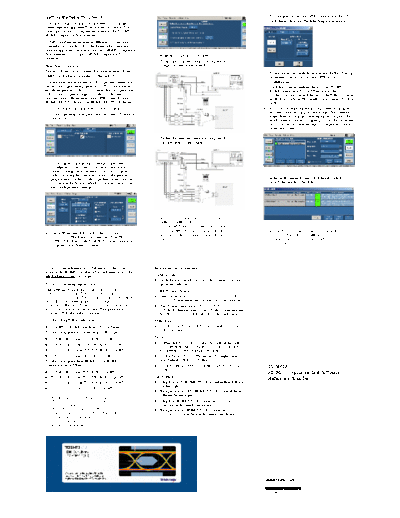
>> Download TDSHT3_Sink_Reference documenatation <<
Text preview - extract from the document
Getting Started with TDSHT3 6. To configure and test the GPIB connection to the DTG,
click Signal Sources. The following screen appears.
You can use this side of the quick reference card to get
started with the Sink Jitter Tolerance test procedure. The
other side contains a complete menu tree for the TDSHT3
HDMI Compliance Test Software.
TDSHT3 enables unprecedented efficiency by providing a
comprehensive range of tests, including Jitter Tolerance.
Start the application by using Analyze > HDMI Compliance
Test Software(1.3) or App > HDMI Compliance Test 5. Make the connections as follows:
Software(1.3).
To find the sink jitter tolerance using the AWG7102
Sink Jitter Tolerance composite jitter insertion method:
This test allows you to confirm that the maximum allowed
7. To run the test successfully, ensure that the Bus Timing
TMDS clock jitter is supported by the Sink DUT.
parameter is set to 2 s on your GPIB board
You will need one supported oscilloscope, two differential configuration.
probes, one digital timing generator (DTG), one arbitrary 8. Click Run Test to perform the test. The TDSHT3
waveform generator (AWG) or arbitraty function generator HDMI Compliance Test Software sets up the
(AFG), one DC power supply, 12 SMA cables, two oscilloscope and conducts the test. Follow the on-screen
bias-
-tees, one cable emulator, one GPIB controller, one instructions. Your answers might open a series of dialog
HDMI EFF- -TPA- and one HDMI EFF-
-R, -TPA- fixture.
-P boxes.
1. On the menu bar, click Tests > Select > Sink. 9. If you successfully run the test, the software calculates
the jitter values and displays the results. The software
2. In the differential tests pane, select the Jitter Tolerance
makes Result available automatically and displays the
check box.
result summary, the eye diagram plot, and the clock jitter
plot. You can also view the report configuration details
in the result pane.
To find the sink jitter tolerance using the AWG7102
separate jitter insertion method:
3. To change the configuration settings, click Tests >
Configure. For most tests, you can use the factory
default configuration. However, you can change the
values by using the virtual keyboard or the general
purpose knob on the oscilloscope front panel. You can 10. In the result summary pane, click Result Details to
also restore the factory defaults or save and recall your display the results of the tests.
own configuration settings.
NOTE. In sink jitter tolerance test using the
AWG710/AWG710B, for clock rates
< 148.5 MHz the clock is generated directly
from the AWG. For clock rates 148.5 MHz NOTE. For additional procedures, refer to the
4. The software remotely controls the DTG and use the DTGM32 module to generate the TDSHT3 Quick Start User Manual. For
AWG/AFG, which must be connected by an NI clock. complete operating instructions, refer to the
GPIB- -USB- -B/NI--ENET- -GPIB. To view connection online help.
diagrams, click Tests > Connect.
For up-to-date information on Tektronix oscilloscope Recommended Accessories
solutions for HDMI Compliance Test Software, access the
www.tektronix.com Web page. Oscilloscopes
H 16 M Record Length/Ch: Opt. 4 M or more (Eye Dia-
TDSHT3 Ordering Information gram and Jitter tests)
This software supports the TDS6000B, TDS6000C, HDMI Pattern Sources
TDS7254/TDS7254B, TDS7404/TDS7404B,
CSA7404/CSA7404B, TDS7704B, and DPO70000 series H Jitter Generation: AWG7102/AWG710/AWG710B/
of oscilloscopes. Refer to the Optional Applications AFG3000 (minimum two- -channel AFG) for Sink tests
Software on Windows-Based Oscilloscopes Installation H Test Pattern Generation: DTG5274/DTG5334,
Manual for a list of specific models. The applications CD DTGM30 (three required), and DTGM32 (one required
includes a PDF file of the online help. for AWG710/AWG710B/AFG3000) for Sink Tests
To order along with oscilloscope: TDR Tests
H Opt. HT3 - HDMI Compliance Test Software
- H Oscilloscope: TDS8200B/DSA8200 with 80E03 and
80E04 modules
To order an upgrade for an existing oscilloscope:
Probes
H TDS6000B - Order TDS6BUP - Opt. HT3
- -
H Differential Probes: P7313SMA for both single-ended
H TDS7000/B - Order TDS7UP/7BUP - Opt. HT3
- -
and differential measurements. P7350SMA can be used
H CSA7000/B - Order TDS7UP/7BUP - Opt. HT3
- - for differential tests of limited resolutions.
H DPO70000 - Order DPO7UP - Opt. HT3
- - H Active Probes: P7240 (two probes) for single-ended
To order an upgrade from HDMI 1.2a to HDMI 1.3a measurements using old fixtures.
compliance test software: H Probe Positioner: PPM100 Flexible Arm Probe Posi-
tioner.
TDSHT3
H TDS6000B - Order TDS6BUP - Opt. HT23
- - HDMI Compliance Test Software
TDS7000/B - Order TDS7UP/7BUP - Opt. HT23
- - Test Fixtures
H Reference Sink Test
H CSA7000/B - Order TDS7UP/7BUP - Opt. HT23
- - H Plug type: EFF- -HDMI- -TPA- available from Efficere
-P,
Technologies
H DPO70000 - Order DPO7UP - Opt. HT23
- -
H Receptacle type: EFF- -HDMI- -TPA- available from
-R,
Efficere Technologies
NOTE. You will be provided with two
TDSHT3 applications, one supporting H Plug type: HDMI TPA- adapter set - 013-
-P - -A013- -50
CTS 1.2a specification, displayed as (can be used for limited resolution)
TDSHT3, and the other for CTS 1.3a H Receptacle type: HDMI TPA- adapter set -
-R -
specification, displayed as TDSHT3v1.3. Both 013--A012- (can be used for limited resolution)
-50
applications can be loaded onto the
oscilloscope, but you can run only one
application at a time.
www.tektronix.com
*P071196002*
071-1960-02
TDSHT3 Menu Tree
Recall Default
Recall
Save
File Recall Recent Position Eye Mask in Center
Preferences Acquisition Alert Message
Minimize
Exit
Eye Diagram
Source Duty Cycle
Select Sink Rise Time
Cable Fall Time
Clock Jitter
Inter-- Pair Skew (Data-- Data Tests)
Source Intra-- Pair Skew
Low Amplitude +
Low Amplitude ◦ Jabse Service Manual Search 2026 ◦ Jabse Pravopis ◦ onTap.bg ◦ Other service manual resources online : Fixya ◦ eServiceinfo