Service Manuals, User Guides, Schematic Diagrams or docs for : Tektronix TDS7000 TekScope_Opt_App_1.0.10_071-1883-01_063-3914-10 TekScope_Opt_App_1.0.10_071-1883-01_063-3914-10 Documents PWR_Documentation DPOPWRReference

<< Back | Home

Most service manuals and schematics are PDF files, so You will need Adobre Acrobat Reader to view : Acrobat Download Some of the files are DjVu format. Readers and resources available here : DjVu Resources
For the compressed files, most common are zip and rar. Please, extract files with Your favorite compression software ( WinZip, WinRAR ... ) before viewing. If a document has multiple parts, You should download all, before extracting.
Good luck. Repair on Your own risk. Make sure You know what You are doing.


Image preview - the first page of the document
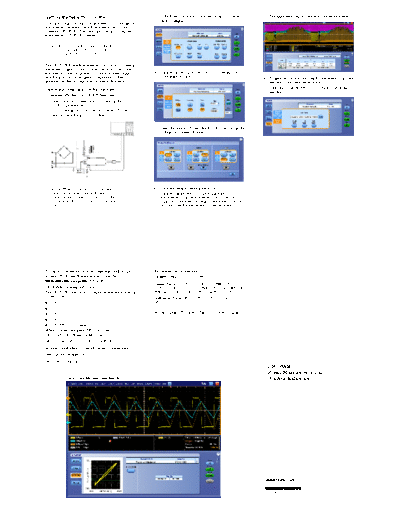
DPOPWRReference


>> Download DPOPWRReference documenatation <<

Text preview - extract from the document
Getting Started with DPOPWR                                    3. In the Power Device tab, click Switching Loss. Now         8. The application displays results for the measurement.
                                                                   click Configure.
You can use this side of the Quick Reference to start taking
measurements with the Power Measurement and Analysis
Software (DPOPWR). The other side contains a complete
menu tree for DPOPWR software.

    NOTE. For complete operating instructions
    and General Safety information, refer to the
    online help for the application.


The DPOPWR Power Measurements and Analysis software
transforms a digital oscilloscope into an analysis tool that
measures and analyzes power dissipation in power supply        4. Click the arrow adjacent to Sources to view the Source
switching devices and magnetic components. It then                 Configuration Panel.
                                                                                                                             9. To generate a report, select the Report button. Select the
generates detailed test reports in customizable formats.                                                                         template in the Generate Report tab.
Performing a Switching Loss Measurement                                                                                      10. Select the Generate button to post the test data to the
                                                                                                                                 template.
To measure Switching Loss, follow these steps:
1. Select Analyze> Power Analysis> Select in the
    oscilloscope menu bar.
2. Connect the probes to the device under test. The test
    setup for Switching Loss is as shown.


                                                               5. Select the source (Channel, Math, or Ref) and assign the
                                                                   Voltage and Current channels.


    NOTE. When connecting to a circuit with                    6. Click the Deskew button if necessary.
    hazardous voltages, refer to the warnings for              7. Click the Single button to start running the
    the individual products and verify that the                    measurement. If the measurement is successful, the
    probes and other components are used within                    application automatically displays the results. You can
    their ratings.                                                 also select the Results button to view the results.


For up-to-date information on Tektronix oscilloscope           Recommended Accessories
solutions for Power Measurement, access the                    Deskew Fixture - 067-
                                                                              -    -1686-
                                                                                        -xx
www.tektronix.com/power Web page.
                                                               Current Probes - TCP2021, TCPA3001, with TCP312,
                                                                              -
DPOPWR Ordering Information                                    TCP305, TCP303, TCPA4001 with TCP404XL, AM503B
The DPOPWR application is compatible with the following        with A6312, A6302, A6303, P6021 or P6022, TCP0030.
oscilloscopes:                                                 Differential Probe - P52051, P52101, P52001 and
                                                                                  -
H DPO7354                                                      ADA400A1.
H DPO7254
                                                               1Probe adapter   - TPA-
                                                                                -    -BNC (TekVPIt to BNC adapter).
H DPO7104
H DPO7054
H DPO/DSA70000 series
When ordered along with DPO7000 and
DPO/DSA70000 Series Oscilloscope
DPO7000 and DPO/DSA70000- Opt. PWR
                        -
Includes: Application CD and electronic documentation.
After-
     -purchase upgrade
DPO7UP - Opt.PWR
       -
                                                                                                                                DPOPWR
                                                                                                                                Power Measurement and
              Inductance Measurement Results                                                                                    Analysis Reference


                                                                                                                              www.tektronix.com
                                                                                                                              *P071190203*
                                                                                                                              071-1902-03
           Menu Tree
                                       Select

                                       Configure
           Measure    Power Analysis
                                       Results

                                       Report      Tab                   Switching                 Switching Loss | Hi-- Power Finder | SOA | SOA X-- Y | dv/dt | RDS(on) | di/dt
                                                                         Analysis
                                                    Power Device
                                                                         Modulation                 Pulse Width | Period | Duty Cycle | Frequency
                                                                         Analysis
                                                    Magnetics            Inductance | Magnetic Loss | Magnetic Property | I Vs Integral V
                                       Select

                                                    Input/Output         Input Analysis             Power Quality | Current Harmonics | Total Power Quality
                                                    Analysis
                                                                         Output Analysis            Line Ripple | Switching Ripple | Spectral Analysis | Turn On Time

                                                                                                    PWM Type
                                                                        Tab                         Cursor Gating
                                                                                                    Device
                                                                         Type
                                                                                                    Type
                                                                                                    RDS(on)
                                                    Switching
           Analyze    Power Analysis   Configure
                                                    Loss                                           Edge Source
                                                                         On-- Off Level            Ton and Toff Levels
                                       Results
                                                                         Options                   Filter Current | Signal Condition | Switch On | Vg Level | Details
                                       Report
                                                                        Tab
                                       Deskew                                                       PWM Type
                                                                         Type                       Details
                                       SOA          Hi-- Power                                     Edge Source
                                                    Finder               On-- Off Level
                                       Overlay                                                     Ton and Toff Levels

                                                                         Options                   Filter Current | Switch On | Vg Level | Details

                                                                                                    Cursor Gating
                                                    SOA                                             Mask
                                                    SOA X-- Y                                       Utility

                                                                                                    Enable
                                                                                                                                                                          Tab
                                                    dv/dt
                                                    di/dt                                          Edge Level                                                               Ch
                                                                                                                                                         Voltage            Ref
                                                    RDS(on)                                         Math Destination                                                        Math          Math Setup

                                                                                                   Edge Level                                                             Tab
                                                    Pulse                                          Polarity                                                                 Ch
                                                    Width                                          Enable Gating             Source                                         Ref
                                                                                                                                                         Current
                                                                                                   Ref Dest                  Configuration                                  Math            Math Setup
                                                                                                                             Panel                                          I-- Probe Setting
                                                    Period                                          Edge Type
                                                    Frequency                                       Edge Level                                                            Tab
                                                                                                    Enable Gating                                                           Ch
                                                                                                    Ref Dest                                            Gate                Ref
                                                                                                                                                                            Math          Math Setup
                                                                                                    Edge Type
                                                                                                    Edge Level
                                                    Duty Cycle                                      Polarity
                                                                                                    Enable Gating                                       Clear
                                                                                                    Ref Dest                 Sequencer                  Recalc
                                                                                                                                                        Single
                                                    Inductance                                      Edge Source                                         Run

                                                    Magnetic                                       Cursor Gating
                                                    Loss                                           Details                                              Define Test Template
                                                                                                                               Reports                  Define Report Layout
                                                                        Tab                         Freq and Duty                                       Generate Reprot
                                                                        Type and                    Cursor Gating
                                                                        Edge                        # of Windings
                                                                        Source                      Edge Source
                                                    Magnetic
                                                    Property
                                                                                                    # of Turns
                                                                                                    Units
                                                                         Physical                   CrossSection Area (sqm)
                                                                         Chars                      Magnetic Length (m)
                                                                                                    Multiple Windings
                                                    I Vs Integral V
                                                                                                    Math Wfm Destination
                                                    Power Quality
                                                                                                    Type
                                                                              Tab                   Line Frequency
                                                                                                    Class
                                                    Current                     Standard            Harmonic
                                                    Harmonics
                                                                                I-- Probe                       Use Impedance Table
                                                    Total Power                 Impedance                       Impedance
                                                    Quality                                                     Edit
                                                                                Math                Math Wfm Destination
                                                                                Destination
                                                    Line Ripple                                     Coupling | Bandwidth Limit | Ripple Freq | Acquisition Mode

                                                    Switching Ripple                                Coupling | Bandwidth Limit | Switching Frequency | Acquisition Mode

                                                    Spectral Analysis                               Frequency | Window Type | ResBW(Hz) | Options
                                                                              Tab
                                                                                Input               Convertor | Source | Max Turn On Time
                                                    Turn On Time
                                                                                Output              Source1 | Source2 | Source3


Copyright 


◦ Jabse Service Manual Search 2026 ◦ Jabse PravopisonTap.bg ◦ Other service manual resources online : FixyaeServiceinfo