Service Manuals, User Guides, Schematic Diagrams or docs for : Tektronix TDS7000 TekScope_Opt_App_1.0.10_071-1883-01_063-3914-10 TekScope_Opt_App_1.0.10_071-1883-01_063-3914-10 Documents TDSDVIQuickReference
<< Back | HomeMost service manuals and schematics are PDF files, so You will need Adobre Acrobat Reader to view : Acrobat Download Some of the files are DjVu format. Readers and resources available here : DjVu Resources
For the compressed files, most common are zip and rar. Please, extract files with Your favorite compression software ( WinZip, WinRAR ... ) before viewing. If a document has multiple parts, You should download all, before extracting.
Good luck. Repair on Your own risk. Make sure You know what You are doing.
Image preview - the first page of the document
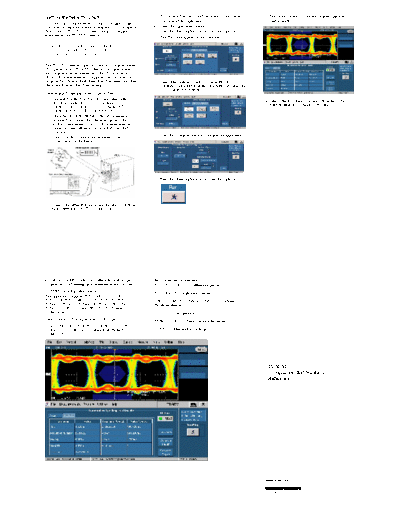
>> Download TDSDVIQuickReference documenatation <<
Text preview - extract from the document
Getting Started with TDSDVI 5. To calculate Tbit, select the Tbit button on the Define The detailed results and the eye diagram appear as
Tbit pane of the application. shown below.
Side one of this Quick Reference Guide is designed to get
you started making measurements with the DVI Compliance 6. Select the appropriate channel.
Test Solution (TDSDVI). Side two contains a complete 7. Press the "Running Man" icon to run the application.
menu tree for the TDSDVI software. The Tbit value appears in the Value field.
NOTE. For complete operating instructions
and General Safety information, refer to the
Online Help for the application.
The TDSDVI software application tests for compliance with
DVI specifications. TDSDVI software is designed to meet
the compliance test requirements of the DVI industry for
physical layer measurements. Supported tests include Eye
Diagram Test, Peak-to-Peak Jitter, Inter-Pair Skew, Intra-Pair 8. Select Measurement > Select >Transmitter> Eye
Skew, and Rise and Fall Time testing. Diagram. (Alternatively, in the Transmitter tab, select the
Eye Diagram measurement.)
Performing Transmitter Eye- -diagram Test
1. Depending on the type of oscilloscope, select either
File > Run Application > DVI Compliance Test 11. Select Utilities > Report Generator from the TDSDVI
Solution or select Analyze > DVI Compliance Test menu to generate a compliance test report.
Solution from the oscilloscope menu bar.
2. Attach the TPA-P test fixture to the device under test. To
calculate Tbit, connect the differential probe to Rxc+
and Rxc- (transmitter clock). For Eye measurements,
-
connect another differential probe to Rx0+ and Rx0- -
(data pair).
9. Press the configure button to configure the application.
3. Connect an SMA cable to the recovered clock (PLL
Clock) output on the fixture.
10. Press the "Running Man" icon to run the application.
4. Connect the differential probes and the SMA cable from
the test fixture to your TDS oscilloscope.
For up-to-date information on Tektronix oscilloscope Recommended Accessories
solutions for DVI testing, go to www.tektronix.com/dvi. P7350, P7330, P6330 - Differential probes
-
TDSDVI Ordering Information
P7240, P6249 - Single-ended probes
-
This application supports TDS7704B, CSA7404B,
TDS7404B, TDS7254B, CSA7404, TDS7404, TDS7254, AWG510, AWG520, AWG610, AWG710 - Arbitrary
-
TDS6604, TDS6404, TDS6604B, TDS6804B, TDS6124C, waveform generator
TDS6154C, DPO7354, and DPO/DSA70000 series
oscilloscopes. DG2020A - Data generator
-
Order Option DVI (along with an oscilloscope).
TDS8000/ 80E04 - Time domain reflectometer
-
Order TDS6/7UP, TDS7BUP, CSA7BUP, or CSA7UP,
Option DVI (if ordered as an upgrade to an existing TDSJIT3 - Jitter analysis package
-
oscilloscope).
TDSDVI
Compliance Test Solution
Reference
www.tektronix.com
*P071195802*
071-1958-02
TDSDVI Menu Tree
Recall Default Yes | No
File browser
Save . . .
Save | Cancel
File browser
Recall . . .
Open | Cancel
Recently Saved List of Files
Recently Recalled List of Files
File Use cursors for Eye, RT& FT testing | Prompt for signal connection |
General Ref Wfm deletion prompt for Eye | Show report after generation |
Use zoomed eye mask in report
Number of acquisitions
Preferences . . .
Prompt for result reset
Prompt for Tbit validity Test at TP2
Advanced
Cable Eye Diagram Test Point Test at TP3
Minimize Number of acquisitions Test at TP2 & TP3
Yes Restore Scope Settings
Exit No
Cancel
Calculated Tx Clock Ch1, Ch2, Ch3, Ch4
Define Tbit
User Value
Select Eye Diagram | Rise and Fall Time | Pk-Pk Jitter |
Transmitter
Intra-Pair Skew | Inter-Pair Skew
Select Measurement High-Amp Eye Diagram | Low-Amp Eye Diagram |
Cable
Pk-Pk Jitter | Intra-Pair Skew | Inter-Pair Skew
Receiver High-Amp Eye Diagram | Low-Amp Eye Diagram
Transmitter Eye Diagram Data | Trigger | Pair | Number of Eyes | Calculate Vswing
Measurements
Transmitter Rise & Fall Time Data | Trigger | Pair | Hysteresis | Calculate Vswing
Transmitter Pk - Pk Jitter Tx Clock | Trigger
Transmitter Intra-Pair Skew Source1 | Source2 | Pair | Hysteresis
Source1 | Source2 | Differential Probe |
Transmitter Inter-Pair Skew
Pair1 | Pair2 | Hysteresis | Polarity
Configure
Cable High-Amplitude Eye Diagram Data | Trigger | Pair | Number of Eyes
Cable Low-Amplitude Eye Diagram Data | Trigger | Pair | Number of Eyes
Cable Pk-Pk Jitter Tx Clock | Trigger
Cable Intra-Pair Skew Source1 | Source2 | Pair | Hysteresis
Source1 | Source2 | Differential Probe |
Cable Inter-Pair Skew
Pair1 | Pair2 | Hysteresis | Polarity
Receiver High-Amp Eye Diagram Select Source | Select Pair | Number of Eyes
Receiver Low-Amp Eye Diagram Select Source | Select Pair | Number of Eyes
Details
Results Result Details
Statistics
Device Detail ID | Description | Prefix
Report Setup Mode Manual | Automatic
Report Generator Clock Frequency Defined | Resolution | Refresh Rate
Report Name Directory | File Name
Utilities
Select Type Current Vs File | File Vs File
Compare Results Select File(s) to Compare
Select Destination File
Topics . . .
Help About TDSDVI . . .
Contact Tektronix
Copyright ◦ Jabse Service Manual Search 2026 ◦ Jabse Pravopis ◦ onTap.bg ◦ Other service manual resources online : Fixya ◦ eServiceinfo