Service Manuals, User Guides, Schematic Diagrams or docs for : Tektronix TDS7000 TekScope_Opt_App_1.0.10_071-1883-01_063-3914-10 TekScope_Opt_App_1.0.10_071-1883-01_063-3914-10 Documents TDSUSB2QuickReference

<< Back | Home

Most service manuals and schematics are PDF files, so You will need Adobre Acrobat Reader to view : Acrobat Download Some of the files are DjVu format. Readers and resources available here : DjVu Resources
For the compressed files, most common are zip and rar. Please, extract files with Your favorite compression software ( WinZip, WinRAR ... ) before viewing. If a document has multiple parts, You should download all, before extracting.
Good luck. Repair on Your own risk. Make sure You know what You are doing.


Image preview - the first page of the document
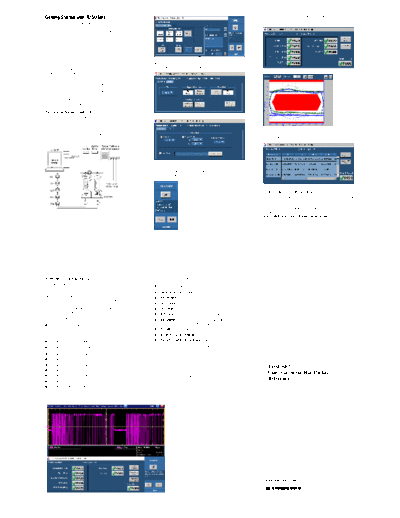
TDSUSB2QuickReference


>> Download TDSUSB2QuickReference documenatation <<

Text preview - extract from the document
Getting Started with TDSUSB2                                                                                          The application displays results as a summary and as an
                                                                                                                      eye diagram as shown below.
You can use this side of the Quick Reference to start taking
measurements with the USB2.0 Compliance Test Package
(TDSUSB2). The other side contains a complete menu tree
for TDSUSB2 software.

    NOTE. For complete operating instructions
    and General Safety information, refer to the
    Online Help for the application.

                                                               4. Select Measurement > Configure and set up the
The package includes an application (Universal Serial Bus
                                                                  application in the Configure and Source tabs.
measurements software) and an optional USB2.0
comprehensive compliance test fixture.
The design of the package helps you to test if USB2.0
devices meet the compliance test requirements of the
USB2.0 industry for physical layer measurements. The
package supports these tests: Signal Quality, Inrush current
test, Droop test, Chirp and Receiver sensitivity testing,
Suspend, Resume, Reset from High Speed, Reset from
Suspend, and Packet Parameter tests.

Performing Signal Quality Test
1. Select File > Run Application > in the oscilloscope
   menu bar. Then select TDSUSB2.0 Test Package,
   App > USB2.0 Test Package, or
   Analyze > USB2.0 Test Package.
2. Connect the device under test (DUT) to the Device SQ                                                               6. Select Results > Details to view the results in a statistical
   section of the test fixture.                                                                                           format.


                                                               5. Push the "Running Man" button to start taking
                                                                  measurements.


                                                                                                                      Generating a Compliance Report
                                                                                                                      To produce a compliance test report, select Utilities > Report
                                                                                                                      Generator.
                                                                                                                      For up-to-date information on Tektronix oscilloscope
                                                                                                                      solutions for USB2.0 compliance testing, access the
3. Select Measurement > Select and choose a test for the                                                              www.tektronix.com/Measurement/scopes/ Web page.
    appropriate signal speed (Low, Full or High speed).


TDSUSB2 Ordering Information                                   If you order TDSUSBF
This application supports TDS5000/B (except TDS5052/B          H USB 2.0 Compliance Test Fixture only
and TDS5032/B), TDS6604, TDS6404, TDS6604B,
TDS6804B, TDS6124C, TDS6154C, TDS/CSA7000/B,                   Recommended Accessories
DPO7000, and DPO70000 series oscilloscopes; refer to the       H TDSUSBF USB2.0 Compliance Test Fixture
Optional Applications Software on Windows-Based
Oscilloscopes Installation Manual for a list of specific       H DTG5000 series with the M21 module
models. The applications CD includes a PDF file of the         H DG2040 Data Generator*
installation manual.
                                                               H AWG610 Arbitrary Waveform Generator*
If you order Option USB with a new oscilloscope:               H TDS8000 series oscilloscope with an 80E04 Time Do-
H USB 2.0 Universal Serial Bus Measurements Software is           main Reflectometer (TDR) Sampling Module
    installed and enabled                                      H P6248 Differential Probe
To order for an existing Windows-based oscilloscope:           H TCP202 or TCP0030 Current Probe
H Order the CSA7UP Option USB (software only)                  H P6245, TAP1500 or P6243 Single-Ended Probes
H Order the CSA7BUP Option USB (software only)                 * DG2040 and AWG610 are discontinued.

H   Order the TDS5UP Option USB (software only)
                                                                   NOTE. To test High Speed USB2.0 devices,
H   Order the TDS5BUP Option USB (software only)                   you can use this application with DPO7254,
H   Order the TDS6UP Option USB (software only)                    DPO/DSA70404, DPO/DSA70604,
                                                                   DPO/DSA70804, DPO/DSA72004,                           TDSUSB2
H   Order the TDS6BUP Option USB (software only)
                                                                   DPO/DSA71604, DPO/DSA71254,                           Universal Serial Bus Package
H   Order the TDS7UP Option USB (software only)                    TDS6404, TDS6804B, TDS6604/B,
H   Order the TDS7BUP Option USB (software only)                   TDS6804B, TDS6124C, TDS6154C,                         Reference
                                                                   TDS7404/B, CSA7404/B, TDS7704B, and
H   Order the DPO7UP Option USB (software only)                    TDS7254/B oscilloscopes.


                                                                                                                       www.tektronix.com

                                                                                                                       *P071188203*
                                                                                                                       071-1882-03
TDSUSB2 Menu Tree
                                    Recall Default                                                                         Eye Diagram
                                                                                           OK
                                    Recall                                                                                 Signal Rate
                                                                                           Apply                           Paired JK Jitter
                                    Save                                                   Cancel
                                    Preferences            General | Advanced                                              Paired KJ Jitter
                     File
                                    Recently Recalled                                      Signal Quality Check            Consecutive Jitter
                                    Recently Saved                                                                         EOP Width
                                    Minimize                                                                               CrossOver
                                                                                           Device IDs
                                    Exit                                                                                   Rise Time
                                                                                           Device Description
                                                                                                                           Fall Time
                                                                                           Generate Automatic IDs
                                                           Low Speed | Full Speed                                          Select All
                                                                                           Inrush                          Inrush Current

                                                                                           Droop                           Droop Test
                                                                                           Configure                       Eye Diagram
                                    Select                                                                                 Signal Rate
                                                                                                                           Monotonic Property
                                                                                           Signal Quality Check            EOP Width
                                                                                                                           Rise Time
                                                                                           Receiver Sensitivity            Fall Time
                                                                                           Chirp                           Select All
                                                                                           Inrush                          Inrush Current
                     Measurements
                                                           High Speed
                                                                                           Droop                           Droop Test
                                                                                           Device IDs                      Receiver Sensitivity
                                                                                           Device Description              Suspend
                                                                                           Generate Automatic IDs
                                                                                                                           Chirp
                                                                                           More
                                    Configure                                                                              Resume
                                                                                           Configure
                                                                                                                           Reset from High
                                                                                                                           Speed
                                                                                                                           Reset from
                                                                                                                           Suspend
                                                                                                                           Packet
                                                                                                                           Parameter

                                                                                                                           Upstream
                                                                                                                           Downstream
                                                                                                                           Near End
                                    Run                                                    Tier                            Far End
                    Control Menu    Hide                                                   Signal Direction
                                    Exit                   Configure                       Test Point                      Rise Time / Fall Time
                                                                                           Configure Levels                Monotonic Property
                                    Signal Quality Check                                   Configure Limits
                                                                                                                           Max
                                                                                           Live/Ref                        Min
                                                           Source                                                          Default
                                                                                           From File (Browse)
                                                                                                                           Set
                                                                                           Tier                            Cancel
                                                                                           V bus
                                                           Configure
                                                                                           Device Type                     Differential
                    Configure       Inrush Current Check                                   Configure Limits                Single Ended
                                                                                                                           Qualify Channel
                                                           Source                          Live / Ref From File (Browse)
                                                                                           V bus Source                    Manual Entry
                                                                                           Bus Powered                     Max
                                                                                           Self Powered                    Min
                                                                                           Max                             Default
                                                                                           Min                             Set
                                                           Port                                                            Cancel
                                                           Hub                             Default
                                    Droop Test                                             Set
                                                           Configure Limits
                                                           Select Source                   Cancel

                                                                                           Live / Ref From
                                                                                           File (Browse)
                                    Receiver Sensitivity   Source
                                                                                           Live

                                                           Source                          Live/Ref                                                EL_33, EL_34
                                    Chirp                                                                                  Host
                                                                                                                                                   EL_35
                                                           Configure                       DUT
                                                                                                                           Device                  EL_28, EL_29, EL_31
                                    Suspend                Source                          Live/Ref
                                    /Resume                                                                                Upstream
                                                           Configure                       Signal
                                                                                           Direction                       Downstream
                                    Reset from
                                                           Source                          Live/Ref
                                    Suspend/
                                    Reset from
                                                           Configure                       Signal                          Upstream
                                    Resume
                                                                                           Direction
                                                                                                                                                   EL_21, EL_23,EL_25
                                                           Source                          Live/Ref                        Host
                                    Packet                                                                                                         EL_22
                                    Parameter              Configure                                                                               EL_55
                                                                                           DUT
                                    Summary                                                                                Device                  EL_21, EL_22,EL_25
                                                           Eye Diagram
                                                                                                                                                   EL_22
                     Results                               Waveform Plot
                                    Details                Eye Diagram                     Source
                                                           Waveform Plot                   Ref Level
                                                                                           Hysteresis
                                                           From | To
                                    Deskew                 Slope                           Rise
                                                           Edges                           Fall
                                                           Perform Deskew
                                                                                           Tektronix Specific
                     Utilities                             Report Format                   Plug-Fest Specific
                                                           Generation                      CSV Format
                                    Report Generator
                                                           Report Directory (Browse)
                                                                                           Automatic
                                                           Report file name
                                                                                           Manual
                                                           Generate
                                                                                                                           CSV File Type
                                                           CSV                             CSV Source                      D+ (Browse)
                                    TSV File Generator
                                                           Live                                                            D- (Browse)
                                                           TSV Destination File (Browse)
                                    Help Topics            Convert
                     Help
                                    About TDSUSB2


Copyright  Tektronix, Inc.


◦ Jabse Service Manual Search 2026 ◦ Jabse PravopisonTap.bg ◦ Other service manual resources online : FixyaeServiceinfo