Service Manuals, User Guides, Schematic Diagrams or docs for : apple Mac Desktops Mac Mini Mac mini Model A1347 Installing-Bottom-Cover-3106
<< Back | HomeMost service manuals and schematics are PDF files, so You will need Adobre Acrobat Reader to view : Acrobat Download Some of the files are DjVu format. Readers and resources available here : DjVu Resources
For the compressed files, most common are zip and rar. Please, extract files with Your favorite compression software ( WinZip, WinRAR ... ) before viewing. If a document has multiple parts, You should download all, before extracting.
Good luck. Repair on Your own risk. Make sure You know what You are doing.
Image preview - the first page of the document
>> Download Installing-Bottom-Cover-3106 documenatation <<
Text preview - extract from the document
Installing Mac mini Model A1347 Bottom Cover


      Installing Mac mini Model A1347 Bottom Cover

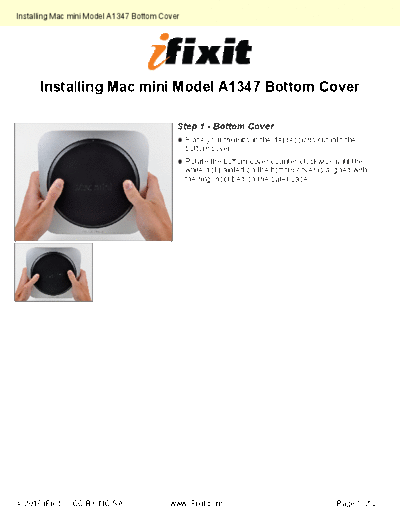
                                           Step 1 - Bottom Cover
                                               Place your thumbs in the depressions cut into the
                                               bottom cover.
                                               Rotate the bottom cover counter-clockwise until the
                                               white dot painted on the bottom cover is aligned with
                                               the ring inscribed on the outer case.
◦ Jabse Service Manual Search 2026 ◦ Jabse Pravopis ◦ onTap.bg ◦ Other service manual resources online : Fixya ◦ eServiceinfo