Service Manuals, User Guides, Schematic Diagrams or docs for : apple Mac Desktops Power Mac Power Mac G5 Installing-Top-Left-Cooling-Fan-Unit-1956
<< Back | HomeMost service manuals and schematics are PDF files, so You will need Adobre Acrobat Reader to view : Acrobat Download Some of the files are DjVu format. Readers and resources available here : DjVu Resources
For the compressed files, most common are zip and rar. Please, extract files with Your favorite compression software ( WinZip, WinRAR ... ) before viewing. If a document has multiple parts, You should download all, before extracting.
Good luck. Repair on Your own risk. Make sure You know what You are doing.
Image preview - the first page of the document
>> Download Installing-Top-Left-Cooling-Fan-Unit-1956 documenatation <<
Text preview - extract from the document
Installing Power Mac G5 Top Left Cooling Fan Unit


   Installing Power Mac G5 Top Left Cooling Fan Unit

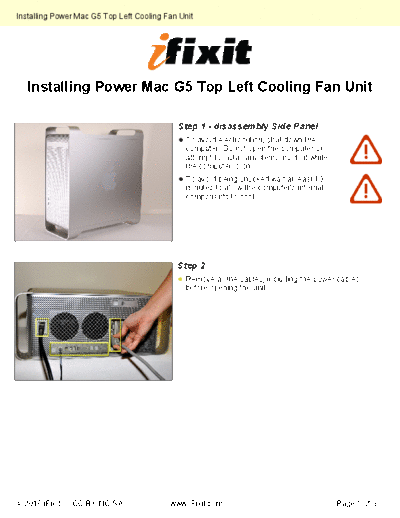
                                            Step 1 - disassembly Side Panel
                                               To avoid electrocution, shut down the
                                               computer. Do not open the computer or
                                               attempt to install any items inside it while
                                               the computer is on.
                                               To avoid being shocked wait at least 10
                                               minutes to allow the computer's internal
                                               components to cool.


                                            Step 2
                                              Remove all the cables, including the power cables
                                              before opening the unit.
◦ Jabse Service Manual Search 2026 ◦ Jabse Pravopis ◦ onTap.bg ◦ Other service manual resources online : Fixya ◦ eServiceinfo