Service Manuals, User Guides, Schematic Diagrams or docs for : apple lisa toolkit_3.0 Package_2_Examples 07_Phrase_File_Document
<< Back | HomeMost service manuals and schematics are PDF files, so You will need Adobre Acrobat Reader to view : Acrobat Download Some of the files are DjVu format. Readers and resources available here : DjVu Resources
For the compressed files, most common are zip and rar. Please, extract files with Your favorite compression software ( WinZip, WinRAR ... ) before viewing. If a document has multiple parts, You should download all, before extracting.
Good luck. Repair on Your own risk. Make sure You know what You are doing.
Image preview - the first page of the document
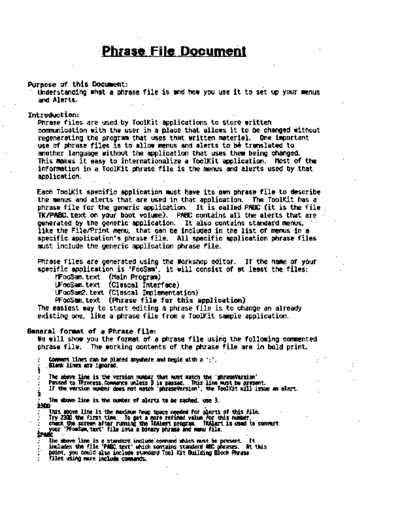
>> Download 07_Phrase_File_Document documenatation <<
Text preview - extract from the document
                       .Phrase Fi Ie Document

Purpose of this Docu.ent:
  Understanding what a phfase file is and how you use it to set up your menus
  and Alerts.
Introduction:
   Phrase files are used by ToolKit applications to store written
   communication with the user in a place that allows it to be changed without
   regenerating the program that uses that written material. One important
   use of phrase files is to allow menus and alerts to    translated to  b'
   another language without the application that uses them being changed.
   This makes it easy to internationalize a ToolKit application. Host of the
   information in a ToolKit phrase file is the menus and alerts used by that
   application.
  Each ToolKit specific application must have its own phrase file to describe
  the menus and alerts that are used in that application. The ToolKit has a
  phrase file for the generic application. It is called PABC (it is the file
  TKIPABC.text on your boot volume). PABC contains all the alerts that are.
  generated by the generic application. It also contains standard menus,
  like the FilelPrint men~ that can be included in the list of menus in a
  specific application's phrase file. All specific application phrase files
  must include the generic application phrase file.
  Phrase files are generated using the Workshop editor. If the name of your
  specific application is 'FooSam', it will consist of at least the files:
       MFoOSam.text (Main Program)
       UFooSam.text (Clascal Interface)
       UFooSam2.text (elascal Implementation)
       PFooSam.text (Phrase file for this application)
  The easiest way to start editing a phrase file is to change an already
  existing one, like a phrase file from a ToolKit sample application.
General for.at of a Phrase file:
  Ie will show you the fonmat of a phrase file using the following commented
  phrase file. The working contents of the phrase file are in bold print.
◦ Jabse Service Manual Search 2026 ◦ Jabse Pravopis ◦ onTap.bg ◦ Other service manual resources online : Fixya ◦ eServiceinfo