Service Manuals, User Guides, Schematic Diagrams or docs for : panasonic Audio SA-PT570EB PSG0901003CE doc c9smtm4
<< Back | HomeMost service manuals and schematics are PDF files, so You will need Adobre Acrobat Reader to view : Acrobat Download Some of the files are DjVu format. Readers and resources available here : DjVu Resources
For the compressed files, most common are zip and rar. Please, extract files with Your favorite compression software ( WinZip, WinRAR ... ) before viewing. If a document has multiple parts, You should download all, before extracting.
Good luck. Repair on Your own risk. Make sure You know what You are doing.
Image preview - the first page of the document
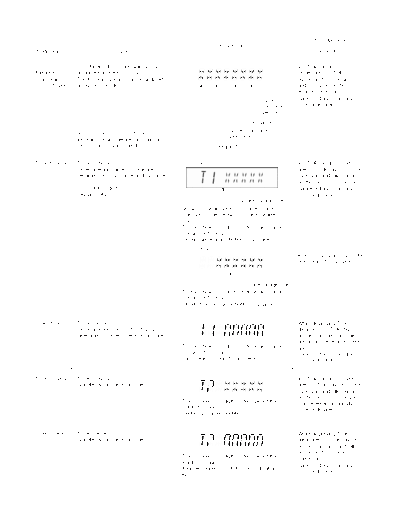
>> Download c9smtm4 documenatation <<
Text preview - extract from the document
Item Key Operation
FL Display
Mode Name Description Front Key
DVD DVD Module P.C.B. firmware version is In STOP (no disc)
Module P.C.B. displayed on the FL Display. mode, press [STOP]
firmware The firmware version can be updated button on the main unit,
version display using recovery disc. and [8] button on the
remote control unit.
System Cancelled automatically
controller 5 seconds later.
version
Destination
System controller
Note: It is necessary to check for
generation
firmware version before carrying out
the version up using the disc. Region No.: 0-8
Timer 1 check Timer 1 check (Display 1) In STOP (no disc) mode,
Laser operation timer is measured press [STOP] button on the
separately for DVD laser and CD laser. main unit, and [ ] button
on the remote control unit.
FL Display sequence: Cancelled automatically
Display 1 2. 3 seconds later.
DVD laser usage time
Shown to the above is DVD laser usage
time, and to the below is CD laser usage
time.
Time is shown in 5 digits of decimal notation
in a unit of 10 hours.
"00000" will follow "99999". (DVD laser)
(Display 2)
Press [FL Display] button for
next page of FL Display.
CD laser usage time
Time is shown in 6 digits of decimal notation
in a unit of 10 hours.
"000000" will follow "999999". (CD laser)
Timer 1 reset Timer 1 reset While displaying Timer 1
Laser operation timer of both DVD data, press [STOP] button
laser and CD laser is reset all at once. on the main unit, and [ ]
button on the remote control
Time is shown in 5 digits of decimal notation unit.
in a unit of 10 hours. Cancelled automatically
It will clear to "00000" upon reset. 5 seconds later
Timer 2 check Timer 2 check In STOP (no disc) mode,
Spindle motor operation timer press [STOP] button on the
main unit, and [ ] button
on the remote control unit.
Time is shown in 5 digits of decimal notation in
Cancelled automatically
a unit of 1 hour.
5 seconds later.
"00000" will follow "99999".
Timer 2 reset Timer 2 reset While displaying Timer 2
Spindle motor operation timer data, press [STOP] button
on the main unit, and [ ]
button on the remote
Time is shown in 5 digits of decimal notation in control unit.
a unit of 1 hour.
Cancelled automatically
It will be cleared to "00000" upon activating
5 seconds later.
this.
◦ Jabse Service Manual Search 2026 ◦ Jabse Pravopis ◦ onTap.bg ◦ Other service manual resources online : Fixya ◦ eServiceinfo