Service Manuals, User Guides, Schematic Diagrams or docs for : panasonic Audio SA-PTX7EB MD0704019CE doc 7jsmtm5

<< Back | Home

Most service manuals and schematics are PDF files, so You will need Adobre Acrobat Reader to view : Acrobat Download Some of the files are DjVu format. Readers and resources available here : DjVu Resources
For the compressed files, most common are zip and rar. Please, extract files with Your favorite compression software ( WinZip, WinRAR ... ) before viewing. If a document has multiple parts, You should download all, before extracting.
Good luck. Repair on Your own risk. Make sure You know what You are doing.


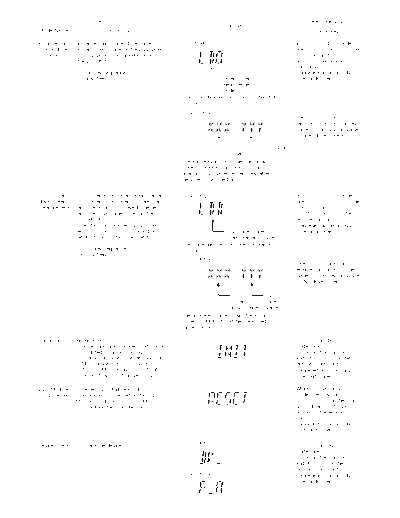
Image preview - the first page of the document
7jsmtm5


>> Download 7jsmtm5 documenatation <<

Text preview - extract from the document
                          Item                                                                                 Key Operation
                                                                             FL Display
Mode Name                     Description                                                                        Front Key

Initial setting   Initial setting of laser drive current.     (Display 1)                                In STOP (no disc) mode,
of laser drive    Initial current value for the DVD laser                                                press [STOP] button on the
    current       and CD laser is separately saved in                                                    main unit, and [PAUSE]
                  the EEPROM IC.                                                                         button on the remote
                                                                                                         control unit.
                  FL Display sequence:                                                                   Cancelled automatically
                  Display 1 2.                                              Laser current                5 seconds later.
                                                                            measurement
                                                                            mode
                                                            The value denotes the current in decimal
                                                            notation.
                                                              (Display 2)
                                                                                                         Press [FL Display] on
                                                                                                         remote control unit for next
                                                                                                         page (FL Display) on values
                                                                                                         of laser drive current.

                                                                                CD           DVD Laser
                                                                                Laser
                                                            The above example shows the initial
                                                            current is XXXmA and YYYmA for CD
                                                            laser and DVD laser respectively when
                                                            the laser is switched on.


 DVD laser        DVD laser drive current measurement.         (Display 1)                               In STOP (no disc) mode,
drive current     DVD laser drive current is measured                                                    press [STOP] button on the
measurement       and the result is displayed together                                                   main unit, and [FL
                  with the initial value stored in the                                                   DISPLAY] button on the
                  EEPROM IC.                                                                             remote control unit.
                  After the measurement, DVD laser                                                       Cancelled automatically
                  emission is kept on. It is turned off                        DVD laser current         5 seconds later.
                  when POWER key is switched off.                              measurement mode
                                                            The value denotes the current in decimal
                  FL Display sequence:                      notation.
                  Display 1 2.
                                                               (Display 2)
                                                                                                         Press [FL Display] on
                                                                                                         remote control unit for next
                                                                                                         page (FL Display) on values
                                                                                                         of dvd drive current.

                                                                               DVD            DVD
                                                                               Laser          Laser
                                                                               Initial Value Value
                                                            The above example shows the initial
                                                            current is XXXmA and the measured
                                                            value is YYYmA.

 Initialization   Initialization.                                                                        In STOP (no disc)
                  User settings are cancelled and player                                                 mode, press [STOP]
                  is initialized to factory setting.                                                     button on the main unit,
                  It is necessary when after replacement                                                 and [ 10] button on the
                  of Micro-processor (DV5 LSI) IC,                                                       remote control unit.
                  FLASH ROM IC (IC8651), EEPROM                                                          Cancelled automatically
                  IC (IC8611) & DVD Module P.C.B.                                                        5 seconds later.

DVD Module        To reset DVD Module P.C.B.                                                             While in initialization
P.C.B. Reset      This process is used when the DVD                                                      mode, press & hold
                  Module P.C.B. or FLASH ROM                                                             [STOP] button on the main
                  IC is replaced with a new one.                                                         unit, follow by [ENTER]
                                                                                                         button on the remote
                                                                                                         control unit.
                                                                                                         Cancelled automatically
                                                                                                         5 seconds later.


Device check      To check the device.                         (Display 1)
                                                                                                         In STOP (no disc)
                                                                                                         mode, press [STOP]
                                                                                                         button on the main unit,
                                                                                                         and [4] button on the
                                                                                                         remote control unit.
                                                               (Display 2)                               Cancelled automatically
                                                                                                         5 seconds later.


◦ Jabse Service Manual Search 2026 ◦ Jabse PravopisonTap.bg ◦ Other service manual resources online : FixyaeServiceinfo