Service Manuals, User Guides, Schematic Diagrams or docs for : panasonic Audio SA-PTX7EB MD0704019CE doc 7jrckbo
<< Back | HomeMost service manuals and schematics are PDF files, so You will need Adobre Acrobat Reader to view : Acrobat Download Some of the files are DjVu format. Readers and resources available here : DjVu Resources
For the compressed files, most common are zip and rar. Please, extract files with Your favorite compression software ( WinZip, WinRAR ... ) before viewing. If a document has multiple parts, You should download all, before extracting.
Good luck. Repair on Your own risk. Make sure You know what You are doing.
Image preview - the first page of the document
>> Download 7jrckbo documenatation <<
Text preview - extract from the document
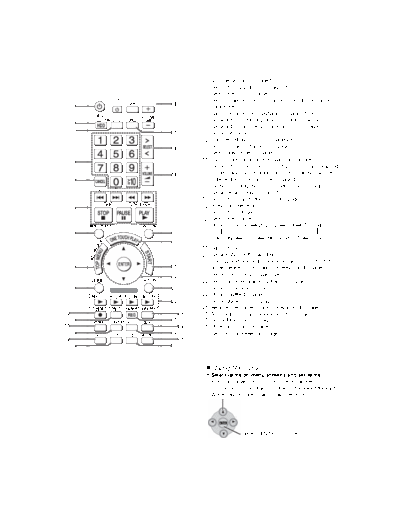
                    1    Turn the unit on (OI page 16)
                    2    Select the HDD drive (OI page 31)
                    3    Select the DVD/CD drive
                    4    Select channels and title numbers, etc./Enter numbers
          16
     1              5    Cancel items
                    6    Basic operations for playback (OI page 31, 36, 37)
                    7    Show a disc menu or playlist (OI page 38, 40, 48)
     2
                    8    Show a disc top menu or program list (OI page 37, 38)
     3
          17        9    Show sub menu
                    10   Start recording to HDD (OI page 29)
          18        11   Select speaker channels (OI page 76)
                    12   Select play mode (OI page 50, 53)
     4
                    13   Switch information on the main unit's display
                          When the selector is set to "DVD/CD", "USB", elapsed
          19               time, track number information, etc. can be switched
     5                    depending on what is being played.
                          When listening the RDS broadcasting (OI page 59)
                    14   Show Setup menu (OI page 16, 85)
                    15   Select the sound effect to set (OI page 76)
     6              16   Television operations
                    17   Select the FM tuner
                    18   Select the source
                         Music Collection     DVD/CD       FM     TV Audio
     7    20
                         OPTION        USB       MUSIC PORT          AUX
          21
                    19   Adjust the volume
                    20   Show FUNCTIONS window
                    21   Start up and play a disc automatically/control both the
          22
     8                   home theater system and the television (OI page 70)
          23
                    22   Show Start menu (OI page 24)
                    23   Selection/enter, frame-by-frame (OI page 37)
     9    24        24   Return to previous screen
                    25   Music shuffle (OI page 35)
          25        26   Show Quick OSD (OI page 55)
                    27   Register the current track to Favorites (OI page 63)
10             26   28   Turn Dolby Virtual Speaker on/off (OI page 77)
     11   27        29   Set SLEEP timer (OI page 80)
12             28   30   Mute the sound (OI page 80)
     13   29        31   Set the sound effect (OI page 76)
14             30

     15   31


                         Using the cursor
                         Select items on menu screens and set items.
                         Press up, down, left, or right to select an item.
                         You can also move frame-by-frame (backward/forward).
                         While paused, press [ ] or [ ] (left/right).


                            ENTER

                                       Press [ENTER] to confirm.
◦ Jabse Service Manual Search 2026 ◦ Jabse Pravopis ◦ onTap.bg ◦ Other service manual resources online : Fixya ◦ eServiceinfo