Service Manuals, User Guides, Schematic Diagrams or docs for : panasonic Bullettines Bulletins buleitins new TV 04-TI-005
<< Back | HomeMost service manuals and schematics are PDF files, so You will need Adobre Acrobat Reader to view : Acrobat Download Some of the files are DjVu format. Readers and resources available here : DjVu Resources
For the compressed files, most common are zip and rar. Please, extract files with Your favorite compression software ( WinZip, WinRAR ... ) before viewing. If a document has multiple parts, You should download all, before extracting.
Good luck. Repair on Your own risk. Make sure You know what You are doing.
Image preview - the first page of the document
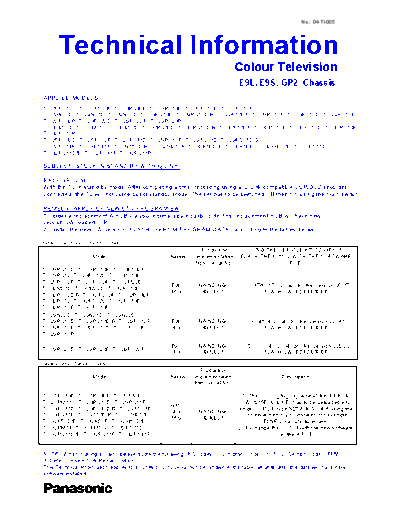
>> Download 04-TI-005 documenatation <<
Text preview - extract from the document
                                                                                                               No.: 04-TI-005


      Technical Information
                                                                                    Colour Television
                                                                                    E9L, E9S, GP2 Chassis
APPLIED MODELS:
TX-28PS10D, TX-28PS10F, TX-28PS10P, TX-28PX10D, TX-28PX10F, TX-28PX10P,
TX-29N20D, TX-29N21D, TX-29N22D, TX-29PS10D, TX-29PS10D/B, TX-29PS10F, TX-29PS10P, TX-29PX10D, TX-29PX10F,
TX-29PX10P, TX-29PX20D, TX-29PX20F, TX-29PX20P,
TX-32M20D, TX-32M21D, TX-32M22D, TX-32PS10D, TX-32PS10D/B, TX-32PS10F, TX-32PS10P, TX-32PX10D, TX-32PX10F,
TX-32PX10P
TX-25PX10D, TX-25PX10F, TX-28PS11D, TX-28PS11F, TX-29PS11D, TX-29PS11D/B,
TX-29PS11F, TX-29PS11P, TX-29T50D/B, TX-29T60D/B, TX-32K50D/B, TX-32K50F, TX-32K60D/B, TX-32PS11D,
TX-32PS11D/B, TX-32PS11F, TX-32PS11P

SUBJECT: STUCK IN STAND-BY WITH Q-LINK

BACKGROUND:
With the TV in stand-by mode. After completing a timer recording using a Q-Link compatible VCR/DVD recorder
connected, the TV will not come out of standby mode. The set has to be switched Off then On using the main switch.

REMEDY: APPLY OF NEW CTV PROGRAM SW
1 - order a replacement A-PCB via your normal spare parts route, this replacement PCB will have new
version SW loaded, OR
2 - install the new SW version - FLASH / EPROM PROGRAM DATA - according to the tables below:

table 1: E9L & E9S chassis models
                                                                    Production         USING THE SERVICE KIT TZS9EK016
                     Model                           Chassis     Implementation      FLASH THE IC1102 WITH THE SOFTWARE
                                                                 from Serial No.:                    FILE:
TX-28PS10D, TX-28PS10F, TX-28PS10P,
TX-28PS12, TX-28PS12L, TX-28PX10D,
TX-28PX10F, TX-28PX10P, TX-32M20D,
                                                      E9L          NA,ND,NG-         "V0.17W_17_02_04.Idr" file, version V0.17
TX-32M21D, TX-32M22D, TX-32PS10D,
                                                      16:9          4320001                 FLASH SW: EDF1/050/0F
TX-32PS10D/B, TX-32PS10F, TX-32PS10P,
TX-32PS12, TX-32PS12L, TX-32PX10D,
TX-32PX10F, TX-32PX10P
TX-29N20D, TX-29N21D, TX-29N22D,
TX-29PS10D, TX-29PS10D/B, TX-29PS10F,                  E9L         NA,ND,NG-            "V0.41_4_2_04.Idr" file, version V0. 41
TX-29PS10P, TX-29PX10D, TX-29PX10F,                    4:3          4310001                   FLASH SW: EDF0/080/0F
TX-29PX10P

                                                       E9S         NA,ND,NG-         "V20.00_04_02_04.Idr" file, version V20.00
TX-29PX20D, TX-29PX20F, TX-29PX20P
                                                       4:3          4310001                  FLASH SW: EDF2/050/0F
table 2: GP2 chassis models
                                                                   Production
                     Model                           Chassis    Implementation                        Description
                                                                from Serial No.:

TX-25PX10D, TX-25PX10F, TX-28PM11,                                                   1- The "V0.62_16_03_04.hex" file, EPROM
TX-28PM11L, TX-28PS11D, TX-28PS11F,                                                  SW (&15E0/080/0E) has to be uploaded into
                                                      GP2
TX-29PS11D, TX-29PS11D/B, TX-29PS11F,                                               empty IC1103, type M27W401-80B6 using the
                                                       4:3        NA,ND,NG-
TX-29PS11P, TX-29T50D/B, TX-29T60D/B,                                                 universal memory IC installer (for example
                                                      16:9         4240001
TX-32K50D/B, TX-32K50F, TX-32K60D/B,                                                         ELNEC manufacturer one)
TX-32PM11, TX-32PM11L, TX-32PS11D,                                                  2- Exchange the IC1103 with the new software
TX-32PS11D/B, TX-32PS11F, TX-32PS11P                                                               on the A-PCB


NOTE: When making a claim, please quote the following IRIS codes: 1. Symptom Code = K119, 2. Section Code = FMW,
3. Defect Code = 1, 4. Repair Code = 2.
This Technical Information applies to all units prior to serial number shown in the table, all units after this date will have new
software installed.
◦ Jabse Service Manual Search 2026 ◦ Jabse Pravopis ◦ onTap.bg ◦ Other service manual resources online : Fixya ◦ eServiceinfo