Service Manuals, User Guides, Schematic Diagrams or docs for : panasonic DVD-Video DMR-ES35VEGS Software PR_321
<< Back | HomeMost service manuals and schematics are PDF files, so You will need Adobre Acrobat Reader to view : Acrobat Download Some of the files are DjVu format. Readers and resources available here : DjVu Resources
For the compressed files, most common are zip and rar. Please, extract files with Your favorite compression software ( WinZip, WinRAR ... ) before viewing. If a document has multiple parts, You should download all, before extracting.
Good luck. Repair on Your own risk. Make sure You know what You are doing.
Image preview - the first page of the document
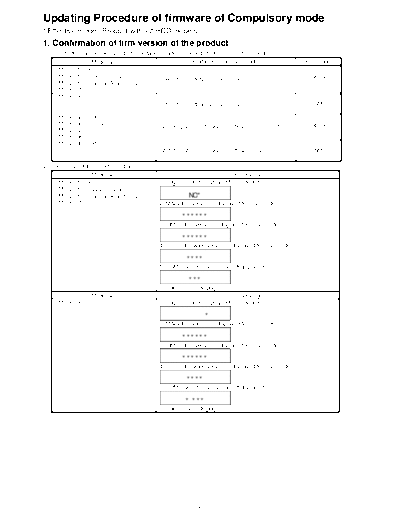
>> Download PR_321 documenatation <<
Text preview - extract from the document
Updating Procedure of firmware of Compulsory mode
* Effective model: Product without HDD models.
1. Confirmation of firm version of the product
1. Press buttons as below of product simultaneously for 5 seconds to turn it in Service Mode
                Model No.                                  Simultaneous pressing buttons               FL Display
     DMR-ES15P/PC
     DMR-ES15EB/EBL/EC/EG/EP                                                                             SERV
                                               [CH UP] + [OPEN/CLOSE] + [REC]
     DMR-ES15EE/GC/GCA/GCS/GN
     DMR-ES25P/PC
     DMR-ES20P/PC
                                               [CH UP] + [OPEN/CLOSE] + [REC]                             SM

     DMR-ES35VP/PC
     DMR-ES35VEC/EG                                                                                      SERV
                                               [VHS to DVD COPYING] + [OPEN/CLOSE] + [STOP]
     DMR-ES45VP
     DMR-ES46VP
     DMR-ES40VP/PC
                                               [VHS to DVD DUBBING] + [OPEN/CLOSE] + [STOP]               SM

2. Press [0] [2] of the remote controller.
                Model No.                                                     FL Display
     DMR-ES15P/PC                              1. Region code is displayed for 5 seconds.
     DMR-ES15EB/EBL/EC/EG/EP
     DMR-ES15EE/GC/GCA/GCS/GN                               NO*
     DMR-ES25P/PC                              2. MAIN firm version is displayed for 5 seconds.

                                                         ******
                                               3. TIMER firm version is displayed for 5 seconds.

                                                         ******
                                               4. DRIVE firmware version is displayed for 5 seconds.

                                                          ****
                                               5. ROM Correction version is left displayed.

                                                           ***
                                               " * " are version displays.
                Model No.                                                     FL Display
     DMR-ES20P/PC                              1. Region code is displayed for 5 seconds.

                                                                    *
                                               2. MAIN firm version is displayed for 5 seconds.

                                                         ******
                                               3. TIMER firm version is displayed for 5 seconds.

                                                         ******
                                               4. DRIVE firmware version is displayed for 5 seconds.

                                                          ****
                                               5. ROM Correction version is left displayed.

                                                          * ***
                                               " * " are version displays.


                                                                1
             Model No.                                                   FL Display
  DMR-ES35VP/PC                           1. Region code is displayed for 5 seconds.
  DMR-ES35VEC/EG
  DMR-ES45VP                                           NO*
  DMR-ES46VP                              2. MAIN firm version is displayed for 5 seconds.

                                                    ******
                                          3. TIMER firm version is displayed for 5 seconds.

                                                    ******
                                          4. DRIVE firmware version is

                                                       ****
                                          5. ROM Correction version is displayed for 5 seconds.

                                                       ***
                                          6. VHS Microprocessor version is displayed for 5 seconds.

                                                       ****
                                          7. VHS ROM Correction version is left displayed.

                                                         **
                                          " * " are version displays.
             Model No.                                                   FL Display
  DMR-ES40VP/PC                           1. Region code is displayed for 5 seconds.

                                                               *
                                          2. MAIN firm version is displayed for 5 seconds.

                                                    ******
                                          3. TIMER firm version is displayed for 5 seconds.

                                                    ******
                                          4. DRIVE firmware version is displayed for 5 seconds.

                                                       ****
                                          5. ROM Correction version is displayed for 5 seconds.

                                                       * ***
                                          6. VHS Microprocessor version is displayed for 5 seconds.

                                                       ****
                                          7. VHS ROM Correction version is left displayed.

                                                          **
                                          " * " are version displays.

2. Compare Main firm version and Drive firm version of FL display with
    versions of updating disc.
 For example of DMR-ES35VP:
   Versions of updating disc  Versions of FL display     Judgment of                         Descriptions
     Main firm     Drive firm Main firm Drive firm       updating disc
      3150UR          S126    3190UR      S155               NG          If this updating disc was used, the product will be
                                                                         made down version.
                                                                         1. Download latest firmware from TSN System,
                                                                               and burn it to CD-R or CD-RW.
                                                                         2. Update product with this downloaded latest
                                                                               firmware.
     3190UR          S155      3150UR        S126              OK        If this updating disc was used, the product will be
                                                                         made up version.


                                                           2
◦ Jabse Service Manual Search 2026 ◦ Jabse Pravopis ◦ onTap.bg ◦ Other service manual resources online : Fixya ◦ eServiceinfo