Service Manuals, User Guides, Schematic Diagrams or docs for : panasonic DVD-Video NV-VP33EF MAD0504002CE doc t_mode1
<< Back | HomeMost service manuals and schematics are PDF files, so You will need Adobre Acrobat Reader to view : Acrobat Download Some of the files are DjVu format. Readers and resources available here : DjVu Resources
For the compressed files, most common are zip and rar. Please, extract files with Your favorite compression software ( WinZip, WinRAR ... ) before viewing. If a document has multiple parts, You should download all, before extracting.
Good luck. Repair on Your own risk. Make sure You know what You are doing.
Image preview - the first page of the document
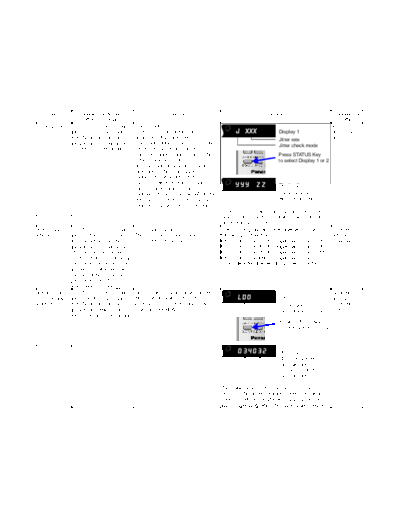
>> Download t_mode1 documenatation <<
Text preview - extract from the document
     Item             Player mode and                         Function                                      Display                          Cancellation
                     button combination                                                                                                        method
Jitter check     In STOP (no disc) mode,       Jitter check                                                                                 Press STOP
                 press PLAY (DVD) and          Jitter rate is measured and                   J XXX               Display 1                  or OPEN
                 OPEN buttons on the           displayed. Measurement is                                         Jitter rate                button.
                 player, and "5" button on     repeatedly done in the cycle of one                               Jitter check mode
                 the remote control unit.      second. Read error counter starts
                                               from zero upon mode setting. When                                 Press STATUS Key
                                               target block data failed to be read                               to select Display 1 or 2
                                               out, the counter advances by one
                                               increment. When the failure is
                                               caused by minor error, it may be
                                               corrected when retried to enable              YYY ZZ              Display 2
                                               successful reading. In this case, the
                                               counter advances by one. When the                                 Focus drive value
                                               error persists even after retry, the                              Read error counter
                                               counter may jump by two or more.
                                                                                        Jitter rate is shown in decimal notation to one
                                                                                        place of decimal. Focus drive value is shown in
                                                                                        hexadecimal notation.
Error code       In STOP (no disc) mode,       Error code check                         Error code (play_err) is expressed in the           Cancelled
check            press PLAY (DVD) and          The latest error code stored in          following convention.                               automatically
                 OPEN buttons on the           EEPROM is displayed.                     Error code = 0 x DAXX is expressed: " nn UXX        5 seconds
                 player, and "0" button on                                              Error code = 0 x DBXX is expressed: " nn HXX        later.
                 the remote control unit.*                                              Error code = 0 x DXXX is expressed: " nn FXXX
                 With pointing of cursor up                                             Error code = 0 x 0000 is expressed: " nn F---
                 and down on display, the                                               * "nn" denotes the serial number of history.
                 panel controller switches
                 serial number of history
                 and sends out the
                 command accordingly.
Initialsetting   In STOP (no disc) mode,       Initial setting of laser drive current                                                       Cancelled
of laser drive   press PLAY (DVD) and          Initial current value for each of DVD          LD0                 Display 1                 automatically
current          OPEN buttons on the           laser and CD laser is separately                                   Laser current             5 seconds
                 player, and PAUSE button      saved in EEPROM.                                                   measurement mode          later.
                 on the remote control unit.
                                                                                                                 Press STATUS Key
                                                                                                                 to select Display 1 or 2


                                                                                               034032            Display 2
                                                                                                                 CD laser current
                                                                                                                 measurement
                                                                                                                 DVD laser current
                                                                                                                 measurement

                                                                                        The value denotes the current in decimal
                                                                                        notation. The above example shows the initial
                                                                                        current is 34mA and 28mA for DVD laser and CD
                                                                                        laser respectively when the laser is switched on.
◦ Jabse Service Manual Search 2026 ◦ Jabse Pravopis ◦ onTap.bg ◦ Other service manual resources online : Fixya ◦ eServiceinfo