Service Manuals, User Guides, Schematic Diagrams or docs for : panasonic DVD-Video NV-VP33EF MAD0504002CE doc t_mode2

<< Back | Home

Most service manuals and schematics are PDF files, so You will need Adobre Acrobat Reader to view : Acrobat Download Some of the files are DjVu format. Readers and resources available here : DjVu Resources
For the compressed files, most common are zip and rar. Please, extract files with Your favorite compression software ( WinZip, WinRAR ... ) before viewing. If a document has multiple parts, You should download all, before extracting.
Good luck. Repair on Your own risk. Make sure You know what You are doing.


Image preview - the first page of the document
t_mode2


>> Download t_mode2 documenatation <<

Text preview - extract from the document
     Item           Player mode and                         Function                                        Display                         Cancellation
                   button combination                                                                                                         method
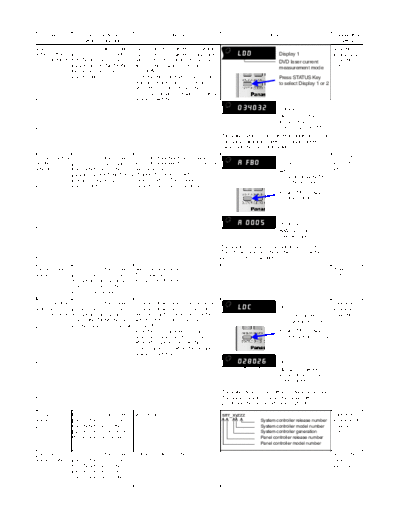
DVD laser     In STOP (no disc) mode,        DVD laser drive current measurement                                                            Cancelled
drive current press PLAY (DVD) and           DVD laser drive current is measured             LDD                 Display 1                  automatically
measurement OPEN buttons on the              and the result is displayed together                                DVD laser current          5 seconds
              player, and FUNCTIONS          with the initial value stored in                                    measurement mode           later.
              button on the remote           EEPROM.
              control unit.                  After the measurement, DVD laser                                    Press STATUS Key
                                             emission is kept on. It is turned off                               to select Display 1 or 2
                                             when POWER key is switched off.
                                             (It is also turned off when the primary
                                             power is switched off.)
                                                                                              034032             Display 2
                                                                                                                 Measured current
                                                                                                                 Initial current
                                                                                                                 stored in EEPROM
                                                                                       The value denotes the current in decimal notation.
                                                                                       The above example shows the initial current is
                                                                                       34mA and the measured value is 32mA.

ADSC internal In STOP (no disc) mode,        ADSC internal RAM data check                                                                   Press STOP
RAM data      press PLAY (DVD) and           ADSC internal RAM data is read out               A FB0              Display 1                  or OPEN
check         OPEN buttons on the            and displayed.                                                      Adress                     button.
              player, and EXIT RETURN        Change the address with                                             ADSC internal RAM
              button on the remote           CANCEL/RESET key operation to                                       data check mode
              control unit.                  show the data for 11 addresses.
                                                                                                                 Press STATUS Key
                                                                                                                 to select Display 1 or 2


                                                                                              A 0005             Display 2
                                                                                                                 RAM data for
                                                                                                                 specified adress

                                                                                       The value is shown in hexadicimal notation.
                                                                                       The above example shows the data in ADSC
                                                                                       adress A FB0 is A 0005.

Servo process In STOP (no disc) mode,        Servo process display                                                                          POWER
display       press PLAY (DVD) and           The servo process from STOP to                                                                 OFF
              FF buttons on the player,      ACCESS is displayed.
              and "7" button on the
              remote control unit.

CD laser drive In STOP (no disc) mode,       CD laser drive current measurement                                                             Cancelled
current        press PLAY (DVD) and          CD laser drive current is measured               LDC                Display 1                  automatically
measurement FF buttons on the player,        and the result is displayed together                                CD laser current           5 seconds
               and FUNCTIONS button          with the initial value stored in                                    measurement mode           later.
               on the remote control unit.   EEPROM.
                                             After the measurement, CD laser                                     Press STATUS Key
                                             emission is kept on. It is turned off                               to select Display 1 or 2
                                             when POWER key is switched off. (It
                                             is also turned off when the primary
                                             power is switched off.)
                                                                                              028026             Display 2
                                                                                                                 Measured current
                                                                                                                 Initial current stored
                                                                                                                 in EEPROM

                                                                                       The value denotes the current in decimal notation.
                                                                                       The above example shows the initial current is
                                                                                       28mA and the measured value is 26mA.

Version        In STOP (no disc) mode,       Version display                           srrr_xyzzz                                           Cancelled
display        press PLAY (DVD) and                                                                      System controller release number   automatically
               OPEN buttons on the                                                                       System controller model number     5 seconds
               player, and "7" button on                                                                 System controller generation       later.
               the remote control unit.                                                                  Panel controller release number
                                                                                                         Panel controller model number

Lighting of    In STOP (no disc) mode,       Lighting of display tube                                                                       Repeat the
display tube   press PLAY (DVD) and                                                                                                         same
               OPEN buttons on the                                                                                                          operation.
               player, and "9" button on
               the remote control unit.


◦ Jabse Service Manual Search 2026 ◦ Jabse PravopisonTap.bg ◦ Other service manual resources online : FixyaeServiceinfo