Service Manuals, User Guides, Schematic Diagrams or docs for : panasonic Plasma TV TH-37PWD7EK ITD0408033C0 doc t11_02a
<< Back | HomeMost service manuals and schematics are PDF files, so You will need Adobre Acrobat Reader to view : Acrobat Download Some of the files are DjVu format. Readers and resources available here : DjVu Resources
For the compressed files, most common are zip and rar. Please, extract files with Your favorite compression software ( WinZip, WinRAR ... ) before viewing. If a document has multiple parts, You should download all, before extracting.
Good luck. Repair on Your own risk. Make sure You know what You are doing.
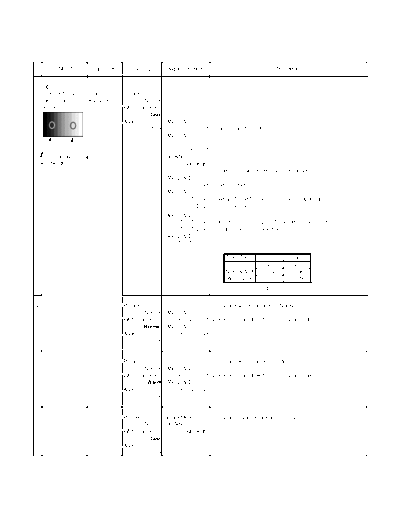
Image preview - the first page of the document
>> Download t11_02a documenatation <<
Text preview - extract from the document
        INPUT           Equipment       Setting       Alignment menu                                  Procedure


  HD
1 (720i or 1080i)      Color        Picture:
  Gray Scale           Analyzer             Normal
  Pattern                           White balance:
                                               Cool
                                    Aspect:         PANEL W/B
                                               16:9            G cut off 1) Set G cut off to " 80 ".
                                                    PANEL W/B
                                                               B cut off
                                                               R cut off
      High light 75%                                Sub Adjust
    Low light 15%                                           Sub Bright
                                                                         2)Find 75% of white area by color sensor.
                                                    PANEL W/B
                                                               G Drive 3) Set G Drive to " E8 ".
                                                    PANEL W/B
                                                                B Drive 4) Adjust B and R Drive to set color temperature
                                                                R Drive     as shown Fig.-04.
                                                    PANEL W/B
                                                         R,G,B Drive 5) Increase same steps of R, G and B Drive to set
                                                         R,G,B Drive    largest level of 3 color drive to "FC".
                                                    PANEL W/B
                                                        R,G,B cut off

                                                                              Color Temp.       x            y
                                                                               Cool(Hi)       0.276        0.276
                                                                              Normal(Mid)     0.288        0.296
                                                                              Warm(Low)       0.313        0.329
                                                                                             Fig. -04


2                                   Picture:                         1) Change white balance to "Normal".
                                            Normal PANEL W/B
                                    White balance:     R,G,B cut off 2) Repeat procedure 1) to 5) of Cool mode.
                                            Normal PANEL W/B
                                    Aspect:             R,G,B Drive
                                               16:9


3                                   Picture:                         1) Change white balance to "Warm".
                                            Normal PANEL W/B
                                    White balance:     R,G,B cut off 2) Repeat procedure 1) to 5) of Cool mode.
                                              Warm PANEL W/B
                                    Aspect:             R,G,B Drive
                                               16:9


4                                   Picture:        Picture Menu        1) Change color templature to "Cool".
                                            Normal Sub Adjust
                                    White balance:           Sub Bright
                                               Cool
                                    Aspect:
                                               16:9
◦ Jabse Service Manual Search 2026 ◦ Jabse Pravopis ◦ onTap.bg ◦ Other service manual resources online : Fixya ◦ eServiceinfo