Service Manuals, User Guides, Schematic Diagrams or docs for : panasonic Video NV-HV61EC Viewing SGML_VIEW_DATA ALL NV-HV51EC SVC th_oi

<< Back | Home

Most service manuals and schematics are PDF files, so You will need Adobre Acrobat Reader to view : Acrobat Download Some of the files are DjVu format. Readers and resources available here : DjVu Resources
For the compressed files, most common are zip and rar. Please, extract files with Your favorite compression software ( WinZip, WinRAR ... ) before viewing. If a document has multiple parts, You should download all, before extracting.
Good luck. Repair on Your own risk. Make sure You know what You are doing.


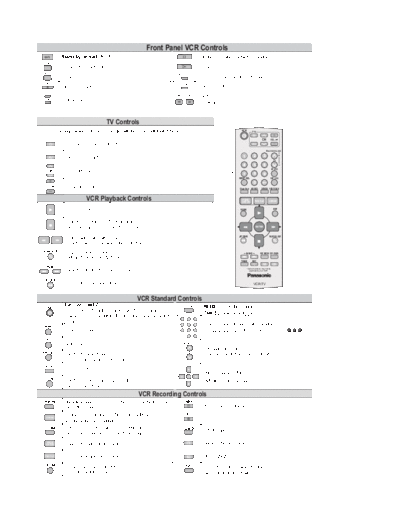
Image preview - the first page of the document
th_oi


>> Download th_oi documenatation <<

Text preview - extract from the document
                                                                    Front Panel VCR Controls
               Stand-by/on switch /I                                                                         Stop ends recording, playback, or winding.
TIMER REC

               Activates the recording timer.                                                                Playback
    REC
                                                                                           JET REW
               Record                                                                                        Fast rewind to the beginning of the tape.
  EJECT
                                                                                         QUICK ERASE
               Ejects the cassette.                                                                          Erases a cassette.

                                                                                                             Search
    CH         Channel selector
                                                                                                             Fast winding


                                          TV Controls
                                                                                                                                                                              VCR
   Some Panasonic television sets may be controlled with the remote control unit of this VCR.                                                                                              TV

                                                                                                                                                                                                    CH          VOL


                                                                                                                                  EG/EC/EP: ShowView / EB/EBL: VideoPlus+
                  Television set Stand-by/on switch.                                                                                                                                       AV

                                                                                                                                                                                                            TRACKING/V-LOCK


      AV          Selects the TV set's AV port.                                                                                                                                1           2            3
                                                                                                                                                                                                                   CH
                                                                                                                                                                               4           5            6
                                                                                                                                                                                                                 AV LINK
      CH          TV Channel selector.
                                                                                                                                                                               7           8            9
                                                                                                                                                                            INPUT SEL                           EXT LINK
                                                                                                                                                                                           0
    VOL           TV Volume control.                                                                                                                                        ShowView AUDIO         STATUS RESET/CANCEL


                              VCR Playback Controls                                                                                                                            PROG
                                                                                                                                                                              /CHECK        PROG PLAY          I-TIMER


                  Normal playback                                                                                                                                            MENU                                  EXIT


                 Stop ends recording, playback, or winding.
                 Eject: Press and hold for more than 3 seconds.                                                                                                                                 ENTER


                                                                                                                                                                            JET REW                           PAUSE/SLOW
                 Fast forward/rewind when stopped,
                 search forward or backwards during playback.
 PAUSE/SLOW      Stop a recording session.                                                                                                                                         INDEX          REC MODE OFF-TIMER
                 Still playback or Slow Playback.
                                                                                                                                                                             TIMER         REC
                                                                                                                                                                                                        A          B
    INDEX
                  Search beginning of a recording session.                                                                                                                         * Some functions may not be
                                                                                                                                                                                      applicale to your VCR.


  JET REW
                  Fast rewind to beginning of tape.                                                                                                                                         VCR/TV


                                                              VCR Standard Controls
     VCR
                Stand-by/on switch                                                          RESET/CANCEL        RESET : Resets the counter to 0:00.00.
                Press to switch the unit from on to stand-by mode or vice versa.
                                                                                                                CANCEL:Clears an entry you made.
                In stand-by mode, the unit is still consuming a small amount of
                power.
  MENU
                                                                                                                 Select program storage position or enter
                 Displays the menu.                                                               8      9       the ShowView / VideoPlus+ number. E.g.: 18 =
   EXIT
                 Quits a menu.                                                             TRACKING/V-LOCK


                                                                                                                 Channel select buttons.
INPUT SEL                                                                                         CH
                Switches between AV inputs                                                                       Tracking control of VCR picture disturbance.
                A1, A2, A3 and Tuner (depending on model).
   AUDIO
                Audio out settings.
                                                                                                                Menu navigation buttons.
                                                                                                 ENTER

  AV LINK       Switches from television reception to the                                                       ENTER: Selecting or storing settings.
                video playback channel.
                                                               VCR Recording Controls
 ShowView        ShowView Menu (EG/EC/EP/EF) (for NV-HV51 button is not used)                   TIMER
                 VideoPlus+ Menu (EB/EBL)                                                                       Activate the recording timer mode.
                Programming TV programmes broadcasted at the same                               REC
    I-TIMER                                                                                                      Record
                time and on the same channel.
  OFF-TIMER     Switches the VCR into stand-by mode after a preset                          REC MODE
                                                                                                                Sets the tape speed (SP/LP/EP).
                period of time during recording, playback or stop mode.
    PROG
   /CHECK       Displays the menu Timer recording.                                               A              Delete highlighted station.

   PROG PLAY    Plays back programmed recordings.                                                 B             Move highlighted station.
  EXT LINK       Activates the recording timer for                                              STATUS          Press repeatedly to display the time,
                 externally controlled recording.                                                               tape counter or tape remain.


◦ Jabse Service Manual Search 2026 ◦ Jabse PravopisonTap.bg ◦ Other service manual resources online : FixyaeServiceinfo