Service Manuals, User Guides, Schematic Diagrams or docs for : panasonic Video NV-SJ216 vqt9002

<< Back | Home

Most service manuals and schematics are PDF files, so You will need Adobre Acrobat Reader to view : Acrobat Download Some of the files are DjVu format. Readers and resources available here : DjVu Resources
For the compressed files, most common are zip and rar. Please, extract files with Your favorite compression software ( WinZip, WinRAR ... ) before viewing. If a document has multiple parts, You should download all, before extracting.
Good luck. Repair on Your own risk. Make sure You know what You are doing.


Image preview - the first page of the document
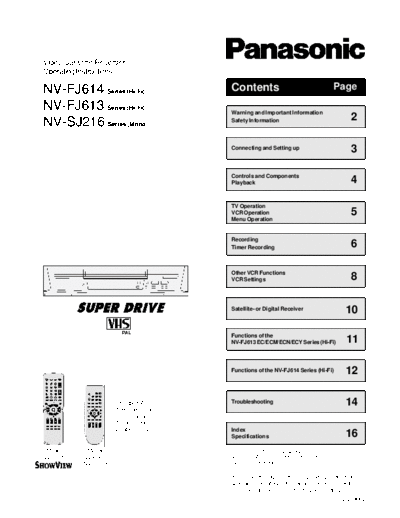
vqt9002


>> Download vqt9002 documenatation <<

Text preview - extract from the document
               Video Cassette Recorder
               Operating Instructions

               NV-FJ614 Series (Hi-Fi)                              Contents                                 Page

               NV-FJ613 Series (Hi-Fi)                              Warning and Important Information
                                                                                                                    2
               NV-SJ216 Series (Mono)                               Safety Information


                                                                    Connecting and Setting up
                                                                                                                    3

                                                                    Controls and Components
                                                                    Playback                                        4

                                                                    TV Operation
                                                                    VCR Operation                                   5
                                                                    Menu Operation


                                                                    Recording
                                                                    Timer Recording                                 6

                                                                    Other VCR Functions
                                                                    VCR Settings                                    8

                                                                    Satellite- or Digital Receiver                10

                                                                    Functions of the
                                                                    NV-FJ613 EC/ECM/ECN/ECY Series (Hi-Fi)        11

                                                                    Functions of the NV-FJ614 Series (Hi-Fi)      12

                                          Standard Accessories:     Troubleshooting                               14
N2QAKB000001


                         N2QAKB000007


                                          1 remote control
                                          1 RF coaxial cable
                                          1 mains lead
                                          2 batteries, type R6      Index
                                                                    Specifications                                16
            Model:              Model:                              OSD = On Screen Display
           NV-FJ614            NV-FJ613                             VCR = Video Cassette Recorder
                               NV-SJ216                             TV  = Television

                                                                  Please read through all these operating instructions
                                                                  (especially the safety information) before connecting
                                                                  or operating the VCR, or adjusting any settings.
                                                                                                                VQT9002
      Warning and Important Information                                              Safety Information

                                                                                     This equipment complies with European
Please observe copyright laws when recording sound tracks and film.                  conformity requirements, in accordance with
                                                                                     the conditions of electromagnetic compatibility
                                                                                     and product safety.

For your own safety and to protect the VCR:                                          This equipment complies with the
 Do not remove outer cover, to prevent electric shock. There are no                  requirements of protection class 2.
 serviceable parts inside. Refer all servicing to qualified service personnel.
 Only transport and set up the VCR in a horizontal position.                         This equipment complies with the safety
 Only connect cables when all the parts of the VCR are switched off.                 requirements of the VDE
 Only clean the outside of the VCR, using a soft cloth and no cleaning fluid.        (German Association of Electrical Engineers).
 The mains lead must not be used for other equipment.
 In case of rapid temperature changes, do not operate your VCR
 for minimum 1 hour.


 As this equipment gets hot during use, operate it in well ventilated place; do
 not install this equipment in confined space such as a bookcase or similar unit.


To prevent fire, electric shocks and damage :
The VCR, the remote control, the mains lead and the cassettes
must not be used if it is damaged. Protect them from:
  Insertion of fingers or objects
  Direct sunlight, heat, cold, rain, wetness, soiling and dust
  Shock and mechanical stress (do not bend the mains lead)
  Electric and magnetic fields
  Lightning strikes during thunderstorms (disconnect mains and aerial plugs)


Conserve the environment: See Power save on page 9.


Disposal of old equipment:
Batteries, packaging and old equipment should not be
disposed of as domestic waste, but in accordance with
the applicable regulations.


Instructions on inserting Remote Control Batteries:
  The lifetime of the battery is about 1 year, depending on the frequency of use.
  Do not use one old and one new battery, or different types of batteries together
  (e.g. one alkali and one zinc-carbon battery).
  Only insert batteries which contain no toxic materials
  (such as lead, cadmium, mercury).
  Do not use rechargeable batteries (nickel-cadmium batteries).
  If the remote control will not be used for a long time, remove the batteries and
  store them in a cool and dry place.
  Do not heat or short-circuit the batteries.
  Remove spent batteries immediately and
  replace them with type AA, UM3 or R6.
  Observe the and polarities
  when replacing the batteries.


2                                                                                                                                 VQT9002
                                                             Connecting and Setting up

Set up the connections shown here, and connect the mains lead (supplied)                            If you want to connect the TV only                 VCR
to your AC mains.                                                                                   with a RF Coaxial Cable (supplied),
                                                           Aerial                                   you must ensure that the video output
  VCR
                                                          (not supplied)                            channel is adjusted to the input channel of
                                                                                                    the TV.
                                                                                                                                                                                      TV
                       RF in                                                                        For this purpose, please also read the
                                                                                         TV         operating instructions for your TV.                   RF Coaxial Cable
                                                                                                                                                          (supplied)
          AV
                      RF out


                                                                                                             Switch on the VCR                                         VCR display

                                       RF Coaxial Cable                                                      Press the MENU Button for about 7
                                       (supplied)
                                                                                                             seconds until the number of the channel
                                                                                                                                                                  On Screen Display
                                                                                                             appears on the VCR display
                                                                                                             (the pre-setting is channel 36).                             VCR
                                                                                                                                                                          Ch:36
                  21-pin Scart cable
                  (not supplied)                                                                             Tune the TV until the test screen appears.


Note:                                                                                                        A distorted picture on the channel can be
The RF (radio frequency) coaxial cable must be connected for TV reception,                                   reduced, by adjusting the VCR and the TV
even if the video recorder is already connected with a 21-pin Scart cable.                                   to another channel.

                                                                                                             Use this button to select
          Automatic Setting                                                                                  the channel number (e.g. channel 39).
          Switch on the VCR                                        On Screen Display
          and the [Country] setting menu will appear.                             Panasonic   VCR

          Use the cursors            on the
                                                           Country                                           Tune the TV until the test screen appears.
                                                           Belgien              Deutschland                                                                               VCR
          remote control to select your country.           Belgique             


◦ Jabse Service Manual Search 2026 ◦ Jabse PravopisonTap.bg ◦ Other service manual resources online : FixyaeServiceinfo