Service Manuals, User Guides, Schematic Diagrams or docs for : . Car Manuals Subaru Impreza 2001-2002.2004-2007 Approved Subaru Impreza 2004 WRX STi 02. ENGINE SECTION (STi) 11. ENGINE (DIAGNOSTICS) 09. Subaru Select Monitor
<< Back | HomeMost service manuals and schematics are PDF files, so You will need Adobre Acrobat Reader to view : Acrobat Download Some of the files are DjVu format. Readers and resources available here : DjVu Resources
For the compressed files, most common are zip and rar. Please, extract files with Your favorite compression software ( WinZip, WinRAR ... ) before viewing. If a document has multiple parts, You should download all, before extracting.
Good luck. Repair on Your own risk. Make sure You know what You are doing.
Image preview - the first page of the document
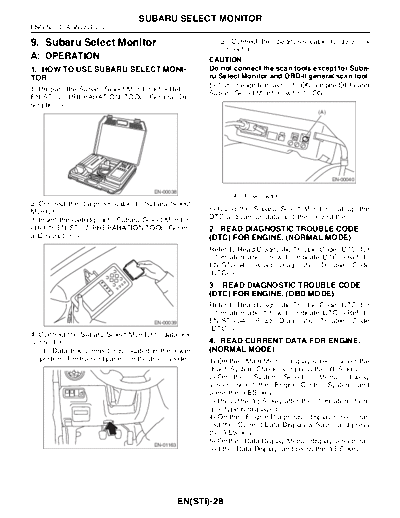
>> Download 09. Subaru Select Monitor documenatation <<
Text preview - extract from the document
                                    SUBARU SELECT MONITOR
ENGINE (DIAGNOSTICS)

9. Subaru Select Monitor                                     (2) Connect the diagnosis cable to data link
                                                             connector.
A: OPERATION                                               CAUTION:
1. HOW TO USE SUBARU SELECT MONI-                          Do not connect the scan tools except for Suba-
TOR                                                        ru Select Monitor and OBD-II general scan tool.
                                                           5) Turn the ignition switch to ON (engine OFF) and
1) Prepare the Subaru Select Monitor kit.
                                                                                             (A)


                                                                                                   EN-00040

                                         EN-00038
                                                                 (A) Power switch
2) Connect the diagnosis cable to Subaru Select
Monitor.                                                   6) Using the Subaru Select Monitor, call up the
3) Insert the cartridge into Subaru Select Monitor.        DTC and various data, and then record them.
                                           (DTC) FOR ENGINE. (NORMAL MODE)
                                                           Refer to Read Diagnostic Trouble Code (DTC) for
                                                           information about how to indicate DTC.
                                                           3. READ DIAGNOSTIC TROUBLE CODE
                                                           (DTC) FOR ENGINE. (OBD MODE)
                                                           Refer to Read Diagnostic Trouble Code (DTC) for
                                                           information about how to indicate DTC.
4) Connect the Subaru Select Monitor to data link
connector.                                                 4. READ CURRENT DATA FOR ENGINE.
   (1) Data link connector is located in the lower         (NORMAL MODE)
   portion of instrument panel (on the driver's side).     1) On the
◦ Jabse Service Manual Search 2026 ◦ Jabse Pravopis ◦ onTap.bg ◦ Other service manual resources online : Fixya ◦ eServiceinfo