Service Manuals, User Guides, Schematic Diagrams or docs for : . Car Manuals Subaru Impreza 2001-2002.2004-2007 Approved Subaru Impreza 2004 WRX STi 06. BODY 21. CRUISE CONTROL SYSTEM (DIAGNOSTICS-STi) 05. Subaru Select Monitor
<< Back | HomeMost service manuals and schematics are PDF files, so You will need Adobre Acrobat Reader to view : Acrobat Download Some of the files are DjVu format. Readers and resources available here : DjVu Resources
For the compressed files, most common are zip and rar. Please, extract files with Your favorite compression software ( WinZip, WinRAR ... ) before viewing. If a document has multiple parts, You should download all, before extracting.
Good luck. Repair on Your own risk. Make sure You know what You are doing.
Image preview - the first page of the document
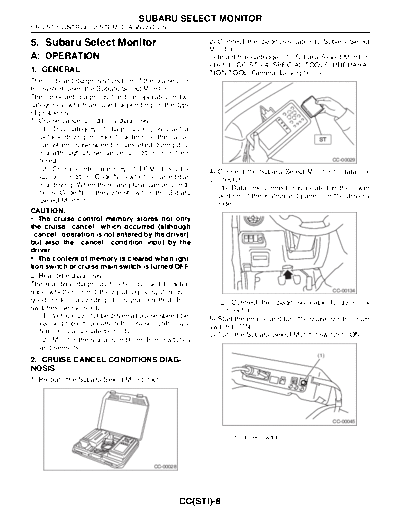
>> Download 05. Subaru Select Monitor documenatation <<
Text preview - extract from the document
                                   SUBARU SELECT MONITOR
CRUISE CONTROL SYSTEM (DIAGNOSTICS)

5. Subaru Select Monitor                                 2) Connect the diagnosis cable to Subaru Select
                                                         Monitor.
A: OPERATION                                             3) Insert the cartridge into Subaru Select Monitor.

The on-board diagnosis function of the cruise con-
trol system uses the Subaru Select Monitor.
The on-board diagnosis function operates in two
categories, which are used depending on the type
of problems;
1) Cruise cancel conditions diagnosis:
    (1) This category of diagnosis requires actual
    vehicle driving in order to determine the cause,
    (as when cruise speed is cancelled during driv-
    ing although cruise cancel condition is not en-
    tered).                                                                                       CC-00029
    (2) Cruise control memory of ECM stores the          4) Connect the Subaru Select Monitor to data link
    cancel condition (Code No.) which occurred dur-      connector.
    ing driving. When there are plural cancel condi-        (1) Data link connector is located in the lower
    tions (Code No.), they are shown on the Subaru          portion of the instrument panel (on the driver's
    Select Monitor.                                         side).
CAUTION:
◦ Jabse Service Manual Search 2026 ◦ Jabse Pravopis ◦ onTap.bg ◦ Other service manual resources online : Fixya ◦ eServiceinfo