Service Manuals, User Guides, Schematic Diagrams or docs for : . Car Manuals Toyota Tundra 2000-2006 Approved 04-06 techinfo.toyota.com ileaf 06toyrm 06toypdf 06rmsrc 06tundra in httecsy htpwt
<< Back | HomeMost service manuals and schematics are PDF files, so You will need Adobre Acrobat Reader to view : Acrobat Download Some of the files are DjVu format. Readers and resources available here : DjVu Resources
For the compressed files, most common are zip and rar. Please, extract files with Your favorite compression software ( WinZip, WinRAR ... ) before viewing. If a document has multiple parts, You should download all, before extracting.
Good luck. Repair on Your own risk. Make sure You know what You are doing.
Image preview - the first page of the document
>> Download htpwt documenatation <<
Text preview - extract from the document
INTRODUCTION - HOW TO TROUBLESHOOT ECU CONTROLLED IN-19
SYSTEMS
IN01U-15
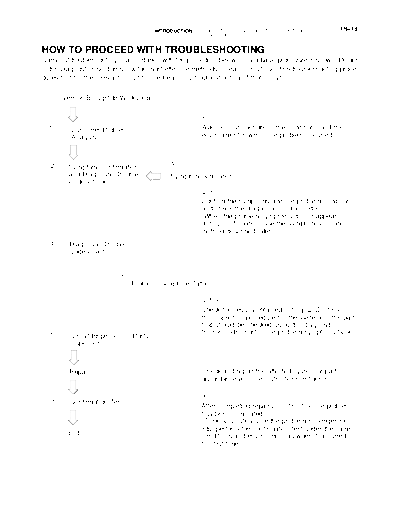
HOW TO PROCEED WITH TROUBLESHOOTING
Carry out troubleshooting in accordance with the procedure below. Only a basic procedure is shown. Details
in the Diagnostics section show the most effective methods for each circuit. Confirm troubleshooting proce-
dures first for the relevant circuit before beginning troubleshooting of that circuit.
Vehicle Brought to Workshop
1
1 Customer Problem Ask the customer about the conditions and the
Analysis environment in which the problem occurred.
2 Symptom Confirmation 3
and Diagnostic Trouble Symptom Simulation
Code Check
2, 3
Confirm the symptoms and the problem conditions,
and check the diagnostic trouble codes.
(When the problem symptoms do not appear
during confirmation, use the symptom simulation
method described later.)
4 Diagnostic Trouble
Code Chart
5
Problem Symptoms Table
4, 5, 6
Check the results obtained in Step 2. Confirm
the inspection procedure for the system or the part
that should be checked using the diagnostic
6 trouble code chart or the problem symptoms table.
Circuit Inspection or Parts
Inspection
7
7 Repair Check and repair the affected system or part in
accordance with the instructions in Step 6.
8
8 Confirmation Test
After completing repairs, confirm that the problem
has been eliminated.
(To be absolutely sure the problem no longer ex-
ists, perform the confirmation test under the same
End
conditions and environment as when it occurred
the first time.)
IN-20 INTRODUCTION - HOW TO TROUBLESHOOT ECU CONTROLLED
SYSTEMS
1. CUSTOMER PROBLEM ANALYSIS
S The 5 items in the table below are important points in the problem analysis.
S In troubleshooting, the problem symptoms must be confirmed accurately. Preconceptions should be
discarded in order to give an accurate judgement. To ascertain what the problem symptoms are, it is
extremely important to ask the customer about the problem and the conditions at the time it occurred.
Important Points in the Customer Problem Analysis
D What ----- Vehicle model, system name
D When ----- Date, time, occurrence frequency
D Where ----- Road conditions
D Under what conditions? ----- Running conditions, driving conditions, weather conditions
D How did it happen? ----- Problem symptoms
(Sample) Supplemental restraint system check sheet.
CUSTOMER PROBLEM ANALYSIS CHECK
Inspector's
SUPPLEMENTAL RESTRAINT SYSTEM Check Sheet Name
VIN
Customer's Name Production Date / /
Licence Plate No.
km
Date Vehicle Brought In / / Odometer Reading miles
Date Problem First Occurred / /
Weather Fine Cloudy Rainy Snowy Other
Temperature Approx.
Starting Idling
Vehicle Operation Driving [ Constant speed Acceleration Deceleration
Other ]
INTRODUCTION - HOW TO TROUBLESHOOT ECU CONTROLLED IN-21
SYSTEMS
2. SYMPTOM CONFIRMATION AND DIAGNOSTIC TROUBLE CODE CHECK
The diagnostic system in the TOYOTA TUNDRA fulfills various functions.
S The first function is the Diagnostic Trouble Code (DTC) Check. In a DTC Check, a previous malfunc-
tion's DTC can be checked by a technician during troubleshooting. (A DTC is a code stored in the ECU
memory whenever a malfunction in the signal circuits to the ECU occurs.)
S Another function is the Input Signal Check, which checks if the signals from various switches are sent
to the ECU correctly. By using these check functions, the problem areas can be narrowed down and
troubleshooting is more effective. Diagnostic functions are incorporated in the following systems in the
TOYOTA TUNDRA.
Diagnostic Trouble Input Signal Check Diagnostic Test
System
Code Check (Sensor Check) Mode (Active Test)
f (with Check
1. Engine 1GR-FE f f
Mode)
f (with Check
2. Engine 2UZ-FE f f
Mode)
f (with Check
3. Automatic Transmission A750E for 1GR-FE f f
Mode)
f (with Check
4. Automatic Transmission A750E/A750F for 2UZ-FE f f
Mode)
5. Tire Pressure Warning System f f f
6. Anti-Lock Brake System f f f
7. ABS with EBD & BA & TRAC & VSC System f f f
8. Can Communication System f
f (with Check
9. Supplemental Restraint System f
Mode)
10.Cruise Control System f f
11.Sliding Roof System f f
12.Body Control System f f
13.Driver Door Control System f f
14.Passenger Door Control System f f
15.Multiplex Communication System f
IN-22 INTRODUCTION - HOW TO TROUBLESHOOT ECU CONTROLLED
SYSTEMS
In the DTC Check, it is very important to determine whether the problem indicated by the DTC is: 1) still occur-
ring, or 2) occurred in the past but has since returned to normal. In addition, the DTC should be compared
to the problem symptom to see if they are related. For this reason, DTCs should be checked before and after
confirmation of symptoms (i.e., whether or not problem symptoms exist) to determine current conditions, as
shown in the table below.
Never skip the DTC Check. Failure to check DTCs may, depending on the case, result in unnecessary trou-
bleshooting for systems operating normally or lead to repairs not pertinent to the problem. Follow the proce-
dures listed above in the correct order.
DIAGNOSTIC TROUBLE CODE CHECK PROCEDURE
Diagnostic Trouble
Confirmation Diagnostic Trouble
Code Check (Make a Problem Condition
of Symptoms Code Check
note of and then clear)
Diagnostic Trouble Problem symptoms Same diagnostic Problem is still occurring in the diagnostic
Code Display exist trouble code is circuit
displayed
Normal code is The problem is still occurring in a place
displayed other than in the diagnostic circuit
(The diagnostic trouble code displayed
first is either for a past problem or it is a
secondary problem)
No problem The problem occurred in the diagnostic
symptoms exist circuit in the past
Normal Code Display Problem symptoms Normal code is The problem is still occurring in a place
exist displayed other than the diagnostic circuit
No problem Normal code is The problem occurred in a place other
symptoms exist displayed than the diagnostic circuit in the past
INTRODUCTION - HOW TO TROUBLESHOOT ECU CONTROLLED IN-23
SYSTEMS
Taking into account the points on the previous page, a flow chart showing how to proceed with troubleshoot-
ing using the diagnostic trouble code check is shown below. Directions from the flow chart will indicate how
to proceed to DTC troubleshooting or to the troubleshooting of problem symptoms table.
Diagnostic trouble code check
Making a note of and clearing of the diagnostic trouble codes displayed
Symptom confirmation
Problem symptoms No problem symptoms
exist exist
Simulation test using the symptom
simulation methods
Diagnostic trouble code check
D Diagnostic trouble code displayed D Normal code displayed D Normal code displayed
D Problem symptoms exist D Problem symptoms exist D No problem symptoms exist
Troubleshooting of problem indicated Troubleshooting of each System Normal
by diagnostic trouble code problem symptom
If a diagnostic trouble code was
displayed in the initial diagnostic
trouble code check, it indicates
that the trouble may have occurred
in a wire harness or connector in
that circuit in the past. Therefore,
check the wire harness and con-
nectors (see page IN-30).
IN-24 INTRODUCTION - HOW TO TROUBLESHOOT ECU CONTROLLED
SYSTEMS
3. SYMPTOM SIMULATION
The most difficult case in troubleshooting is when no problem symptoms occurring. In such cases, a thor-
ough customer problem analysis must be carried out. Then simulate a simulation of the same or similar
conditions and environment in which the problem occurred in the customer's vehicle should be carried out.
No matter how much skill or experience a technician has, troubleshooting without confirming the problem
symptoms will lead to something important in the repair operation being overlooked and lead to mistakes
or delays in repairs.
For example:
With a problem that only occurs when the engine is cold, or occurs as a result of vibration caused by road
during driving, the problem can never be determined as long as the symptoms are being checked on station-
ary vehicle or a vehicle with a warmed-up engine.
Vibration, heat or water penetration (moisture) is difficult to reproduce. The symptom simulation tests below
are effected substitutes for the conditions and can be applied on a stationary vehicle.
Important Points in the Symptom Simulation Test:
In the symptom simulation test, the problem symptoms as well as problem area or parts must be confirmed.
First, narrow down the possible problem circuits according to the symptoms. Then, connect the tester and
carry out the symptom simulation test, judging whether the circuit being tested is defective or normal, and
also confirming the problem symptoms at the same time. Refer to the problem symptoms table for each sys-
tem to narrow down the possible causes of the symptom.
1 VIBRATION METHOD: When vibration seems to be the major cause.
CONNECTORS
Slightly shake the connector vertically and horizontally.
Shake Slightly
WIRE HARNESS
Slightly shake the wire harness vertically and horizontally.
The connector joint, fulcrum of the vibration, and body
through portion are the major areas that should be checked
thoroughly.
Swing Slightly
PARTS AND SENSOR Vibrate Slightly
Apply slight vibration with a finger to the part of the sensor
considered to be the cause of the problem and check wheth-
er or not the malfunction occurs.
HINT:
Applying strong vibration to relays may result in open relays.
V07268
INTRODUCTION - HOW TO TROUBLESHOOT ECU CONTROLLED IN-25
SYSTEMS
2 HEAT METHOD: When the problem seems to occur when the suspect area is heated.
Heat the component that is the likely cause of the malfunction
with a hair dryer or similar device. Check whether or not if the
malfunction occurs. Malfunction
NOTICE:
(1) Do not heat to more than 60◦ Jabse Service Manual Search 2026 ◦ Jabse Pravopis ◦ onTap.bg ◦ Other service manual resources online : Fixya ◦ eServiceinfo