Service Manuals, User Guides, Schematic Diagrams or docs for : . Rare and Ancient Equipment BBK Cameras BBK DP710_DP810
<< Back | HomeMost service manuals and schematics are PDF files, so You will need Adobre Acrobat Reader to view : Acrobat Download Some of the files are DjVu format. Readers and resources available here : DjVu Resources
For the compressed files, most common are zip and rar. Please, extract files with Your favorite compression software ( WinZip, WinRAR ... ) before viewing. If a document has multiple parts, You should download all, before extracting.
Good luck. Repair on Your own risk. Make sure You know what You are doing.
Image preview - the first page of the document
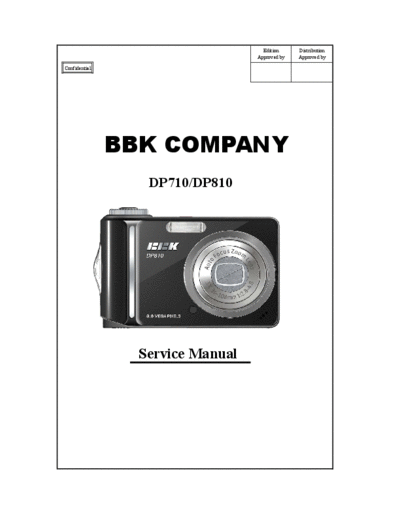
>> Download BBK DP710_DP810 documenatation <<
Text preview - extract from the document
Edition Distribution
Approved by Approved by
Confidential
BBK COMPANY
DP710/DP810
Service Manual
Contents
1. Cover ------------------------------------------------------------------------------------------P1
2. Contents ------------------------------------------------------------------------------------P2~P5
3. Specifications -------------------------------------------------------------------------------P6~P10
3.1Product Overview ------------------------------------------------------------------P6~P8
3.2DP710 Specifications ------------------------------------------------------------------ P9
3.3DP810 Specifications ------------------------------------------------------------------ P10
4. Warning ------------------------------------------------------------------------------------P11
5. Disassembly -------------------------------------------------------------------------------P12~P35
5.1Disassembling the Outer Screws and the Strap Holder ----------------------P12
Bottom Screws ------------------------------------------------------------------- P12
Right Screws ------------------------------------------------------------------- P12
Left Screws and Strap Holder ---------------------------------------------------P12
5.2Disassemble Back Cover Unit ----------------------------------------------------- P13~P16
Notes on the Diassembly of the Back Cover -------------------------- P13
LCD----------------------------------------------------------------------------------P14
LCD Sponge and Paste -------------------------------------------------------- P14
Back Button Board and Fastening Screws ---------------------------------- P14
Direction Button ------------------------------------------------------------------P15
Direction Button Cover -------------------------------------------------------- P15
W-T Button ------------------------------------------------------------------------- P15
4 Function Buttons -----------------------------------------------------------P15
Direction Button Cover ----------------------------------------------------- P16
TFT Protector ---------------------------------------------------------------- P16
5.3 Disassemble the Battery Cover Unit --------------------------------------------- P17
Battery Cover Shaft -----------------------------------------------------------P17
Battery Cover Sheet and Fastening Screws------------------------------------ P17
5.4Discharge the Main Board ---------------------------------------------------P18~P20
Disassemble the Main Board ------------------------------------------------ P18
Notes on the Disassembly of the Main Board -------------------------- P18
Main PCB Sponge------------------------------------------------------------------- P19
MC_Pet ------------------------------------------------------------------------- P19
Connection betwee the LENS FPC and the M/B --------------------------P19
Connection between the CCD FPC and the M/B --------------------------P19
Disassemble M/B Fastening Screws -------------------------------------- P19
Xe Line(+/-) ------------------------------------------------------------------ P20
Trigger Line ------------------------------------------------------------------- P20
MC Line(+/-) ---------------------------------------------------------------------- P20
AF Light Line(+/-) --------------------------------------------------------------P20
MIC Line(+/-) -----------------------------------------------------------------P20
Speaker Line(+/-) -----------------------------------------------------------------P20
5.5Disassemble the Lens Unit ----------------------------------------------------- P21
Disassemble the Lens Fastening Screws ---------------------------------- P21
CCD FPC ---------------------------------------------------------------------------P21
LENS FPC ---------------------------------------------------------------------------P21
5.6Disassemble the Body Unit -------------------------------------------------------- P22~P27
Disassemble the Body Fastening Screws ---------------------------------- P22
Disassemble the Main Capacitor Unit --------------------------------------P23
Main Capacitor ----------------------------------------------------------- P23
CAP Board--------------------------------------------------------------------P23
MC Line(+/-) -------------------------------------------------------------P23
Disassemble the Speaker -------------------------------------------------------P24
Disassemble the Power PCB Unit and Fastening Screws --------------- P25
Disassemble the Battery Buffer and Fastening Screws---------------------- P26
Disassemble the Battery Buffer Thinking Proof-------------------------------P26
Disassemble the Reflector Umbrella ----------------------------------------P27
Reflector Umbrella -------------------------------------------------------- P27
Xe Line(+/-) ------------------------------------------------------------------ P27
Xe Tube and Silicone ------------------------------------------------------ P27
Trigger Line and Cu Foil --------------------------------------------------P27
5.7Disassemble the Middle Cover Unit -------------------------------------------P28~P34
Disassemble the Flash Panel and Fastening Screws ------------------------P28
AF_LED ---------------------------------------------------------------------------P28
AF_LED Line(+/-) -------------------------------------------------------------P28
Disassemble the Middle Cover and the Front Cover ---------------------P29
Disassemble the Top PCB Unit and Fastening Screws ---------------------P30
Disassemble the Power Key ---------------------------------------------------P30
Disassemble the Modedial board Brush Fastening Screws------------------P31
Disassemble the Modedial Body Board Fastening Screws------------------ P31
Disassemble the Mold LED Light Guide ----------------------------------P31
Mode Ball and Modedial Spring ---------------------------------------------P32
Shutter Button and Shutter button Spring ------------------------------------ P33
Disassemble the Modedial Unit ---------------------------------------------P34
5.8Disassemble the Front Cover Unit ---------------------------------------------P35
Disassemble the MIC ----------------------------------------------------------- P35
Disassemble the Self LED Leader --------------------------------------------- P35
6. Test Station --------------------------------------------------------------------------------------P36~P43
Test Items and Procedure for Main parts while being Replaced --------------- P36
List of Measurement Instruments used for the Test --------------------------- P36~P38
Operation Procedure for each Test Item --------------------------------------------------P39
Operation Procedure for Self test, Lens test, and EFA ---------------------P39
Run- in Test ------------------------------------------------------------------------------P39
End Voltage Setting --------------------------------------------------------------- P40
ISO Sensitivity, Shutter Calibration, CCD Bad Pixel Compensation,
Color Calibration, White Image Auto Shot (5-in-1) --------------- P40
Auto Focus Inspection ------------------------------------------------------------------ P41
Flash Calibration Operation (Cali Flash) --------------------------------------- P42
USB ID Writing Operation-----------------------------------------------------------P42~P43
7. Circuit Diagram --------------------------------------------------------------------------P44~P62
Precautions -------------------------------------------------------------------------------------P44
M/B--------------------------------------------------------------------------------------------- P45~P60
CCD FPC--------------------------------------------------------------------------------------P61
TOP/B ------------------------------------------------------------------------------------------ P62
8. Tool --------------------------------------------------------------------------------------------- P63~P64
9. BOM ------------------------------------------------------------------------------------------ P65~P66
Specifications
Product Overview
Front View
###
DP710 Specifications
DP810 Specifications
Warning
There is electrical current inside the camera. Please
be careful while removing the cover to avoid electric
shock.
While removing the cover, please discharge the large
capacitors according to the Repair Manual.
Description of the use of lead-free solder in the product.
In this product, lead-free solder is used.
During the soldering, the Unleaded Soldering Machine and solder iron must be used.
It is not allowed to mix the lead-free solder and the lead-alloy solder.
The Soldering Machine cannot be used together with the solder iron.
Note: It is necessary to take out the SD card and the battery before disassembling the camera.
While disassembling the camera, it is necessary to pay attention to the locations
of the soldering joints and the soldering methods of various conducting wires, the
screw types, and the fastening methods for screws.
There is weak static current in the electronic device, so it must be connected to the ground.
Disassembly
Disassembling the Outer Screws and the Strap Holder
CR074161399 Outer Screws
CR073030699 Strap Holder
Note: After is disassembled, apply force gently to remove .
Disassemble Back Cover Unit
After the outer screws and the strap holder are removed, the back cover
unit can be disassembled.
Note: 1. While disassembling the back cover unit, be careful not to apply too much force to
avoid damage to the back cover hook(s).
2. The TFT LCD FPC is connected to the CONNECTOR on the M/B, so after the
back cover is separated from the middle cover, the connection between the LCD
FPC and the M/B can be accessed (as shown in the figure).
Hook position on Connection joint on
the back cover the M/B for the
(example) LCD FPC
Disassemble the Back Cover Unit - 1
CR073070299 Screw
ELC0730009 LCD
CR073032399 LCD Sponge
CR073032699 LCD-FPC Tape
W/T Button Anti-
CR073033099
Static Paste
CR073031199 Button Buffer
CR073032799 LCD Tape
CR073011199 LCD Insulated Pet
Figure 1 Figure 2
Note:
1.While assembling, attach the LCD-FPC tape on the back cover, attach the LCD
sponges on the back cover according to the 4 positions in Figure 1, assemble the
LCD and then fix it with adhesive (as shown in Figure 2).
Disassemble the Back Cover Unit - 2
CR073030899 Direction Button Ring
CR073030799 Direction Button
CR073030299 W-T Button
CR073033099 W-T Button Anti- Static Paste
CR073032199 Delete Key (Black)
CR073031099 OK Key (Black)
CR073031999 MENU Key
CR073031699 Face Clear Key
Note:
1.While assembling the Face Clear key, MENU key, OK key, and the Delete key,
the thinking proof design on the back cover can avoid the assembly in the reverse
direction.
2.Assemble the direction button first and then the OK key.
3.After the 4 buttons are assembled, the back button board should be assembled
and the screws are then fastened.
Disassemble the Back Cover Unit - 3
CR073031299 TFT Protector
CR073032599 TFT Protector Paste
CR073030299 W-T Button
CR073031699 Face Clear Key
CR073031999 MENU Key
Direction Button
CR550330499
Cover (Black)
CR073031099 OK Key (Black)
CR550335599 OK Key Cover
CR073032199 Delete Key (Black)
CR073030499 W-T Spring
Note:
1.The direction button cover and the direction button are fixed with adhesive.
2.After the direction button ring is assembled, the direction button should be assembled.
The thinking proof design can avoid the assembly in the reverse direction.
3.After the W-T button spring is assembled, press the W-T button into position.
Disassemble the Battery Cover Unit
CR073040399 Battery Cover Shaft
CR510240299 Battery Cover Sheet
CR073040199 Battrey Cover
CR074161299 Screw
Note:
1.While taking out the battery cover shaft, open the battery cover and then place
the camera upside down to take out the battery cover shaft.
2.While assembling, assemble the battery cover sheet into the battery positioning
slot and then fasten the screws.
3.Put the battery cover into the body at the open position, insert the battery cover
shaft into the positioning hole and fix it and then close the battery cover.
Discharge the Main Board
Disassemble the Main Board
EWI0730059 MC Line(+) Electrode
EWI0730069 MC Line(-) Electrode
EWI0730019 Xe Line(+) Electrode
CR073033799 MC_PET
Note: After the MC_PET is torn off, discharge is performed by using the discharge
rod. While discharging, the positive electrode of the discharge rod should be placed
at position or in the following figure and the negative electode should be
placed at position.
Disassemble the Main Board - 1
CR0730001U9
MAIN PCB UNIT
CR0830001U9
CR073070199 Screw
CR073033799 MAIN PCB SPONGE
CR073010599 MC_PET
CCD FPC
CCD FPC CONECTOR
LENS FPC
LENS FPC CONECTOR
Note
1.Before disassembling the M/B, make sure that the main capacitor has been
discharged completely.
2.While disconnecting CCD FPC and LENS FPC from the M/B, pay attention to
avoid damaging the connector on the M/B.
Disassemble the Main Board - 2
EWI0730059 MC line(+) Electrode
EWI0730069 MC line(-) Electrode
EWI0730019 Xe Line(+) Electrode
EWI0730029 Xe Line(-) Electrode
EWI0730009 Trigger Line Electrode
EWI0730039 AF Light Line(+) Electrode
EWI0730049 AF Light Line(-) Electrode
MIC Line(+) Electrode
MIC Line(-) Electrode
Speaker Line(+) Electrode
Speaker Line(-) Electrode
a
Note: While soldering the wires, pay attention not to mix up the position or reverse
the positive/negative electrode (there are +/- marks printed on the M/B)
Disassemble the Lens unit
CR0730601U9 LENS UNIT
CC039225899 SCREW
CCD FPC
LENS FPC
CR073011099 M/B sustained sponge
Note: While disassembling or assembling the lens unit, pay attention
not to damage CCD FPC and Lens FPC.
While assembling, press the lens unit into position, and then fasten the
screws.
Disassemble the Body Unit - 1
CR073070199 Screw*5
Body Unit Middle Cover and Front Cover Unit
Tripod Thread Hole
Note:
After the Body fastening screws are removed and the Body Unit, the middle cover and the
front cover are to be diassembled, disassemble the Body Unit from the Tripod thread hole
first. Pay attention not to scratch or damage the appearance. (as shown i
Disassemble the Body Unit -2
ECA0606039 Main capacitor
EBO3012049 CAP board
EWI0730069 MC line(-)
EWI0730059 MC line(+)
CR011311199 Capacitor tape
The side printed in white is the negative electrode.
Note: The side on the Capacitor printed in white should be connected to the negative
wire by soldering.
Disassemble the Body Unit -3
ESP3002109 Speaker
Note: While attaching the Speaker, the wires should face to the bottom side of the
Body to prevent the soldering operation being impeded due to insufficient length of
the wire.
Disassemble the Body Unit -4
CR0730004U9 POWER PCB UNIT
CR073070299 Screw
Note:
While disassembling or assembling the POWER PCB UNIT, pay attention not to
damage the electronic parts on the POWER PCB UNIT.
Disassemble the Body Unit -5
CR510210299 Battery Buffer(+)
CR510210399 Battery Buffer(-)
CR074161299 Screw
ISOLATION
CR074150199
PIECE (FC)
Note:
1 While disassembling or assembling the battery buffer, pay attention to avoid
defective contact due to deformation.
2 Assemble the isolation piece (FC) into the positive battery buffer.
3.After the +/- battery buffers are assembled into position, fasten the screws.
Disassemble the Body Unit -6
EWI0730009 Xe Line(+)
EWI0730019 Trigger Line
EWI0730029 Xe Line(-)
CC039109499 Cu Foil
CR050310399 Reflector Umbrella
CR074150299 Xe Silicone
EXE3003029 Xe Tube
Note: The end with black core of the Xe tube
(as shown in the figure) is the negative end
for connecting the wire. It should be
identified carefully while inserting it into the
reflector umbrella and soldering the wires
(as shown in the above figure)
Assembly
1.Attach the Cu Foil on the surface of the reflector umbrella, then connect the
trigger line on the Cu foil by soldering (the side of the reflector umbrella)
2.Put the Xe Silicone around the negative end of the Xe tube (black end is negative),
insert it into the reflector umbrellas, and then put it around the positive end of the Xe
tube.
3.Connect the wires (+/-) for the Xe tube on either side of the Xe tube (Orange for
positive, Brown for negative
4.Brush the black insulation adhesive on the solder joints of the wires to cover the
solder joints.
Disassemble the Middle Cover Unit - 1
CR073020299 Middle Cover
CR073020399 Flash Panel
CR073070199 Screw
CR074161299 Screw
EDI3055059 AF_LED
EWI0730039 AF_LED Line(+)
EWI0730049 AF_LED Line(-)
Note
1.After the AF_LED is assembled into position, it should be fixed with
adhesive around.
Disassemble the Middle Cover Unit - 2
After the middle cover and the fastening screws on the front cover are disassembled,
the middle cover can be separated from the front cover
Middle Cover Unit Front Cover Unit
Note: While disassembling the middle cover unit and the front cover unit,
do not apply too much force on the top joint to avoid damage on the front
cover.
Disassemble the Middle Cover Unit - 3
CR0730002U9 TOP PCB UNIT
CR073070299 Screw
CR073020799 POWER KEY
Note: The power key is assembled and fixed by pressing to fit, while
disassembling or assembling, do not apply too much force on it to prevent
the frame of the power key from deforming so that the response of the
button will change.
Disassemble the Middle Cover Unit - 4
CR073021099 Modedial Board Brush
CR085070299 Screw
CR073021299 Mold LED light guide
CR073021199 Modedial Body Board
Note:
1. While disassembling and assembling the Modedial Board Brush, it is
necessary to prevent the brush from deformation. (it must be kept at the same
level)
2. While disassembling the Modedial Body Board, pay attention to prevent the
bottom spring and the steel ball from falling out.
3. After the Modedial Body Board is assembled, fasten the screws.
4. After the Modedial Board Brush is assembled into the Modedial, it is
necessary to fasten the screw.
Disassemble the Middle Cover Unit - 5
CR073021499 Modedial Spring
CR073021399 Mode Ball
CR073021299 Mold LED light guide
CR073020899 Modedial Body
Note:
1. While assembling the Spring and the Mode Ball, assemble the spring first and
then assemble the Mode ball. After that, Assemble the modedial body board into
position, and fasten the screws.
2. After the Mold LED light guide is assembled into position, fix it with
adhesive.
Disassemble the Middle Cover Unit --6
CR073020599 Shutter Button
CR073020699 Shutter Button Spring
Shutter
Button Hook
Note:
1. While disassembling the Shutter Button, separate the Shutter Button hook from
the Modedial first. Pay attention not to apply too much force to avoid damage to the
hook.
2. While attaching the Modedial cover on the Modedial, align the small dip (between
the Motion Picture Mode Mark and the Manual Mode Mark) to the small dot on the
Modedial
3. While assembling the Shutter Button Spring, the small winding side should face to
the Modedial.
Disassemble the Middle Cover Unit --7
CR073020899 Modedial Body
CR073020999 Modedial Cover
CR073021799 Modedial Cover Paste
(Attach on the back of the Modedial Cover)
Note: While assembling the Modedial Cover, the small dip on the edge should be aligned
to the small dot on the Modedial body (as the red circle shown in the above figure) and
then attach it on the Modeldial body.
Disassemble the Front Cover Unit
CR007020199 Front Cover(Black)
CR007021599 Front Cover(Silver)
CR008020199 Front Cover(Black)
CR008021599 Front Cover(Silver)
EMI3003219 MIC
CR073020499 Self LED leader
Note: After the Self LED leader is assembled into position, it should be fixed with
adhesive around.
LOGO should be attached on the circular positioning hole on the Front Cover. Note
that the logo should not be attached slantedly.
6. Test Station
6-1 Test Items and Procedure for Main parts while being Replaced
CCD
Version Self Lens End ISO Shutter Color Auto Cali Write USB Language
EFA Run In Bad Pixel
Update Test Test Voltage Sensitivity Calibration Calibration Focus Flash ID Setting
Compensation
Lens Unit
CCD Unit
M/B Unit
Flash Unit
Note:1.For End Voltage Setting, the feedback type constant current source is used.
2. After replacing the M/B, each test item must be adjusted; otherwise, the "Need Cali" message will appear. (It is used as the indication in the
software control. If there is any missed operation, Red "Need Cali" message will be shown at the low
6-2 List of Measurement Instruments used for the Test
Name of the Used Instrument Note
Camera Holder Stage (Test Stage) For carrying and fixing the camera.
For providing stable power supply to the camera. (It will be used for all test items except the End Voltage Setting). It can be
Ordinary Constant Power Supply
substituted by a stable adapter.
Dummy Battery Simulation Fixture For End Voltage Setting
Feedback Type Constant Power For End Voltage Setting. With its feedback design, the voltage stability is excellent so that the End Voltage setting can be
Supply precise.
(As shown in Figure 4-1) For Self Test, Lens Test, and EFA. (While calibrating, the distance to the CCD side of the camera is
Wood Box
60 cm)
DC Light For Self Test, Lens Test and EFA
S/D Card Containing the menu documents
50cm(inf) chart
Wood
60cm(normal)
Light Light
5cm(micro)
600mm 40cm(micro) chart
Camera
Camera CHART
Camera Holder
Power Line
Figure 4-1 Figure 4-2
LV-2001A
Luminance Box
The distance
between the lens
and the luminance
Camera Camera box should be less
than 1cm.
Test Stage Test Stage
Power Line
Desktop
Figure 4-3 Figure 4-4
Chart Sensor
Dark Counter
Box
Power Line
Test Stage Camera
Figure 4-5
LV-2001A Luminance Box As shown in Figure 4-4, for ISO Sensitivity, Shutter calibration, CCD Bad Pixel compensation and Color calibration.
1.(As shown in Figure 4-2) For Auto Focus Range Inspeciton of the camera. For A730/A830, the micro range mode
Auto-Focus Inspection Fixture (micro):5~40cm, the normal mode (normal):40~infinity
2.The Chart Card is shown as in Figure 4-3. For Micro mode, the line spacing in the chart i
Dark Box for flash calibration. As shown in Figure 4-5 (Dimensions: approx. 50x50x50cm)
18% Reflection Chart 18% reflection chart for flash calibration (Dimensions: 30x30cm)
Counter Record the number of flashes during the flash calibration.
PC For writing USB ID
USB Cable For writing USB ID
6-3 Operation Procedure for each Test Item
6-3.1 Operation Procedure for Self test, Lens test, and EFA
(1) . Take the camera, open the battery box cover, insert the SD card (containing the automatic menu document for Self test), plug the
power line, and then press "Power" button to start up.
(2). As shown in the following figure, the camera will automatically execute the self-test program. For the test result, observe the lower
right corner on the LCD, if "PASS" appears, then the product is good. (If there is any fault, the camera will rema
(3). Press the Power button to shut down the camera. Unplug the power line and pick out the SD card.
6-3.2 Run- in Test
(1). Take the camera, open the battery box cover, insert the SD card (containing the automatic menu), insert the power line, and press the
"Power" button to start up. The camera will automatically execute the RUN IN test program (as shown in the followin
(2). After the RUN IN test is performed for 15 minutes, there will be flashing along with the shot in the RUN IN test. After the test is
complete, "RUN IN END" will appear on the LCD. Turn off the power and unplug the power line and SD card.
6-3.3 End Voltage Setting
(1). Take the camera, insert the S/D Card (containing the automatic Menu for End Voltage Setting), place the camera on the camera
holder, use the 2.26V power supply, and then press the power button to start up. The camera will automatically perform th
(2). BC Voltage Specifications (AVG: 810◦ Jabse Service Manual Search 2026 ◦ Jabse Pravopis ◦ onTap.bg ◦ Other service manual resources online : Fixya ◦ eServiceinfo