Service Manuals, User Guides, Schematic Diagrams or docs for : . Rare and Ancient Equipment Ericsson Mobile Phones ERICSSON T10, T18 ERICSSON T10, T18 1 Work Instructions
<< Back | HomeMost service manuals and schematics are PDF files, so You will need Adobre Acrobat Reader to view : Acrobat Download Some of the files are DjVu format. Readers and resources available here : DjVu Resources
For the compressed files, most common are zip and rar. Please, extract files with Your favorite compression software ( WinZip, WinRAR ... ) before viewing. If a document has multiple parts, You should download all, before extracting.
Good luck. Repair on Your own risk. Make sure You know what You are doing.
Image preview - the first page of the document
>> Download Work Instructions documenatation <<
Text preview - extract from the document
3/000 21-2/FEA 209 544/12.B                                                    Working instruction


                 Approved according to 1776-2/FEA 209 544.


              Working instruction standard repair
                 Dome switch
                 The dome must be removed from the board when soldering near the dome or solder


                 Dome foil
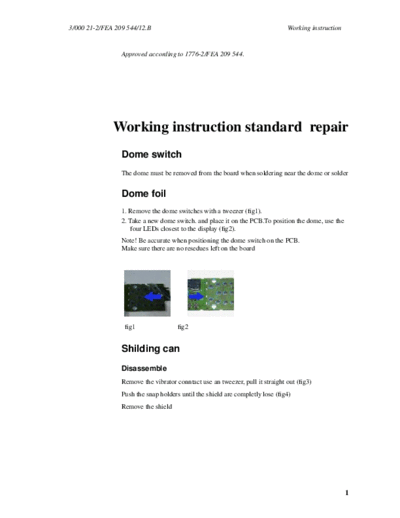
                 1. Remove the dome switches with a tweezer (fig1).
                 2. Take a new dome switch. and place it on the PCB.To position the dome, use the
                     four LEDs closest to the display (fig2).
                 Note! Be accurate when positioning the dome switch on the PCB.
                 Make sure there are no resedues left on the board


                  fig1                fig2


                 Shilding can
                 Disassemble
                 Remove the vibrator conntact use an tweezer, pull it straight out (fig3)
                 Push the snap holders until the shield are completly lose (fig4)
                 Remove the shield


                                                                                                     1
Working instruction                                                    3/000 21-2/FEA 209 544/12.B


                      fig3             fig4

                  Reassemble
                  Place the shields guide pin in the guide hole at the board
                  Press the shield on the other side until a snap is heard (fig5)
                  Mount the vibrator connector (fig6)


                      fig5                    fig6


2
◦ Jabse Service Manual Search 2026 ◦ Jabse Pravopis ◦ onTap.bg ◦ Other service manual resources online : Fixya ◦ eServiceinfo