Service Manuals, User Guides, Schematic Diagrams or docs for : . Rare and Ancient Equipment PRINTEX MANUALS Tri Light Manual (09 Aug 2006)
<< Back | HomeMost service manuals and schematics are PDF files, so You will need Adobre Acrobat Reader to view : Acrobat Download Some of the files are DjVu format. Readers and resources available here : DjVu Resources
For the compressed files, most common are zip and rar. Please, extract files with Your favorite compression software ( WinZip, WinRAR ... ) before viewing. If a document has multiple parts, You should download all, before extracting.
Good luck. Repair on Your own risk. Make sure You know what You are doing.
Image preview - the first page of the document
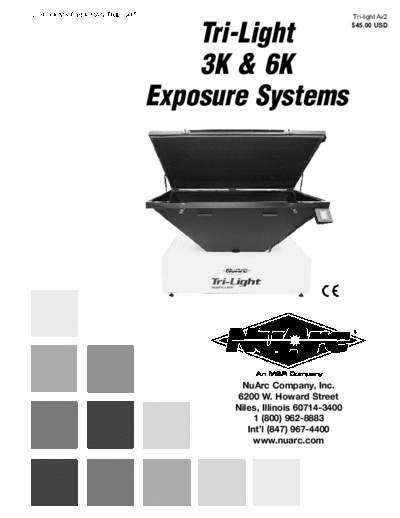
>> Download Tri Light Manual (09 Aug 2006) documenatation <<
Text preview - extract from the document
V.080906MS Part # MAN-TRILIGHT Tri-light Av2
Tri-Light
$45.00 USD
3K & 6K
Exposure Systems
NuArc Company, Inc.
6200 W. Howard Street
Niles, Illinois 60714-3400
1 (800) 962-8883
Int'l (847) 967-4400
www.nuarc.com
i
IMPORTANT!
IMPORTANT!
The product described in this publication may employ hazardous voltages or might create other conditions
that could, through misuse, inattention, or lack of understanding, result in personal injury, or damage to the
product or to other equipment. It is imperative, therefore, that personnel involved in the installation, main-
tenance, or use of this product understand the operation of the product and the contents of this publica-
tion.
This document is based on information available at the time of its publication. While efforts have been
made to be accurate, the information contained herein does not purport to cover all details or variations in
hardware, software, features or specifications, nor to provide for every possible contingency in connection
with installation, operation and maintenance. Features may be described herein which are not present in
all variations of this product. NuArc Company, Inc. assumes no obligation of notice to holders of this doc-
ument with respect to changes subsequently made.
NuArc Company, Inc. makes no representation or warranty, expressed, implied or statutory with respect to,
and assumes no responsibility for the accuracy, completeness, sufficiency or usefulness of the information
contained herein. No warranties of merchantability or fitness for purpose shall apply.
A publication of NuArc Companyt, Inc. All information contained herein is derived in part from proprietary and patent
data of NuArc Company, Inc. This publication may not be reproduced, copied, or transmitted in any form without prior
permission from NuArc Company, Inc. Printed in the U.S.A. All Rights Reserved. 2004
Valued Customer,
Thank you and congratulations on your purchase of your new NuArc Tri-Light Multi-Spectrum Exposure System.
Tri-Light features NuArc's patented instant-start power technology, which reduces glass temperature, power consump-
tion, and environmental heating effects. Its' single-point light source retains fine lines and dots while delivering maxi-
mum power for quick exposures. Tri-Light models are available in 6000 and 3000 watts (field-upgradeable to 6000
watts). The light source and vacuum frame are completely enclosed, and the exposure lamp cannot be turned on while
the blanket frame is open, perfect for areas housing un-exposed screens. NuArc's PLC controller and light integration
systems deliver precise control over vacuum duration, accurate lamp output compensation, and precise repeatability.
Maximum screen frame outside diameter is 42"x 60" (107 x 152 cm).
When combined with M&R's Tri-Loc Rapid Registration System, Tri-Light offers the most efficient image-to-press sys-
tem available. Double Tri-Loc capacity allows operators to expose two same-size screens at once, doubling productivi-
ty, while reducing the wear on the vacuum blanket and exposure lamp.
A thorough understanding of the operation and maintenance of your new Tri-Light will insure maximum production rates and
a long service life for your investment. This operator's manual is provided to help guide you, and your employees, in the prop-
er procedures for set-up, operation and preventive maintenance of your new Tri-Light.
Should you have any questions regarding the operation or maintenance of your new equipment, NuArc's world wide tech-
nical service and support network is available to you during regular business hours (8:30 a.m. - 5:00 p.m. CST) at 800-
736-6431, or, on weekends or holidays, call our 24-hour emergency service hotline at 630-462-4715 for technical support
24-hours-a-day, seven days a week. International customers please call +847-967-4400.
On behalf of all of us here at NuArc, thank you for selecting NuArc as your equipment supplier.
Michael J. Sweers
Director of Technical Services
NuArc Company, Inc.
The information listed below will prove helpful when ordering replacement parts, request-
ing service or repairs. Please fill in the following information. The Model No., Serial No.,
Schematic No. and Machine No. are all located on the Manufacturers Rating Plate mount-
ed to the equipment. Should you have any questions regarding this information, please do
not hesitate to contact our Equipment Service Department during normal business hours
at (800) 962-8883.
Product Name:
Model No.
Serial No.
Schematic No.
Machine No.
Date of Installation:
Installed By:
Tri-Light
6K & 3K
Exposure Systems
Table of
Disclaimer
Contents Model Description
Introduction
Safety Precautions ......................................... 1
Safety Precautions and Specifications ................................................. 7
Specifications
Installation ...................................................... 9
Set-Up and Controls & Operation ...................................... 15
Operation
Preventive Maintenance ................................. 19
Maintenance and Troubleshooting ............................................. 21
Troubleshooting
Replacement Parts and Replacement Parts ......................................... 25
Warrnty Information
Warranty Information
Tri-Light
6K & 3K
Exposure Systems
Safety Precautions
SAFETY PRECAUTIONS Underwriters Laboratories in the United States, and
FUNDAMENTAL SAFETY INSTRUCTIONS: the European Economic Community (CE) Standards
Please read all information regarding safety pre- and Directives. However, it is possible that danger-
cautions as presented in the Operator's Manual. ous conditions which can cause serious injury or loss
The fundamental requirement to assure safe and of life for the user or third persons, or damage to the
trouble-free operation of this equipment, is a thor- equipment or property could occur. This equipment
ough understanding of the safety information con- must be used only for the defined purpose as
tained in this Operator's Manual. This Operator's described in the Operator's Manual, and must be
Manual includes important instructions to assure maintained in perfect running condition in accor-
safe operation of this equipment. This Operator's dance with described Safety Regulations. Conditions
Manual, and especially the safety instructions as which may compromise operator safety must be
described there-in, must be observed by everyone identified and corrected immediately.
who will operate this equipment. In addition to the
safety instructions and regulations described in this Defined Purpose:
Operator's Manual, rules and regulations of the The NuArc is specifically designed to apply foil to
equipment owners place of business must also be textile substrates. Any other use of the equipment
observed. which does not meet the Defined Purpose as
described above is not permitted. In accordance with
Obligation of the Equipment Operator: the Defined Purpose of this equipment, it is neces-
The equipment Operator is obliged to guarantee that sary to observe all instructions as outlined in the
only staff who are acquainted with the fundamental Operator's Manual and to perform the preventive
regulations according to workers protection and maintenance procedures as described in the manu-
accident prevention, and, are completely knowl- al.
edgeable in the operation of this equipment have
fully read the Safety Chapter and the Warning Guarantee and Liability:
Instructions of this manual, and understand the In principle, our general terms of sale and delivery are
instructions as they relate to operation of this equip- valid and these are at the Operator's disposal.
ment. Equipment Operators must be continually Guarantee and liability claims for persons or proper-
evaluated to assure that they fully understand the ty damage are excluded if they originate for one or
operation of this equipment. more of the following reasons.
Obligation of Personnel: 1. A non-defined use of the equipment
Every person that will be engaged in the operation of 2. Improper installation or use of the equipment
this equipment must comply with the following 3. Operation of the equipment with defective safety
before operation of the equipment is to begin. devices.
1. Observe the fundamental regulations of work- 4. Non-Observance of instructions as described in
er's protection and accident prevention. the Operator's Manual for transportation, storage,
2. Read the Safety Chapter and Warning installation, operation, maintenance, set-up and
Instructions of this Operator's Manual and confirm take-down of the equipment.
by signature that they understand the instructions 5. Modification of the equipment.
as described in the manual. 6. Failure to replace worn or defective parts of the
equipment.
Dangerous Situations during Operation of 7. Defective repairs made to the equipment.
the Equipment: 8. Dangerous conditions which are a result of the
The NuArc has been designed and constructed in improper use of the equipment.
accordance with safety standards as described by
Nationally Recognized Testing Laboratories, such as
NuArc Company Inc. Niles, Illinois 60714 U.S.A. 1
Tri-Light
6K & 3K
Exposure Systems
Safety Precautions
Description of Safety Symbols and This symbol is used to
Instructions: describe operating tips or
especially useful information.
This symbol signifies or alerts This information will enable
the equipment operator of the Operator to use all
conditions or areas of the equipment functions for
equipment which present
OPERATING optimal performance.
imminent danger to the health TIP!
of the equipment Operator.
DANGER! Non-observance of these
instructions has serious Organizational Measures:
health consequences, and Equipment operators are responsible to provide per-
can lead to highly danger- sonal protection when operating this equipment. All
ous injuries. safety devices must be checked each day before
operation of the equipment can begin.
Safety Devices:
This symbol signifies a possi- Before beginning operation of the equipment, all
ble imminent danger for life safety appliances must be checked for proper oper-
and health of persons and ation.
equipment Operators. Safety devices may only be removed after.....
Non-observance of these
instructions can have seri- 1. The equipment is shut down.
2. The electrical power has been dis-connected from
WARNING! ous health consequences
the equipment.
and can lead to highly dan-
gerous injuries. 3. In case of delivery of partial components, the
Operator must install safety devices in accor-
dance with regulations.
This symbol signifies a possi-
ble danger. Exploratory Safety Measures:
Non-observance of these The Operator's Manual must be kept on or near the
instructions can lead to light equipment at all times. All safety and danger notices
injuries or damage to the must be kept in readable condition at all times.
equipment or property.
Training of Equipment Operator's
CAUTION! Only properly trained operators may run the equipment.
The competence of personnel who are to operate, main-
tain, set-up and shut down the equipment must be con-
firmed. Unskilled staff may work with the equipment only
This symbol gives important when supervised by experienced equipment Operators.
i
instructions for the proper use
of the equipment.Non-obser- Equipment Control System:
vance of these instructions Never make any modifications to software.
can lead to equipment fail- Only experienced Operators may actuate the control
ure. system.
IMPORTANT!
2 NuArc Company Inc. Niles, Illinois 60714 U.S.A.
Tri-Light
6K & 3K
Exposure Systems
Safety Precautions
Safety Measures during Normal Operation: Structural Modification of the Equipment:
Operate the equipment only if all safety devices are Modifications of equipment are specifically not
fully operational. Before starting the equipment, allowed with out written authorization from
check to be sure no-one will be endangered by the Amscomatic, Inc.
operation of the equipment. Check the equipment
and safety devices at least once per shift for exter- Cleaning of the equipment:
nal or visible damage. Clean away all ink or other contaminant's at the end
of each day.
Danger by Electrical Energy:
Equipment Noise:
Work on the electrical system Under normal operating conditions as described
must be carried out by quali- under Defined Purpose, this equipment will not pro-
fied personnel only. duce sound above the level of 65 db. Depending on
Check the electrical equip- local conditions, a higher continuous sound level
ment regularly for any sign of may result that could lead to hardness of hearing. In
defect or loose connections. this case, the operational staff must wear appropriate
Electrical enclosures must be safety clothing or protection.
kept securely locked at all
DANGER! times. CAUTION: The information
Only authorized personnel contained in this Operator's
with a key are allowed access Manual has been provided to
to electrical enclosures. eliminate problems from
occurring. Be sure to read
Danger by Pneumatic Energy: through this Operator's
Only personnel with experience with pneumatic CAUTION! Manual fully before operating
power systems may work with pneumatic compo- your press.
nents or assemblies. Before starting any work on There are numerous safety
pneumatic components or assemblies, the com- features utilized in the opera-
pressed air supply must be completely drained tion of this equipment. Please
from the equipment to prevent any operation of be sure you know the loca-
pneumatic controls or assemblies. All pneumatic tion of these safety devices
piping and/or hoses must be checked at regular and how they operate before
intervals for signs of wear or failure. attempting to operate this
equipment.
Maintenance & Trouble Shooting:
Preventive maintenance must be performed at regu- SAFETY FEATURES -
lar intervals as described in the Operator's Manual. 1. All equipment is provided with either a safety bar,
Equipment operator's must be informed before any foot switch, yellow cycle interruption cords, infrared
preventive maintenance can be performed. safety beam, yellow floor mats or hand switch to
All power systems such as electrical, pneumatic, stop the equipment. Please know the type on your
hydraulic or mechanical must be dis-connected equipment and its location and function before oper-
and locked out before preventive maintenance ating.
may begin.
NuArc Company Inc. Niles, Illinois 60714 U.S.A. 3
Tri-Light
6K & 3K
Exposure Systems
Safety Precautions
NEVER ATTEMPT TO BY-PASS The following general safety considerations are
OR DEFEAT ANY SAFETY offered as an aid to users of Amscomatic equipment
DEVICE OR APPLIANCE. IN to assist them in becoming safety conscience.
THE EVENT THAT ANY OR ALL
SAFETY DEVICES ARE NOT 1. READ THE OPERATOR'S MANUAL before
OPERATING OR FUNCTIONING attempting to lift, move, operate or perform mainte-
DANGER! PROPERLY, DO NOT ATTEMPT nance on any piece of machinery.
TO OPERATE THIS EQUIP- Become intimately familiar with all equipment con-
MENT! trols, their locations, their operation and their effect
2. Safety guards have been provided to protect the on equipment function. Keep this Operator's Manual
operator from all moving parts. Please do not in a clean location immediately adjacent to the
remove these Safety Guards any time the equipment equipment for a quick and handy reference.
is in operation.
2. BEFORE ATTEMPTING TO START THE EQUIP-
3. This Operator's Manual includes information MENT inspect all areas around and adjacent to mov-
regarding the proper preventative maintenance pro- ing parts for possible obstructions: tools, rags, crat-
cedures. When ever personnel are performing pre- ing remnants etc. Be certain that all Safety Guards,
ventative maintenance procedures, be sure that all covers, access doors etc., are properly installed prior
electrical and pneumatic power is disconnected to starting operation.
from the equipment, and that disconnects are
locked in the "OFF" position. 3. PRACTICE GOOD HOUSEKEEPING: Maintain
and area adjacent to NOT ON the equipment for tool
OPERATOR SAFETY INSTRUCTIONS - and garment storage. Clean up all spills and elimi-
All industrial equipment, including packaging equip- nate all potential trip points from the operating areas
ment, requires a combination of high electrical, around the equipment to prevent slipping or falling
pneumatic, hydraulic or mechanical power for oper- into the working zone of the equipment. Do not
ation. In addition, automatic packaging equipment, stand on equipment elements not intended for
by its nature, exposes operators to parts and this purpose. Maintain a maximum clear area
assemblies which operate at high speeds and con- around the equipment for unobstructed movement of
tain numerous moving parts. As with all complex the Operator. Perform Preventative Maintenance at
industrial equipment, care should be exercised to the intervals specified in this Operator's Manual.
carefully observe proper operating procedures and
safety precautions. 4. AVOID WEARING LOOSE CLOTHING , long hair,
neck ties etc., when operating this equipment as
Although every effort has been made to design and these can easily become entangled in moving parts.
construct safe, dependable equipment, it is impossi- Safety shoes are likewise recommended. Avoid
ble to foresee all circumstances under which this horseplay around the equipment.
equipment may be utilized, or to anticipate all possi-
ble combinations of factors which may cause a haz- 5. DO NOT ATTEMPT to operate this equipment if
ardous condition or situation. It is therefore impera- you are sick, excessively fatigued or under the influ-
tive that the equipment Operator, as well as all other ence of alcohol or prescription drugs. Shut off the
personnel engaged in any phase of the set-up, oper- equipment immediately if any malfunction occurs or
ation or preventative maintenance of this equipment appears imminent. Report any unsafe equipment or
consider safety first an important part of their job. condition promptly in order that correction can be
made as soon as possible.
4 NuArc Company Inc. Niles, Illinois 60714 U.S.A.
Tri-Light
6K & 3K
Exposure Systems
Safety Precautions
6. BY-STANDERS should stay well away from the
equipment so as not to distract the operator or acci-
dentally move a control element. Avoid talking to the
operator while the equipment is in operation.
7. WHEN CHANGING SET-UP, performing mainte-
nance work, cleaning the equipment etc., it is imper-
ative that the main electrical and pneumatic power
supplies be disconnected to avoid accidental oper-
ation and possible resultant injury. This is particular-
ly important in the event more than one person is
involved in such duties.
8. A WRITTEN SAFETY PROGRAM should be
installed by all companies owning NuArc Equipment.
This program should cover inspection, maintenance
and safety training on the proper use of the machin-
ery.
WARNING! DO NOT
AT T E M P T T O O P E R AT E
THE EQUIPMENT UNLESS
ALL SAFETY PRECAUTIONS
HAVE BEEN OBSERVED!
WARNING!
CAUTION: EXPOSURE TO
THE INTENSE UV LIGHT
ENERGY PRESENT
WHEN THE UV LAMPS
ARE ENERGIZED WILL
BE HARMFUL TO THE
WARNING! SKIN AND EYES. SERI-
OUS AND PERMANENT
INJURY CAN RESULT
FROM THIS EXPOSURE.
NEVER LOOK DIRECTLY
OR INDIRECTLY AT THE
UV LAMPS WITHOUT
APPROVED EYE PRO-
TECTION.
NuArc Company Inc. Niles, Illinois 60714 U.S.A. 5
Tri-Light
6K & 3K
Exposure Systems
Safety Precautions
NOTES:
6 NuArc Company Inc. Niles, Illinois 60714 U.S.A.
Tri-Light
6K & 3K
Exposure Systems
Specifications
SPECIFICATIONS
MODEL No. Tri-Light 6K Tri-Light 3K
Wattage 6000 6000
Screen Frame Max OD 42" x 60" (124 x 173 cm) 42" x 60" (124 x 173 cm)
Vacuum Frame Size 49" x 68" (107 x 155 x 191 cm) 49" x 68" (107 x 155 x 191 cm)
Overall Size 41" x 61" x 75" (104 x 155 x 191 cm) 41" x 61" x 75" (104 x 155 x 191 cm)
Electrical Requirements 208/230 v, 1 phase, 32/25 amps, 60 Hz. 208/230 v, 1 phase, 18/14 amps, 60 Hz.
208/230 v, 1 phase, 36/27 amps, 50 Hz. 208/230 v, 1 phase, 20/17 amps, 50 Hz.
Shipping Weight 1000 lbs. (454 kg) 1000 lbs. (454 kg)
The electrical specifications indicated are based on mathematical calculations which assume
i
ideal conditions exist for electrical supply line values, material used in the installation of electri-
cal service and site preparation. Although every effort has been made to provide accurate elec-
trical specifications, NuArc Company Inc., does not assume any liability for damages, whether
consequential or incidental, that may result from the use of the indicated electrical specifica-
tions. NuArc Company, Inc.,encourages the use of a licensed Electrician for the installation of
IMPORTANT electrical service to this equipment. The equipment when installed must be electrically ground-
ed in accordance with local codes, or in the absence of local codes, with the National Electrical
Code ANSI/NFPA 70- Latest Edition.
NuArc Company, Inc. reserves the right to alter specifications in the manufacture of its prod-
ucts.
NuArc Company, Inc. Niles, Illinois 60714 U.S.A. 7
Tri-Light
6K & 3K
Exposure Systems
Specifications
NOTES:
8 NuArc Company, Inc. Niles, Illinois 60714 U.S.A.
Tri-
Light
6K &
Installation Instructions
The NuArc Tri-Light exposure system is an electri- THE FOLLOWING PROCEDURE SHOULD BE
cally powered, self-contained unit consisting of a PERFORMED BY QUALIFIED TECHNICIAN ONLY.
vacuum system, vacuum frame, electrical control
system, cooling system and cabinet. 1. Locate the unit on a flat level floor. Once you have
selected a location and have the unit in position, it
The vacuum system for the Tri-Light consists of a must be leveled, front to rear, side to side.
single stage maintenance-free vacuum pump. The
hinged independent vacuum and optically clear 2. Once the unit is level, remove the screws at the top
plate glass frames are constructed of 2-inch square and base of the front center panel using a 7/16" box
welded tubular steel. wrench.
The vacuum frame forms the top of the Tri-Light with
the plate glass frame comprising the bottom.
Attached to the glass frame are two latches used to
secure the vacuum frame to the glass frame during
the vacuum/
exposure cycle. The latches also serve as conve-
nient handles for raising the glass frame for cleaning
or inspection purposes. A single piece rubber blan-
ket covers the vacuum frame above the glass.
A single point light source consisting of a powerful
6000-watt metal halide lamp provides for the fastest Top of Unit
and efficient exposures. The metal halide lamp is
easily accessible for preventive maintenance or
cleaning through a "works in a drawer" design locat-
ed at the front of the unit.
Your new Tri-Light requires a 220-volt, single
phase, 40-amp electrical service for operation.
Power is wired to the Tri-Light at the junction box
is located at the rear of the base.
CAUTION: BEFORE
INSTALLING OR OPERATING
THIS NUARC EXPOSURE UNIT,
BE SURE TO READ THIS
INSTRUCTION SHEET THOR- Bottom of Unit
OUGHLY. BEFORE PROCEED-
CAUTION! ING TO DO ANYTHING MAKE
CERTAIN THERE IS NO ELEC-
TRICAL POWER TO THE UNIT.
HIGH VOLTAGE IS PRESENT IN
UNIT.
NuArc Company Inc. Niles, Illinois 60714 U.S.A. 9
Tri-Light
6K & 3K
Exposure Systems
Installation Instructions
Remove the panel. This will expose the cooling fan.
5. The unit has been factory set to 230 volts. The
range of operation is 200-250 volts. To determine
3. Using the box wrench, continue to loosen the top
the proper setting for your location, you will need to
and base screws on the rear panel. Do not remove
turn on the vacuum pump and light for two minutes.
this panel.
At the end of one minute, measure the line voltage.
Set the voltage tap per this reading using the chart
below.
Tap Voltage Range Tap Voltage Range
200 200-206 230 227-236
210 207-216 240 237-246
220 217-226 250 247-255
Note: Unit will not operate with covers removed.
Line voltage must be measured at junction box with
covers on.
4. Remove the screws at the top and base of the left
panel. Remove this panel to expose the electrical
box.
10 NuArc Company Inc. Niles, Illinois 60714 U.S.A.
Tri-Light
6K & 3K
Exposure Systems
Installation Instructions
6. At the transformer move the black "VOLTAGE"
wire to the appropriate tap terminal. Replace all the
panels in reverse sequence.
Top of Unit
Installation of Metal Halide Lamp
After testing and inspection in our manufacturing
plant, the metal halide lamp is removed and careful-
ly packaged in a cardboard shipping container fas-
tened to the inside of the lower center cabinet. DO
NOT remove the lamp from its shipping container
until you are ready to install it in the lamp holder
assembly.
Bottom of Unit
DISCONNECT POWER FROM
UNIT!
2. Remove the lamp drawer stop.
DANGER!
DO NOT HANDLE THE GLASS SURFACE OF THE
LAMP, or allow it to come in contact with oily sub-
stances. If the lamp comes in contact with any for-
eign substance or is accidentally touched, wipe the
glass surface with Isopropyl Alcohol.
1. Using a 7/16" box wrench, remove the screws at
the top and base of the front center panel. Remove
the panel.
NuArc Company Inc. Niles, Illinois 60714 U.S.A. 11
Tri-Light
6K & 3K
Exposure Systems
Installation Instructions
Grasp the drawer handle and slide the lamp drawer Slide the glass out.
out.
4. To remove the lamp, wearing lint-free gloves, lift
3. Using a phillips screwdriver, unscrew the four the rear of lamp out of the rear lamp clip, then left the
screws from the two reflector brackets and remove front of lamp out of the front lamp clip. Reverse pro-
the brackets. cedure to install lamp and reassemble machine.
Lamps are installed with nipple pointing up.
12 NuArc Company Inc. Niles, Illinois 60714 U.S.A.
Tri-Light
6K & 3K
Exposure Systems
Controls and Operation
Setting the Clock
NOTE: Ensure power is applied to exposure unit.
1. On the control panel, turn the main switch to the
OFF position.
2. Press SERVICE button on screen.
5. At SERVICE menu press the CLOCK button on the
screen.
3. At ENTER PASSWORD prompt, touch the number
box.
6. Touch the space next to YR, MO, DATE, HR (0-23),
MIN, SEC and DAY (0-6...0=Sun, 6=Sat), and enter
the appropriate settings. These values will be entered
the instant the SET button is pressed, so enter the
time as it will be be in 30-60 seconds, pressing the
SET button the instant it is correct.
4. Type "1969" on keypad. Press the return key to
enter.
NuArc Company Inc. Niles, Illinois 60714 U.S.A. 13
Tri-Light
6K & 3K
Exposure Systems
Controls and Operation
7. Press the BACK button to return to the SERVICE All buttons are virtual, and can be activated by
menu. pressing directly on the touch screen where the but-
ton image appears.
Adjustable numerical values can be changed by
pressing directly on the touch screen where the
numerical value appears. This will cause a virtual
keypad to be displayed.
8. Press the BACK button to retrun to the OFF
screen. Verify that time and date at top of screen is
now correct.
4. Type the new value on keypad and press the
return key to enter.
Inspection Light Operation (Where Equipped)
With power applied, circuit breaker at rear of base
turned on, and with the Power Switch on the con-
trol panel in the "Off" position, press the virtual
INSP LMP button to enable [button lights] or disable
[button is dark] the inspection lamp.
Controls and Operation:
The MSP3140 and Tri-Light exposure systems have Once activated and the Power Switch is in the "On"
a touch activated graphic display to provide control position, the inspection lamp will illuminate when
of all functions, as well as status and diagnostic the frame is opened and extinguish when closed.
messaging.
14 NuArc Company Inc. Niles, Illinois 60714 U.S.A.
Tri-Light
6K & 3K
Exposure Systems
Controls and Operation
Turn main switch on the control panel to the "On" The exposure can be stopped at any time by press-
position. Main screen (green) appears and fans ing the virtual CANCEL button.
come on.
When the Light Unit count reaches zero, a message
Change Vac Time and Exposure by pressing direct- [flashing green] will appear saying EXPOSURE
ly on the displayed values and entering new ones COMPLETE.
as detailed earlier.
Once the parameters are set, press the START but-
ton to begin the exposure. Upon initiation of the
exposure, if a vacuum time is entered, the vacuum
pump will turn on and a screen (orange) will appear
displaying the vacuum level in "Hg and preset vac-
uum time. Once full vacuum is drawn, the vacuum
time will begin to count down. The exposure can
be stopped at any time by pressing the virtual
CANCEL button.
This message will remain until the OK button is
pressed, which will bring back the main screen.
When the vacuum count reaches zero, the lamp will
strike, and a screen (orange) will appear displaying
the preset exposure in LtU (Light Units). As the light
comes up in brightness the count rate will increase,
approaching one LtU per second.
NuArc Company Inc. Niles, Illinois 60714 U.S.A. 15
Tri-Light
6K & 3K
Exposure Systems
Controls and Operation
At this point another exposure may be initiated
and/or settings changed. To turn the machine off,
move the rocker switch on the control panel to the
"Off" position. The fans will and the following
screen will be displayed.
Saving and Recalling Settings
The Tri-Light/MSP3140 can store 15 parameter sets
in memory.
Saving: On the main screen, set Vac time and
Exposure as desired. Press the SAVE button.
Enter a memory location from 1-15 at the RECALL
FROM prompt. This number should appear to the
right of MEM #. Press the BACK button to return to
the main screen. The recalled settings have been
loaded into the Vac Time and Exposure.
Backlight Operation
The touch screen backlight extinguishes automati-
cally after 10 minutes. To turn the backlight on, sim-
ply touch anywhere on the display area.
Reading Touch Screen and PLC program
Revisions
Enter a memory location from 1-15 at the SAVE TO From the OFF screen, press the PROGREV button.
prompt. This number should appear to the right of The installed PLC and Touch Screen (INT) programs
MEM #. Press the BACK button to return to the will be momentarily displayed. Press the BACK but-
main screen. The settings have been saved to that ton to return to the OFF screen, or wait for the
memory # for future recall. screen to automatically return after 5 seconds.
Recalling: Press the RECALL button. Alert Messages
The following messages (flashing orange) will
appear to alert the operator to a condition that
needs to be remedied:
16 NuArc Company Inc. Niles, Illinois 60714 U.S.A.
Tri-Light
6K & 3K
Exposure Systems
Controls and Operation
PANEL OPEN is displayed when the main switch This can be the result of a perforation in the blan-
on the control panel in the "on" position while any ket, leaky seal, faulty latch or improperly seated
of the four base covers are improperly installed. vacuum frame.
This is a safety feature and no electrical devices
within the exposure unit will be able to activate until
all four covers are properly installed.
STRIKE FAILURE is displayed when the lamp fails
to ignite after three attempts by the controller. The
operator is given the option of re-initiating the expo-
FRAME OPEN is displayed when the operator sure by pressing the RETRY button, in which case
attempts to initiate an exposure with the vacuum the controller will make three more strike attempts,
frame unlatched or open. This is a safety feature, or canceling the exposure by pressing the CANCEL
as well as a measure to prevent exposure of photo- button. Failure to strike can be the result of a faulty
sensitive plates or screens that may be in the same lamp or power supply component(s).
room.
LOST ARC is displayed when the lamp extinguishes
Warning Messages prematurely during an exposure. Clear message
The following messages (flashing red) will appear and return to the main screen by pressing the OK
when there is a fault condition within the exposure button. A lost arc can be the result of a faulty lamp
unit requiring attention. or power supply component(s).
LOW VACUUM is displayed when the frame is
unable to achieve full vacuum within 90 seconds,
or there is a sudden drop in vacuum.
NuArc Company Inc. Niles, Illinois 60714 U.S.A. 17
Tri-Light
6K & 3K
Exposure Systems
Controls and Operation
NOTES:
NOTES:
18 NuArc Company Inc. Niles, Illinois 60714 U.S.A.
Tri-Light
6K & 3K
Exposure Systems
Preventive Maintenance Procedures
The benefits of a regularly scheduled preventive Inspect vacuum frame glass plate and clean away
maintenance program can never be over-estimated. any dirt or contaminant which may be present on the
Equipment which is properly maintained operates glass surface.
more efficiently, extends service life and reduces
operating costs. A properly managed preventive MONTHLY: Inspect and clean as necessary the
maintenance program will minimize downtime and fresh air intake vents and ventilation fans located on
its attendant costs before they occur, allowing you to the left and right side of the vacuum frame housing
be your most productive. assembly. The intake vents and the ventilation fans
must be free or any dirt, lint or other foreign materi-
Important factors to be considered when planning a als to provide proper ventilation of the photographic
preventive maintenance program include the proper lamp assembly.
selection, handling and application of lubricants,
spare replacement parts and the general cleaning Inspect the vacuum hoses from the vacuum pump to
and appearance of the equipment. Equally important the vacuum frame for any sign of twisting, kinking or
is the creation of a preventive maintenance history wear. Re-position vacuum hoses as may be required to
for each piece of equipment in your production allow for efficient operation of the vacuum frame sys-
areas. Documentation of preventive maintenance tem. Replace any hoses which exhibit signs of severe
procedures performed on your equipment can prove wear or deterioration.
invaluable for future reference.
The following information is provided to help guide
you in the recommended preventive maintenance
procedures for the Tri-Light.
WARNING! Always disconnect
the electrical power from the
equipment before beginning
preventive maintenance proce-
dures. Lock out the electrical
power source and tag the dis-
WARNING! connect switch so that person-
nel are aware that preventive
maintenance procedures are
being performed on the equip-
ment. This will prevent serious
injury to maintenance person-
nel and/or equipment opera-
tors!
DAILY: Inspect the vacuum frame blanket for indi-
cations of photo emulsion residue, or other dirt and
contaminants. Clean away any dirt or residue using
a damp sponge or shop towel moistened in warm
tap water. Be sure to wipe dry the vacuum frame
blanket after wiping with damp sponge or shop
towel.
NuArc Company Inc. Niles, Illinois 60714 U.S.A. 19
Tri-Light
6K & 3K
Exposure Systems
Preventive Maintenance Procedures
NOTES:
20 NuArc Company Inc. Niles, Illinois 60714 U.S.A.
Tri-Light
6K & 3K
Exposure Systems
Troubleshooting
The following information is provided as a guide for troubleshooting in the event a problem may occur dur-
ing the operation of the Tri-Light. Should you have any questions regarding the installation, operation or pre-
ventive maintenance procedures for this equipment, we strongly encourage you to contact our Equipment
Service Department at (847) 967-4400 during normal business hours, or our 24 hour Emergency Service hot-
line at (630) 462-4715 in the evening, weekends or holidays.
It is further recommended that persons using this troubleshooting guide have a working knowledge of elec-
trical power and control systems before attempting to replace or adjust components of this equipment.
IMPORTANT! Experience has shown that many problems can be Operator induced. It is important to check
that the main electrical power lines to the equipment are "ON".
NOTE: DANGEROUSLY HIGH VOLTAGES WILL BE PRESENT ON THE EQUIPMENT
WHILE TROUBLESHOOTING. All troubleshooting is accomplished with the equipment
connected to the electrical power source. It is imperative therefore, that qualified person-
nel only perform troubleshooting of the power supply.
WARNING!
NOTE: PRESS THE "B" FUNCTION KEY TO 3. Check the vacuum frame seal for air leaks. Close
RETURN TO THE MAIN MENU! and latch the vacuum frame. Begin an exposure (set
vacuum time to 999 first). Take a regular piece for 8-
PROBLEM A: "LOW VACUUM" message appears 1/2 x 11 paper and lay it flat on top of the glass.
on the display. Required vacuum level not achieved Slide the paper along the top of the glass with the
within the preset time limit or vacuum lost during an corner in contact with the blanket sealing bead. If
exposure. the corner of the paper slides under the sealing
bead, between the rubber and the glass, there is an
SOLUTION air leak present at that point.
1. Check that the frame is completely closed, the
latches are properly latched and that there is no for- Correct an air leak in the following way. First open
eign object between the sealing rubber bead and the the blanket frame and disconnect the lift arms on
glass. either side by removing the pins on the upper ends.
These pins are secured by "C" shaped snap rings
2. Check the vacuum hoses by pulling both off of the that must be removed before the pins can be
barbed fittings located at the rear of the blanket removed. Then lower the blanket frame and latch the
frame. Holding one in the left hand and one in the frame. Loosen the hinge screws on the base to allow
right hand have an assistant start an exposure. vertical movement of the blanket frame. Start an
When the vacuum begins, plug both hoses at the exposure. Press down on the frame if an air leak is
same time. The assistant should be able to read present prior to starting this procedure. When the
about 15" on the display at the control panel (read- readout on the control panel indicates about 15",
ings of from 14.5" to 15.5" are acceptable). If an tighten the hinge screws. Release the vacuum (can-
acceptable reading appears on the control panel, cel the exposure first). Open the frame and attach
reconnect the hoses and/or check the vacuum relief the lift arms. Be sure to replace the snap rings on the
valve that is mounted on the vacuum pump. lift arm pins.
NuArc Company Inc. Niles, Illinois 60714 U.S.A. 21
Tri-Light
6K & 3K
Exposure Systems
Troubleshooting
PROBLEM B: "LAMP OUTPUT LOW" message SOLUTION
appears on the display. Lamp output has dropped Close and latch the blanket frame if it is still open.
below the predetermined level for efficient operation. Start an exposure. If the exposure does not start,
carefully adjust the magnet bracket mounted on the
SOLUTION right side of the blanket frame will move down in the
Replace the lamp. However, this is not a critical error. front. After the unit has reached full vacuum, posi-
You may continue to use the machine by simply tion the magnet so that it is 1/16 inch away from the
clearing the error message. The integrator will com- top of the corresponding switch housing on the glass
pensate for the reduced lamp output by extending frame and tighten the screws. Release the vacuum
the exposure time as required. (cancel the exposure) and run another exposure.
Check the final position of the magnet bracket versus
PROBLEM C: "STRIKE FAILURE" message the switch housing.
appears on the display. The lamp has failed to begin
operation. CAUTION: the magnet bracket
must NOT be allowed to contact
SOLUTION the switch housing at any time
Try to start the lamp again. If the lamp fails to strike during the operation of the unit.
on the second try, shut off the power, wait 10 min-
utes and then try to start the lamp again. If the unit
still fails to strike the lamp the third time, replace the CAUTION!
lamp. If the unit fails to strike the new lamp, contact
the NuArc Service Department.
PROBLEM G: Vacuum pump operates, however, no
PROBLEM D: "LOST ARC" message appears on vacuum is displayed on LCD display.
the display and the exposure is cancelled. The lamp
goes out after the exposure has started. SOLUTION
Rubber bead not sealing to glass. Correct seal. To
SOLUTION correct the seal, do the following:
Retry the exposure. If the situation repeats, contact 1. Open frame and remove the snap ring from each
the NuArc Service Department. pin holding the upper end of the lift arm in clevis.
PROBLEM E: "PANEL OPEN" message appears on 2. Remove each pin and lower the now free lift arm
the display. One or more of the safety switches on down below the top of the machine on either side.
the lower covers is open. This is only caused by one
of the covers that is off or out of position. 3. Lower the blanket frame down onto the glass
carefully.
SOLUTION
Replace all of the lower panels and make sure that 4. Loosen the hinge screws on the glass frame, three
each is secure. per hinge. These are the screws that control the ver-
tical movement of the blanket frame in relation to the
PROBLEM F: "FRAME OPEN" message appears glass frame. These screws must be loose enough to
on the display. The safety switch on the glass frame allow the lower portion of the hinge free, unobstruct-
is open. This only happens when the blanket frame ed movement in the vertical direction.
is out of position or the blanket frame safety switch
is adjusted incorrectly. 5. Latch the blanket frame.
6. Set the vacuum time up to five minutes or more.
22 NuArc Company Inc. Niles, Illinois 60714 U.S.A.
Tri-Light
6K & 3K
Exposure Systems
Troubleshooting
7. Start the vacuum. NOTES:
8. After two minutes the blanket should be pulled
down flat against the glass. It may be necessary to
push down on one corner or another in order to get
the rubber "bead" to seal all of the way around.
9. After the blanket is pulled down and the seal
appears to be slightly compressed all of the way
around, tighten fully all of the hinge screws loosened
in Step 4.
10. Turn off the vacuum and unlatch the frame.
11. Attach the lift arms, shut and latch the frame and
pull vacuum again to test the adjustment.
If vacuum still fails to register, the problem is in the
hose connection or vacuum pump.
NuArc Company Inc. Niles, Illinois 60714 U.S.A. 23
Tri-Light
6K & 3K
Exposure Systems
Troubleshooting
NOTES:
24 NuArc Company Inc. Niles, Illinois 60714 U.S.A.
Tri-Light
6K & 3K
Exposure Systems
Replacement Parts
1
2
Reference No. Description M&R Part No.
1 Lamp PM78
2 Blower VE348
NuArc Company Inc. Niles, Illinois 60714 U.S.A. 25
Tri-Light
6K & 3K
Exposure Systems
Replacement Parts
Reference No. Description M&R Part No.
1 Touch Screen GT-01 10310003
26 NuArc Company Inc. Niles, Illinois 60714 U.S.A.
Tri-Light
6K & 3K
Exposure Systems
Replacement Parts
Reference No. Description M&R Part No.
1 Blower 220 Volts VE348
NuArc Company Inc. Niles, Illinois 60714 U.S.A. 27
Tri-Light
6K & 3K
Exposure Systems
Replacement Parts
Reference No. Description Part No.
1 Vacuum Pump VE1422
28 NuArc Company Inc. Niles, Illinois 60714 U.S.A.
Tri-Light
6K & 3K
Exposure Systems
Replacement Parts
Reference No. Description Part No.
1 Blower Assembly 91000043
NuArc Company Inc. Niles, Illinois 60714 U.S.A. 29
Tri-Light
6K & 3K
Exposure Systems
Replacement Parts
1
Reference No. Description Part No.
1 Axial Fan VE887
30 NuArc Company Inc. Niles, Illinois 60714 U.S.A.
Tri-Light
6K & 3K
Exposure Systems
Replacement Parts
1
Reference No. Description Part No.
1 Replacement Circuit Board 6K Unit 60 Hz. KT106
1 Replacement Circuit Board 6K Unit 50 Hz. KT107
1 Replacement Circuit Board 3K Unit 60 Hz. HT164
1 Replacement Circuit Board 3K Unit 50 Hz. HT165
NuArc Company Inc. Niles, Illinois 60714 U.S.A. 31
Tri-Light
6K & 3K
Exposure Systems
Replacement Parts
Reference No. Description Part No.
1 Capacitor GW107
32 NuArc Company Inc. Niles, Illinois 60714 U.S.A.
Tri-Light
6K & 3K
◦ Jabse Service Manual Search 2026 ◦ Jabse Pravopis ◦ onTap.bg ◦ Other service manual resources online : Fixya ◦ eServiceinfo