Service Manuals, User Guides, Schematic Diagrams or docs for : . Rare and Ancient Equipment Riso TI RP English rp-007
<< Back | HomeMost service manuals and schematics are PDF files, so You will need Adobre Acrobat Reader to view : Acrobat Download Some of the files are DjVu format. Readers and resources available here : DjVu Resources
For the compressed files, most common are zip and rar. Please, extract files with Your favorite compression software ( WinZip, WinRAR ... ) before viewing. If a document has multiple parts, You should download all, before extracting.
Good luck. Repair on Your own risk. Make sure You know what You are doing.
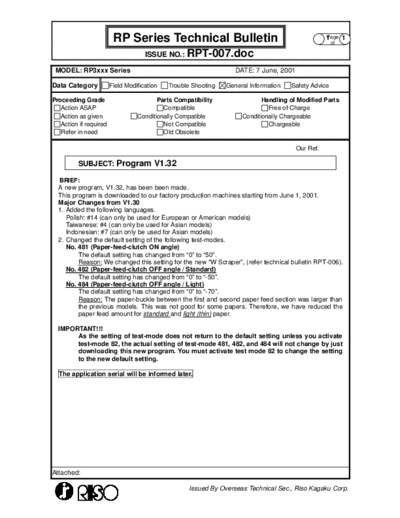
Image preview - the first page of the document
>> Download rp-007 documenatation <<
Text preview - extract from the document
                         RP Series Technical Bulletin                                              Page 1
                                                                                                   1
                                                                                                      of

                                     ISSUE NO.: RPT-007.doc

 MODEL: RP3xxx Series                                              DATE: 7 June, 2001

Data Category           Field Modification   Trouble Shooting   General Information   Safety Advice

Proceeding Grade                         Parts Compatibility                Handling of Modified Parts
   Action ASAP                             Compatible                         Free of Charge
   Action as given                Conditionally Compatible           Conditionally Chargeable
   Action if required                      Not Compatible                     Chargeable
   Refer in need                           Old Obsolete

                                                                                        Our Ref.

         SUBJECT: Program V1.32

  BRIEF:
  A new program, V1.32, has been been made.
  This program is downloaded to our factory production machines starting from June 1, 2001.
  Major Changes from V1.30
  1. Added the following languages.
     Polish: #14 (can only be used for European or American models)
     Taiwanese: #4 (can only be used for Asian models)
     Indonesian: #7 (can only be used for Asian models)
  2. Changed the default setting of the following test-modes.
     No. 481 (Paper-feed-clutch ON angle)
          The default setting has changed from "0" to "50".
          Reason: We changed this setting for the new "W Scraper", (refer technical bulletin RPT-006).
     No. 482 (Paper-feed-clutch OFF angle / Standard)
          The default setting has changed from "0" to "-50".
     No. 484 (Paper-feed-clutch OFF angle / Light)
          The default setting has changed from "0" to "-70".
          Reason: The paper-buckle between the first and second paper feed section was larger than
          the previous models. This was not good for some papers. Therefore, we have reduced the
          paper feed amount for standard and light (thin) paper.

  IMPORTANT!!!
       As the setting of test-mode does not return to the default setting unless you activate
       test-mode 82, the actual setting of test-mode 481, 482, and 484 will not change by just
       downloading this new program. You must activate test mode 82 to change the setting
       to the new default setting.

  The application serial will be informed later.


Attached:

                                                    Issued By Overseas Technical Sec., Riso Kagaku Corp.
◦ Jabse Service Manual Search 2026 ◦ Jabse Pravopis ◦ onTap.bg ◦ Other service manual resources online : Fixya ◦ eServiceinfo