Service Manuals, User Guides, Schematic Diagrams or docs for : . Rare and Ancient Equipment Unitc Copiers UNITC606 UnitC606 SERVICE.MAN LILY_SM
<< Back | HomeMost service manuals and schematics are PDF files, so You will need Adobre Acrobat Reader to view : Acrobat Download Some of the files are DjVu format. Readers and resources available here : DjVu Resources
For the compressed files, most common are zip and rar. Please, extract files with Your favorite compression software ( WinZip, WinRAR ... ) before viewing. If a document has multiple parts, You should download all, before extracting.
Good luck. Repair on Your own risk. Make sure You know what You are doing.
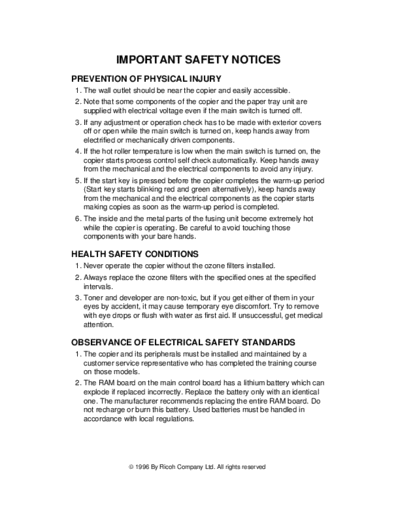
Image preview - the first page of the document
>> Download LILY_SM documenatation <<
Text preview - extract from the document
             IMPORTANT SAFETY NOTICES
PREVENTION OF PHYSICAL INJURY
1. The wall outlet should be near the copier and easily accessible.
2. Note that some components of the copier and the paper tray unit are
   supplied with electrical voltage even if the main switch is turned off.
3. If any adjustment or operation check has to be made with exterior covers
   off or open while the main switch is turned on, keep hands away from
   electrified or mechanically driven components.
4. If the hot roller temperature is low when the main switch is turned on, the
   copier starts process control self check automatically. Keep hands away
   from the mechanical and the electrical components to avoid any injury.
5. If the start key is pressed before the copier completes the warm-up period
   (Start key starts blinking red and green alternatively), keep hands away
   from the mechanical and the electrical components as the copier starts
   making copies as soon as the warm-up period is completed.
6. The inside and the metal parts of the fusing unit become extremely hot
   while the copier is operating. Be careful to avoid touching those
   components with your bare hands.

HEALTH SAFETY CONDITIONS
1. Never operate the copier without the ozone filters installed.
2. Always replace the ozone filters with the specified ones at the specified
   intervals.
3. Toner and developer are non-toxic, but if you get either of them in your
   eyes by accident, it may cause temporary eye discomfort. Try to remove
   with eye drops or flush with water as first aid. If unsuccessful, get medical
   attention.

OBSERVANCE OF ELECTRICAL SAFETY STANDARDS
1. The copier and its peripherals must be installed and maintained by a
   customer service representative who has completed the training course
   on those models.
2. The RAM board on the main control board has a lithium battery which can
   explode if replaced incorrectly. Replace the battery only with an identical
   one. The manufacturer recommends replacing the entire RAM board. Do
   not recharge or burn this battery. Used batteries must be handled in
   accordance with local regulations.
◦ Jabse Service Manual Search 2026 ◦ Jabse Pravopis ◦ onTap.bg ◦ Other service manual resources online : Fixya ◦ eServiceinfo