Service Manuals, User Guides, Schematic Diagrams or docs for : . Rare and Ancient Equipment Voxtel Mobile Phones VOXTEL ST11 VOXTEL ST11
<< Back | HomeMost service manuals and schematics are PDF files, so You will need Adobre Acrobat Reader to view : Acrobat Download Some of the files are DjVu format. Readers and resources available here : DjVu Resources
For the compressed files, most common are zip and rar. Please, extract files with Your favorite compression software ( WinZip, WinRAR ... ) before viewing. If a document has multiple parts, You should download all, before extracting.
Good luck. Repair on Your own risk. Make sure You know what You are doing.
Image preview - the first page of the document
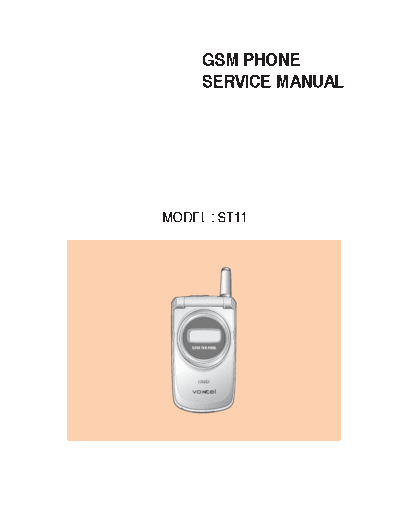
>> Download VOXTEL ST11 documenatation <<
Text preview - extract from the document
GSM PHONE
SERVICE MANUAL
MODEL : ST11
Rev. 1.00
Table Of Contents
1. Introduction ........................................................................................................ 1-1
2. Specification ....................................................................................................... 2-1
2.1 HW Features ................................................................................................................................................ 2-1
2.2 SW Features ................................................................................................................................................. 2-2
3. Disassembly Instruction ................................................................................................................. 3-1
3.1 Before Disassembly .................................................................................................................................... 3-1
3.2 Main Frame .................................................................................................................................................. 3-2
3.3 Folder ............................................................................................................................................................ 3-3
3.4 Exploded View and Parts List ....................................................................................................................3-5
3.4.1 Exploded View .....................................................................................................................................3-5
3.4.2 Mechanical Parts List ...........................................................................................................................3-6
4. Data Kit & Download Procedure .............................................................................................. 4-1
4.1 Data Kit ......................................................................................................................................................... 4-1
4.1.1 Download Equipment ....................................................................................................................... 4-1
4.1.2 Download Procedure ......................................................................................................................... 4-1
5. Troubleshooting ................................................................................................................................... 5-1
5.1 Power-On Trouble ....................................................................................................................................... 5-1
5.2 MIC Trouble ................................................................................................................................................. 5-2
5.3 Receiver Trouble .......................................................................................................................................... 5-3
5.4 Melody Trouble ........................................................................................................................................... 5-4
5.5 LCD Trouble ................................................................................................................................................ 5-5
5.6 Charge Trouble ............................................................................................................................................ 5-6
5.7 Vibrator Trouble .......................................................................................................................................... 5-7
5.8 Backlight Trouble ........................................................................................................................................ 5-8
5.9 SIM Detection Trouble ................................................................................................................................ 5-9
5.10 Ear Phone Trouble ................................................................................................................................... 5-10
5.11 7-LED Trouble ...........................................................................................................................................5-11
5.12 TX Power Trouble(E-GSM) .....................................................................................................................5-12
5.13 TX Power Trouble(DCS) ..........................................................................................................................5-14
5.14 RX Sensitivity Trouble(E-GSM) ............................................................................................................ 5-16
5.15 RX Sensitivity Trouble(DCS) ..................................................................................................................5-18
I
Table of Contets
6. Block Diagram ...................................................................................................................................... 6-1
6.1 BB Block Diagram ....................................................................................................................................... 6-1
6.2 RF Block Diagram ....................................................................................................................................... 6-2
7. Schematic Diagram ............................................................................................................................ 7-1
7.1 Key Pad ........................................................................................................................................................ 7-1
7.2 Main Board .................................................................................................................................................. 7-2
7.2.1 Chipset (Ulysse&Omega) ..................................................................................................................7-2
7.2.2 Memory & Melody .............................................................................................................................7-3
7.2.3 Audio & Peripheral Circuit ...............................................................................................................7-4
7.2.4 I/O & B'd to B'd Connector Interface .............................................................................................7-5
7.3 RF Top Schematic ........................................................................................................................................ 7-6
7.3.1 RF Pam ..................................................................................................................................................7-6
7.3.2 RF Main IC ...........................................................................................................................................7-7
8. PCB Diagram ......................................................................................................................................... 8-1
8.1 Main PCB ..................................................................................................................................................... 8-1
9. Electrical Part List .............................................................................................................................. 9-1
9.1 RF Part List .................................................................................................................................................. 9-1
9.2 Base Band Part List ..................................................................................................................................... 9-3
9.3 Key PCB Part List .........................................................................................................................................9-6
II
1. Introduction
ST11 is a folder type mobile phone operated in the GSM Digital Cellular Mobile Radio System, which is the
Pan-European mobile cellular standard. ST11 has the operation band of GSM 900 and DCS 1800. GSM Phase II
features are fully supported and parts of the GSM Phase II+ features are also supported. About the SIM Toolkit,
ST11 supports up to Class 3 including Class 1, 2. For speech communication, ST11 supports Full Rate(FR),
Enhanced Full Rate(EFR) and Half Rate(HR). For easy text, eZi Text is implemented and WAP protocol is
adopted for internet connection.
1-1
Introduction
Memo
1-2
2. Specification
2.1 HW Features
Item Description Remark
Supporting standard GSM 900/DCS 1800 Dual Band
E-GSM
Phase 2 and Phase 2+
SIM Toolkit : Class 1,2,3
Frequency range E-GSM TX : 880 - 915 MHz
E-GSM RX : 925 - 960 MHz
DCS 1800 TX : 1710 - 1785 MHz
DCS 1800 RX : 1805 - 1880 MHz
Battery Capacity
Standard : Li-ion, 720 mAh
Slim : Li-ion, 600 mAh
Display Full graphic type
Dual LCD
Main LCD
Pixels : 128 x 96
Ext. LCD
Pixels : 96 x 32
7 Color LED Indicator
Antenna Fixed type
PC synchronization Applied
Speech coding FR, EFR, HR
Data & Fax Built-in
Vibrator Built-in
Dual Speaker Applied (40 pole)
Portable Handsfree (Ear-Phone) Built-in
Travel charger Built-in
2-1
Specification
2.2 SW Features
Function Detail Item Comments
Normal features Last dialed number 30 entry
Last received number 30 entry
Last missed number 30 entry
Dial meno 1
Call Call waiting Yes(network dependent)
Audio Earpiece volume 5 level
Mute on& Mute off Yes
Cell broadcast CB option On / Off
Read topics SIM / Phone
Languages Same as number of language
Supplementary services Call barring All calls
All outgoing calls
All outgoing international calls
All outgoing int. calls except to home country
All incoming calls
All incoming calls when roaming
Short Message Write message Send/Store
Output message Send/Save/Extract Number/
Delete/Delete All
Input message Reply/Forward/Extract number/
Delete/Delete All
Status report Delete/Delete All
Call voicemail
Cell broadcast CB Option(On/Off)/Read
Topics(SIM/Phone)/Languages
2-2
Specification
Function Detail Item Comments
Memory status
Settings Status report/Message type
Expiry period/SMS center
Voice center/Alert
Multi-band Support of multi-band & mode GSM 900
EGSM
DCS1800
Miscellaneous function Development & test facility
Field test facility
Display software version
Text input Language English
Simplified chinese
Traditional chinese
eZi text Predictive word input
Scheduler View
Make Schedule
Call
Memo
Anniversary
Delete
View all Delete All Go Today
WAP WAP
World time Setting local time
Number of selectable cities 61 Cities
2-3
Specification
Function Detail Item Comments
PhoneBook Search All
Number Search
Name Search
Add New Entry
management
(
Game 2EA
( Eggaman
Honey
2-4
3. Disassembly Instruction
3.1 Before Disassembly
1. Remove the battery. To do so:
Pull the battery lock above the battery toward the
top of the phone and hold it in the position.
Lift the battery away.
2. Remove the SIM card. To do so:
Slide the metal lock in the direction of arrow.
Remove the SIM card as shown.
3-1
Disassembly Instruction
3.2 Main Frame
1. Remove the three screws on the back of the phone.
2. Insert a small ` - ` type driver between the front case
and the rear case, and lift up the front case.
Front case
Rear case
3. Now, you can replace the PCBs and the other
components.
Key Pad
Main PCB
3-2
Disassembly Instruction
3.3 Folder
1. Remove the rear case as described at Steps 1 and 2
under Main Frame Disassembly on page 3-2.
2. Unplug the connector shown at right from the main Connector
PCB.
Main PCB
3. Unhook the folder from the main frame.
4. Remove the three screws from the folder.
3-3
Disassembly Instruction
5. Insert a small ` - ` type driver between the folder
upper and the folder lower, and lift up the folder
upper.
Folder upper
Folder lower
6. Now, you can remove the LCD ass'y and the other
components.
LCD ass'y
3-4
3.4. Exploded View and Parts List
3.4.1 Exploded View
3-5
Exploded View and Parts List
3.4.2 Mechanical Parts List
NO. DESCRIPTION Q'TY
1 BATTERY 1
2 KNOB SLIDE 1
3 SPRING 1
4 CASE REAR 1
5 RURRER EAR MIC 1
6 ANTENNA 1
7 BRACKET ANTENNA 1
8 RUBBER R/F 1
9 LOCKER SIM 1
10 SCREW 4
11 PCB MAIN ASS'Y 1
12 RUBBER I/O 1
13 KEY PAD 1
14 SIDE KEY 1
15 RUBBER MIC 1
16 CASE FRONT 1
17 SCREW 3
18 WINDOW MAIN 1
19 DECO WINDOW 1
20 INDICATOR-R 1
21 WINDOW SUB 1
22 BEZEL 1
23 FOLDER UPPER 1
24 PCB FOLDER ASS'Y 2
25 HINGE 1
26 FOLDER LOWER 1
3-6
4. Data Kit & Download Procedure
4.1 Data Kit
4.1.1 Download Equipment
1. Download Cable
2. Desktop or Notebook PC
3. Download monitor program
4. ST11 mobile phone
4.1.2 Download Procedure
DOWNLOAD ENVIRONMENT
To download software of ST11, the following working environments should be
prepared:
◦ Jabse Service Manual Search 2026 ◦ Jabse Pravopis ◦ onTap.bg ◦ Other service manual resources online : Fixya ◦ eServiceinfo