Service Manuals, User Guides, Schematic Diagrams or docs for : . Rare and Ancient Equipment cdc cyber cyber_180 NOS_VE integration NOS_VE_Build_P_Helpful_Hints_Nov81
<< Back | HomeMost service manuals and schematics are PDF files, so You will need Adobre Acrobat Reader to view : Acrobat Download Some of the files are DjVu format. Readers and resources available here : DjVu Resources
For the compressed files, most common are zip and rar. Please, extract files with Your favorite compression software ( WinZip, WinRAR ... ) before viewing. If a document has multiple parts, You should download all, before extracting.
Good luck. Repair on Your own risk. Make sure You know what You are doing.
Image preview - the first page of the document
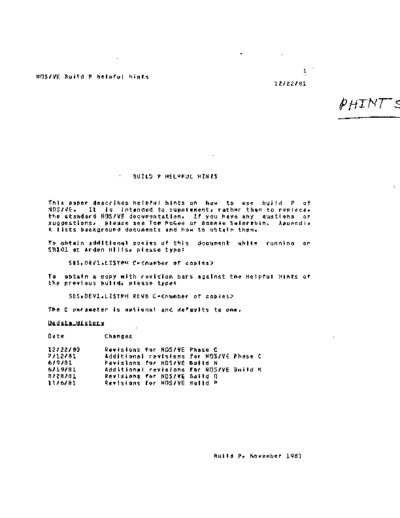
>> Download NOS_VE_Build_P_Helpful_Hints_Nov81 documenatation <<
Text preview - extract from the document
                                                                         1
NOS/VE Build P helpful hints
                                                                 12122/81


                           BUILD P HELPFUL HINTS
                                                                              \


   This paper describes helpful hints on hOM to use build P of
   NOS/VE.   It is intended to supplement, rather than to replace,
   the standard NOS/VE documentation. If you have any qustions or
   suggestions, please see Tom McGee or Bonnie Swierzbin. Appendix
   A lists background documents and how to obtain them.
  To obtain additional copies of this      document   white    running   on
  SNIOI at Arden Hills, please type l
         SES,OEVl.lISTPH C= 'BATCH' THEN
                 REQUEST_TERMINAL
              IFEND
   o   The LOGIN and LOGOUT commands have been implemented.      This
       Includes the processIng of system and user proloQs and
       epilogs. Since prolog processing Is now done automaticalty at
       fogln, the SETUP command has been deleted. The default for
       the FAMILY_NAME parameter is Inherited from the submitting job
       rather than set to an operator provided default as specified
       in the ERS.

       The system prolog consists of processing the SSYSTEM.SYSPROF
       file as was done previously by SETUP. If any errors occur
       during system prolog processing, the user Job is aborted in
       both Interactive and batch modes.
       User prolog processing consists of attempting to attach a file
       called PROLOG in the $USER catalog.      If unsuccessful, an
       attempt Is made to Qet the file PROLOG from the user's 170
       catalog; if this is successful, the file is saved in the $USER
       catalog for subsequent accesses. If the file PROLOG is now
       available, it Is INCLUDEd; otherwise nothing further is done.
       If any errors occur during user prolog processing, batch Jobs
       are aborted and interactlye Jobs continue.
       User epilog processing consists of the same steps as user
       prolog processing except that the file involved is EPILOG and
       If errors occur, processing continues with the system epilog.
       The system epilog Is an empty procedure for the time being.
       LOGIN automatlcal'y issues a LINK_USER command for the user
       logging in. In addition, LINK_USER now works as documented In
       the ERS, that is issuing a LINK_USER after login changes the
       Job setting rather than aborting.
   o   TAe contents of the SSYSTEM catalog can be displayed using the
       DISPLAY_CATALOG SSYSTEM command.
   o   Up untIl nOM If an error occurred at the "first leve'" In
       batch Jobs (I.e. the command came from the file COMMAND) the
       error was reported and the j6b continued processing commands.
       This Is no tonger true; an error at the first level witl cause
       batch jobs to be aborted.
       The fife SRESPONSE is no longer connected to the     file   OUTPUT
                                              Build p,   November 1981
                                                                         1-3
NOS/VE 8ulld P helpful hints
                                                                   12/22/81

1.0 MAJOR CHARACTERISTICS OF THIS BUILD


       In batch jobs.       The CONNECT_FILE command may be used    to   make
       this connection If desired.

       The "Welcome to NOS/VE
◦ Jabse Service Manual Search 2026 ◦ Jabse Pravopis ◦ onTap.bg ◦ Other service manual resources online : Fixya ◦ eServiceinfo