Service Manuals, User Guides, Schematic Diagrams or docs for : . Rare and Ancient Equipment cdc cyber cyber_180 NOS_VE release_notes NOS_VE_1.1.2_Level_630_Sofware_Rel_Bulletin_Mar85
<< Back | HomeMost service manuals and schematics are PDF files, so You will need Adobre Acrobat Reader to view : Acrobat Download Some of the files are DjVu format. Readers and resources available here : DjVu Resources
For the compressed files, most common are zip and rar. Please, extract files with Your favorite compression software ( WinZip, WinRAR ... ) before viewing. If a document has multiple parts, You should download all, before extracting.
Good luck. Repair on Your own risk. Make sure You know what You are doing.
Image preview - the first page of the document
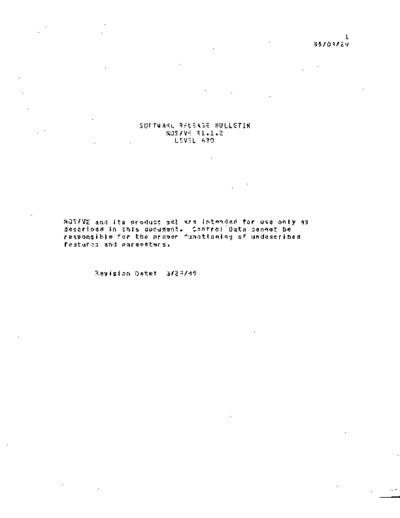
>> Download NOS_VE_1.1.2_Level_630_Sofware_Rel_Bulletin_Mar85 documenatation <<
Text preview - extract from the document
                                                                 1
                                                          85103/29


                 SOFTWARE RELEASE BULLETIN
                       NOS/VE ~1.1.2
                         LEVEL 630


NOS/VE and its product set are intended for use only as
described in this document. Control Data cannot be
responsible for the proper functioning of undescribed
features and parameters.


       Revision Date:   3/29/85
                                                                          1-1
~UFTWARE   RELEASE BULLETIN
                                                                     851fJ3/29
NOS/VE Rl.1.2 lEVEL 630
1.0 INTROOUC TI ON


The NOS/VE Rl.l.2 level 630 Software ~e'ease Bulletin (SRB) is to be
used with the NOS/VE Instal~3tion an1 Upgrade Manual (Publication
60463913) for installing NOS/VE and its software products. Control Data
recommends that the SRB be read in Its entirety prior to software
i nst at. atl on.

The SRB is the vehicle used to docume~t any changes to the Instal'ation
and Upgrade Manual after it has gone to print. The SR8 also documents a
number of system deficiencies. It is Aecessary to install NOS 2.4.1
Level 630 or NOSfBE 1.5 leve. 621, level &28 of the Common Products, and
CIP 003 before installing NOS/V~ Rl.l.2.
The following warnings and    restrictio~s   are especially important to this
release:
   1. A Backup_Permanent_Ftle operation must be done using the old
      system before upgrading to Rl.l.2 and the files restored using
      level Rl.l.2. See Sectio~ 3.1.2 for more information.
   2.A:s   of release 1.1.2, permf:\nent file labels wi.1 be written in a
      neM format which older systems wi" not be able to read.        This
      presents no prob'em unfess permanent files created on a Rl.l.Z
      system or later must be used on a system older than Rl.l.2.
      Should this situation arise. contact Central Software Support for
      guidance.
   3. A new version (VI.l) of object code library format has been
      implemented to support improved message template capabilities.
      Message template modules are now created through         the    OCU
      CREATE_MESSAGE_MOOULE subcommand which places message template
      modules on the object library. The ncu on the Rl.l.2 system can
      accept object modules fro~ both old (VI.D)         and new (Vl.I)
      libraries but will only generate new (Vl.1) format libraries.
      Libraries created by the Rl.l.2 OCU cannot be used by previous
      versions of the system or previous versions of OCU.          Object
      modules (but not SeL procedures or program descriptions) can be
      moved from a Vl.l library to a Vl.O library as follows:
           a. Using the Vi.l CREOl, do the following:
             CREOL
             ADoM vll_library "version Vl.l library"
SOfTWARE RELEASE BULLETIN
                                                                    851 lJ3129
NOS/VE Rl.l.2 lEVEL 630
1.0 INTRODUCTION


              GENl obJect_fite f=f "generates an object file"
         b. Using the VI.O   CREOL~   do the following:
              CREOl
              ADOM object_file "generated as above"
              GENt vlO_.ibrary "version Vl.O object tibrary"
   4. Previous versions of message template modules cannot be used by
      the   Rl.l.2   system.    They   ~ust   be   rebuilt   using  the
      GENERATE_MESSAGE_TEMPLATE procedure. A MODULE statement must be
      placed at the beginning and a ~ODEND statement at the end of the
      message template definitions in order to provide the name for the
      message template module on the DCU library. The message template
      module should be placed on the same library as the program
      description and eVBIl modules for the application program.
   5. A new version (VI.l) of sauree code library format has been
      implemented   to    support  current   and   future    performance
      improvements.    It wi' I be necessary to convert al'alder (pre
      Rl.l.Z) source libraries with a utillty described in Section 5.5.
   6. Changes  to the program i,terface require the recompilatlon of all
      CrBIl  modules.   Modules which have not been recompiled may
      encounter 'declaration mismatch' errors when they are loaded. In
      addition, any modules bound ~ith runtime libraries wilt have to be
      rebound.
   7. Tape usage is restricted         to permanent fite backup/restore, and
      dump analyzer operations.
   8. Rl.l.2 changes the operator i,terface to NOS/VE         from   the
      combination of the K-dlsplay and MOO Interface to 9 single CDC
      CC634B terminal connected via cable AVI17A to the mainframe's two
      port multiplexor.    The ~OS/VF system console should be connected
      to port 0 of the two port muttfolexor to allow RTA access via port
      1.

      The new NOS/VE system conso'~ orovides access to the operator
      fac.lity, system core debugger, the refreshing displays under
      VEDISPlAY, and an operator actions display. This console allows
      use of fu'l ASCII for at. key-~~s.
      A single CC6348 can    be used for both NOS and NOS/VE on  the model
      810/830    systems.    However, only one operating system can use the
                                                                       1-3
SOFTWARE RELEASE BULLETIN
                                                                85/03/29
NOS/VE Rl.l.2 lEVEL b30
1.0 INTRfJOUCTION


      system console at a given instant. The f6 key must be used        to
      switch ownership of the system consote between NOS and NOS/VE.
      For al I other model 8xx mainframes supported by NOS/VE, the e170
      state operating system ~il' continue to use the Ce545 consote and
      NOS/VE Mil' use the CC634~ as its system console.
In several sections of this document. PSR numbers are given fo.Jowing a
problem description. Additional information about the problem may be
obtained from SOLVER by using this number.
                                                                   2-1
SOFTWARE RELEASE BULLETIN
                                                              65/03/29
NOS/VE Rl.l.2 lEVEL 630
2.0 FEATURES AND PRODUCTS


The products associated with NO$IVE Rl.l.2 level 630 are documented in
detail  in the Software Availability Bu1letin. Please refer to that
document for this information.
                                                                                         3-1
SOFTWARE RELEASE BULLETIN
                                                                                 85/03/29
NOS/VE Rl.l.2 LEVEL 630
3.0 INSTALLATION AND OPERATIONS NOTES

------------------------------------------------------------------------

:3. 1 IB~IALJ.A!ILlrJ

3.1.1 NOS INSTALLATION

   1. 80th PASSON and IRHF must run out of the SYSTEMX account in order
      to access NOS output queue files which are transmitted to the
      NOS/VE input queue. If your site has changed the password of the
      SYSTEMX user, then you must alter the USER statements in the
      RUNJOBS procedure. Enter the following statements under the user
      name from which NOS/VE is being deadstarted:
       COMMON, SYSTEftl.
        GTR,SYSTE",NVELr8,U.UlIB/~VELIB.
       GETPRflC,RUNJOBS.
       *Change all USER statement oasswords to your site's value
        FSE;, RtlNJOt'S.
       *NVer,t,. adds'OSTLI8 to the Ijbrarv set
       REPPROC,RUNJ08S,l=DSTlIB.
       *Change DSTlIB from semi-3rivate to private
       CHANGE,OSTlIB/CT=P.
    2. In   order to use the ST-NVE oaraneter to route a file to the input
        queue, the user must have CUST validation 'lag set.
    3. The NOS system must have a LID table defined containing a                   PIO    of
       NVE with a LID of NVE. Neither entry has attributes.
    4. A skeleton file (ACCOUNT) is created during deadstart and used by
       Interim Remote Host and Interstate Communications to generate
       partner JOOS that are submitted to NOS. This file is created
       ~ithin a procedure named ACCFIlE which is located in user                   library
       NVEL lB.   Cur r en t I y , the ACe 0 1.J't r f j l e e rea ted wi' I c on ta i nth e
       followingl
              &JOS.
              US E R, &USE R, & PA:5 SwOR 0
◦ Jabse Service Manual Search 2026 ◦ Jabse Pravopis ◦ onTap.bg ◦ Other service manual resources online : Fixya ◦ eServiceinfo